PayBAC — B2B Payment Platform
Designing an end-to-end automated invoice billing and collection platform for BAC Credomatic — enabling corporate clients to send, manage, and collect payments through SINPE, virtual POS, and direct debit, fully integrated with corporate ERPs.
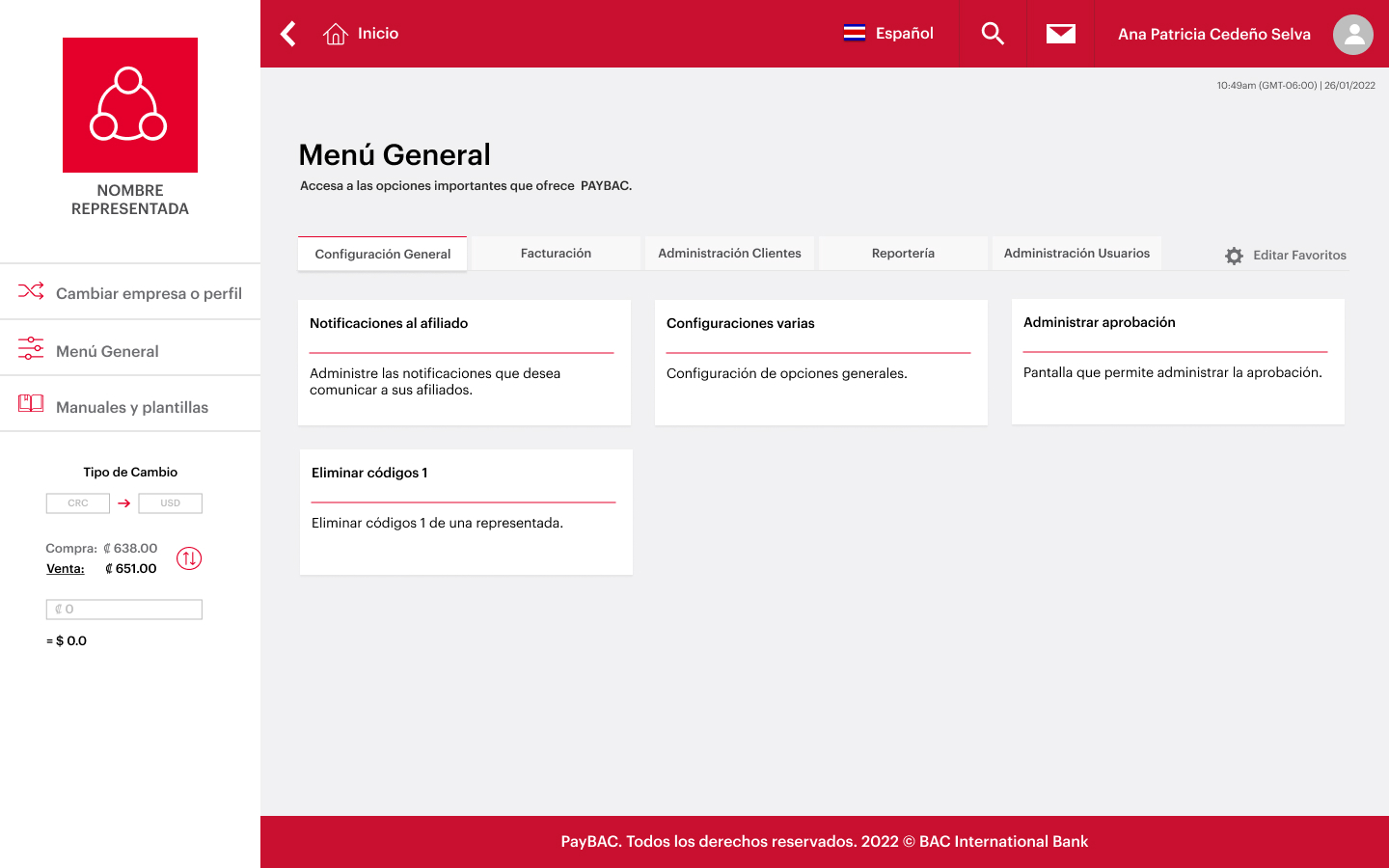
Context & Challenge
The Core Problem: Unidentified Deposits in Corporate Collections
Corporate clients of BAC Credomatic struggled with a fundamental problem: when third parties made payments, there was no reliable way to trace or identify which invoice a deposit corresponded to. Finance teams at treasury departments wasted hours reconciling payments manually, relying on multiple disparate tools.
PayBAC was conceived as a smart collector — a standalone platform (outside of Banca en Línea) that would connect directly to corporate ERPs via Web Services, allow companies to send invoices, configure payment codes, and collect via SINPE, virtual POS, direct debit, and batch processing, all with real-time confirmation.
My scope was the Representada profile redesign — the corporate-side module used by financial managers, treasury teams, and operations staff to manage the full billing and collection lifecycle. The existing product worked, but its UX had grown organically without a coherent system — I was brought in to redesign it from scratch across 8 sprints.
Payments arrived without enough metadata to auto-match them to invoices, forcing manual reconciliation and increasing operational cost.
Companies managed billing, collection, client data, and reporting across separate systems with no integration, creating friction and errors.
The platform had to simultaneously serve Representadas (collectors) and Afiliados (payers) — each with different needs, permissions, and workflows.
SINPE transactions, batch file processing, and cobro automático scheduling are time-critical — errors meant real financial consequences for clients.
adjustMy Scope & Ownership
Sole UX/UI designer across the full product lifecycle — from structured discovery through validated hi-fi prototypes and technical specifications. No other designer on the project at any stage.
Owned end-to-end
- Discovery & stakeholder interviews
- Information architecture (30+ screens)
- Hi-fi prototyping every sprint
- User testing coordination & synthesis
- Technical specification delivery to dev
Decided independently
- Wizard vs. free-form flow model
- Partial-success CSV validation model
- Non-blocking approval submission design
- Error state language and feedback copy
- Trust signal patterns in payment flows
Aligned with stakeholders
- SINPE compliance requirements
- BAC BLUE design system constraints
- AS-400 backend technical limits
- Sprint scope prioritization
- Approval workflow compliance model
Key Decisions
Strategic Choices That Shaped the Platform
| Decision | What I Chose | Why | Tradeoff |
|---|---|---|---|
| Research cadence | User interviews every sprint, not front-loaded | Treasury managers' mental models evolved as they saw working prototypes — continuous discovery caught usability issues before each dev handoff rather than after | Required dedicated interview coordination each sprint, adding planning overhead per cycle |
| Payment flow UX model | Guided wizard with explicit steps and progress state | User Friction Reduction was the priority — Representada users are beginners at digital collection scheduling. A step-by-step wizard reduces abandonment and prevents costly submission errors in high-stakes transactions | Less efficient for power users who know the defaults; more screens per task completion |
| CSV validation strategy | Partial-success model — valid and invalid lines split into separate tabs | Conversion Rate Optimization (CRO): all-or-nothing validation was blocking 200 valid invoices over a single bad row. Separating errors lets users proceed with the valid batch immediately | More complex state management required; edge-case documentation added to every dev spec |
| Approval gate design | Non-blocking submit — batch queued immediately, approver notified via transactional email in parallel | BAC's Payment Gateway Integration requires two-approver compliance for SINPE. Non-blocking design satisfies compliance without holding submitters hostage to approval wait times | Required a clear collection lifecycle status model (Pending / Approved / Rejected) to prevent user confusion about batch execution state |
Discovery & Stakeholder Research
6 Documentation Areas Mapped Before the First Prototype
Before touching Figma, I led a structured discovery phase — conducting stakeholder interviews to build foundational documentation across 6 critical areas. This ensured every subsequent sprint had a shared evidence base to reference.
Research Snapshot
Stakeholder Interviews (Sprint Pre)
Product owners, BAC developers, QA, compliance team
Mapped 6 foundational areas before any UI work — product scope, user profiles, technical constraints (AS-400 / Web Services), stakeholder relationships, and the full interaction flow across all 5 modules.
User Testing — Every Sprint
12+ Representada users: treasury managers, finance leads, operations staff
Sprint prototypes validated with real corporate users each cycle. Key findings: date picker confusion, misread "Pending" status, and fear of accidental bulk submissions — all resolved before dev handoff.
VB Business & Dev Reviews
Product owners, lead developer, QA — bi-weekly per sprint
Constraint-surfacing sessions that aligned UX decisions with AS-400 backend limits and BAC BLUE design system boundaries. Prevented post-dev UX rework across all 5 modules.
Transactional Email & Notification Mapping
Approval requests, rejection alerts, and scheduled collection confirmations
Every system-triggered notification was mapped — ensuring users received clear status feedback at every point in the collection lifecycle, from submission through approval, execution, and rejection.
PayBAC's scope, technical constraints (non-responsive, large screens only), design system base (BAC BLUE), and enterprise client testing protocols.
Smart collector concept, real-time payments, multi-currency support, ERP connectivity, payment alternatives (SINPE Normal/Mobile, Checks, Virtual POS, Automated Collection).
Representadas (treasury/finance teams with Master and Operative users) and Afiliados (self-service invited companies or automatic-charge authorized users).
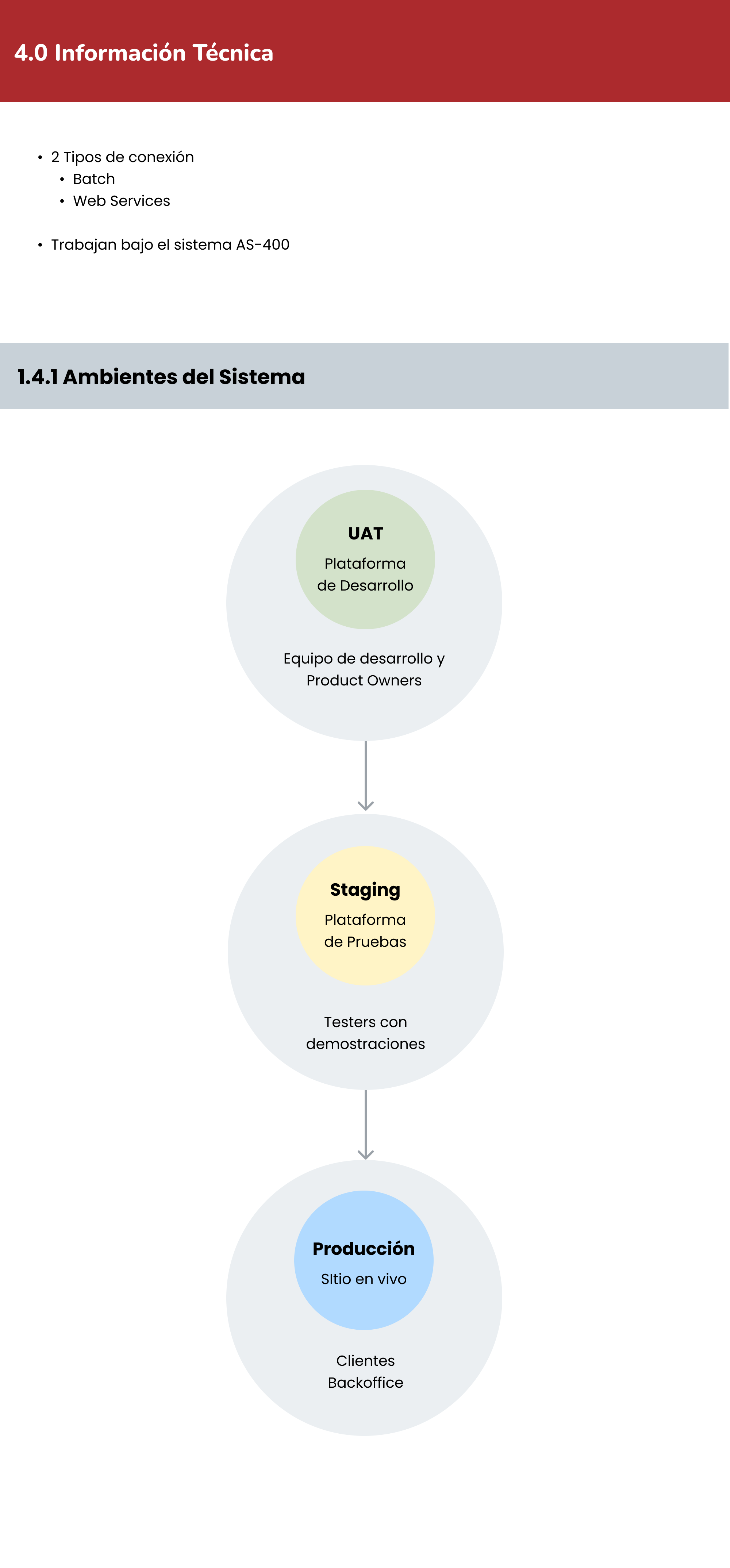
AS-400 system foundation, two connection types (Batch and Web Services), three environments: UAT (development team) → Staging (testers) → Production (clients).
6 stakeholders mapped: Stephanie Gómez (PO UAT Funcional), Ana Patricia Cedeño (PO UAT Diseño), developer, UX designer, Backoffice, and Sales representative.
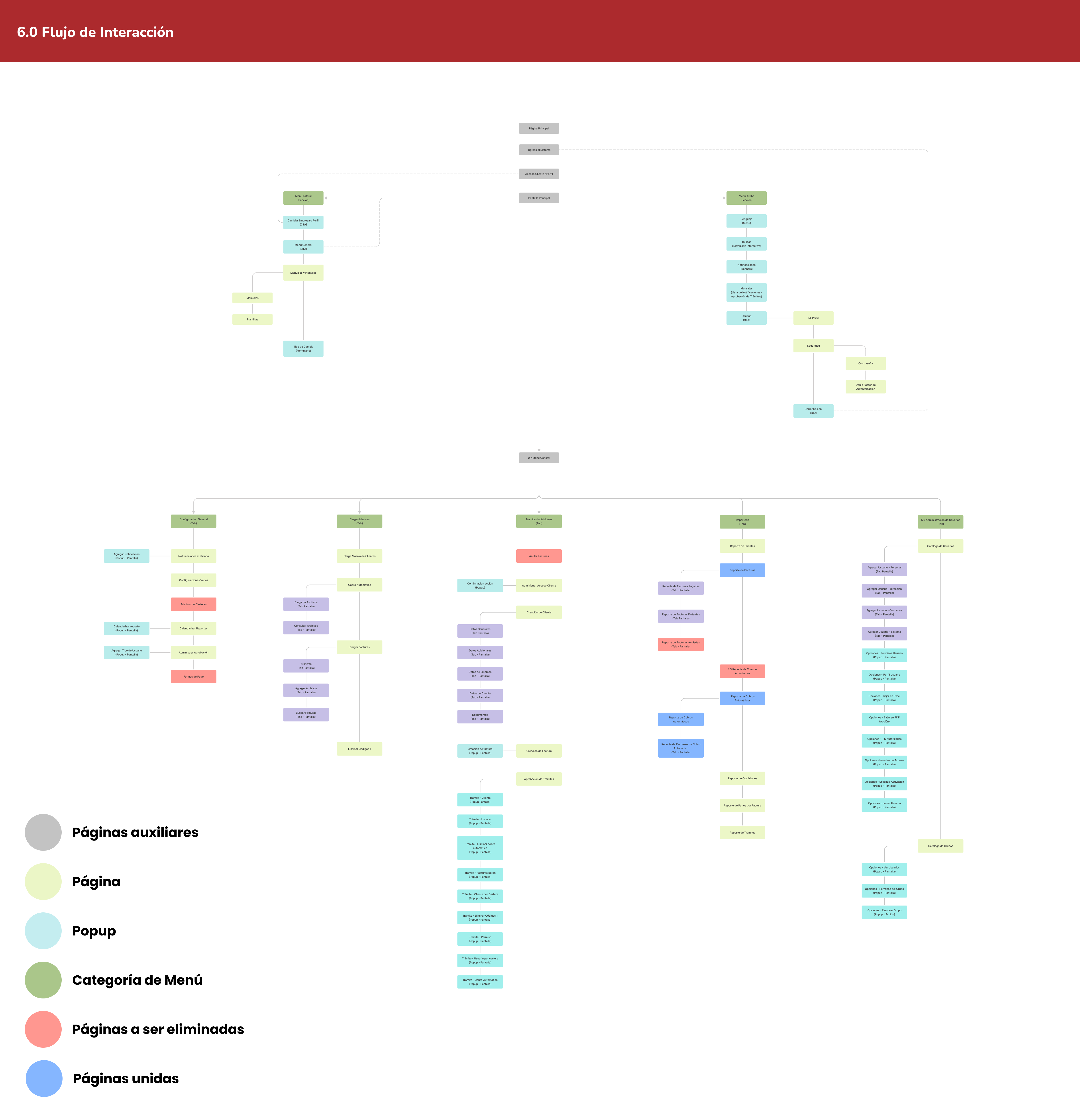
Complete IA map spanning Login → Main Screen → Menu General with 5 tabs, 30+ screens, popups, and interaction branches — the blueprint for all sprint design work.
Information Architecture
5 Modules, 30+ Screens, One Coherent System
The redesigned Representada profile was organized around 5 functional modules accessible from the main menu. Each module had its own tab, sub-screens, popups, and transactional states — all mapped before the first sprint prototype.
General Configuration (Configuración General)
- Affiliate Notifications (Notificaciones al Afiliado)
- General Settings (Configuraciones Varias)
- Approval Management (Administrar Aprobación)
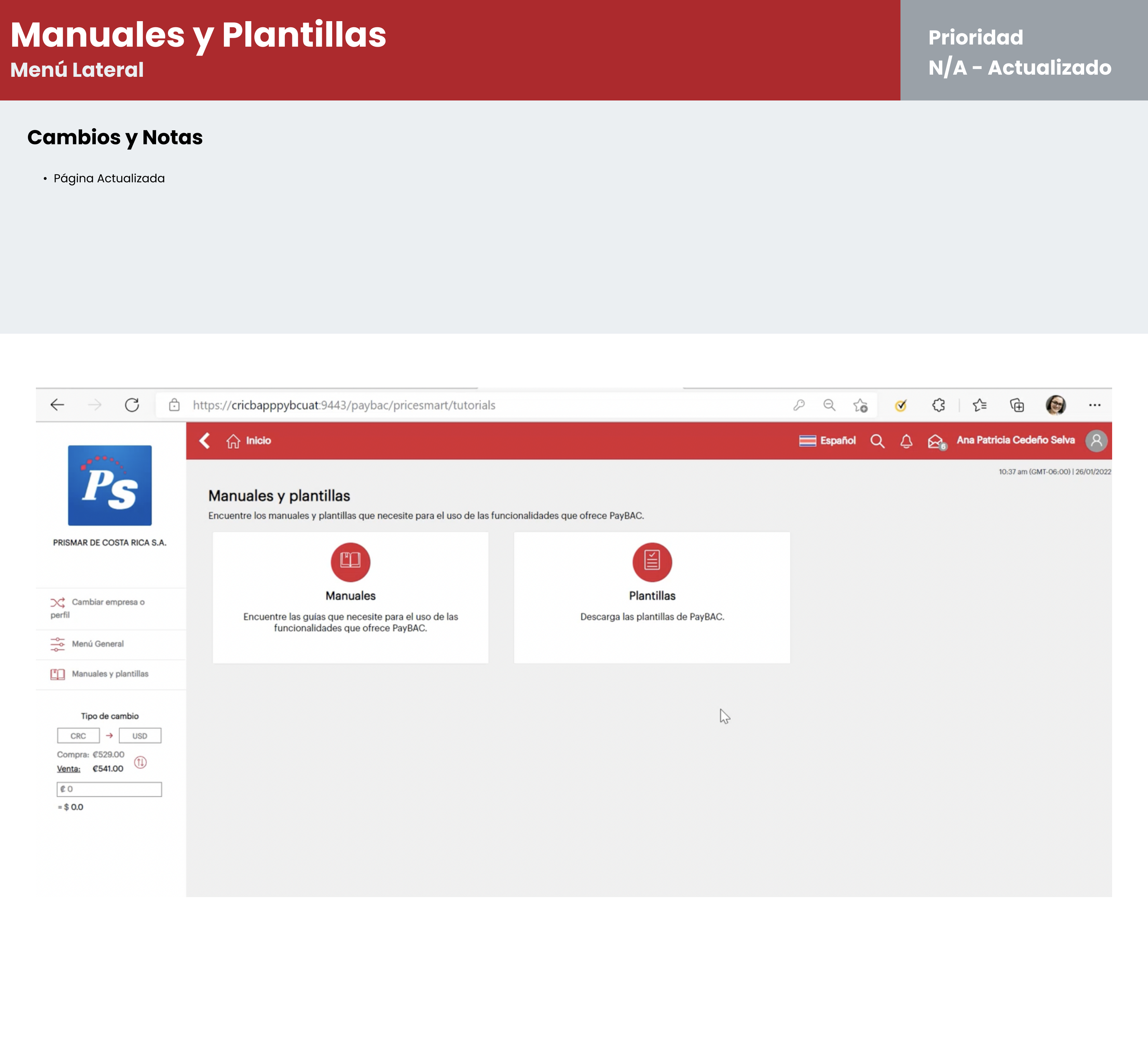
- Delete Payment Codes (Eliminar Códigos de Pago)
Billing (Facturación)
- Invoice Manager (Administrador de Facturas)
- View / Create Invoices (Ver / Crear Facturas)
- Bulk Invoice Upload (Carga Masiva de Facturas)
- Automated Collections (Cobros Automáticos)
Clients (Clientes)
- Manage Client Access (Administrar Acceso Cliente)
- Client Creation (Creación de Cliente)
- Bulk Client Upload (Carga Masiva de Clientes)
- View Files (Ver Archivos)
Reporting (Reportería)
- Invoice Report (Reporte de Facturas)
- Automated Collections Report (Reporte de Cobros Automáticos)
- Commission Report (Reporte de Comisiones)
- Schedule Reports (Calendarizar Reportes)
User Administration (Administración de Usuarios)
- User Catalog (Catálogo de Usuarios)
- Add User (Agregar Usuario) — 4-tab flow
- Group Catalog (Catálogo de Grupos)
- Permissions & Security (Permisos y Seguridad)
Methodology
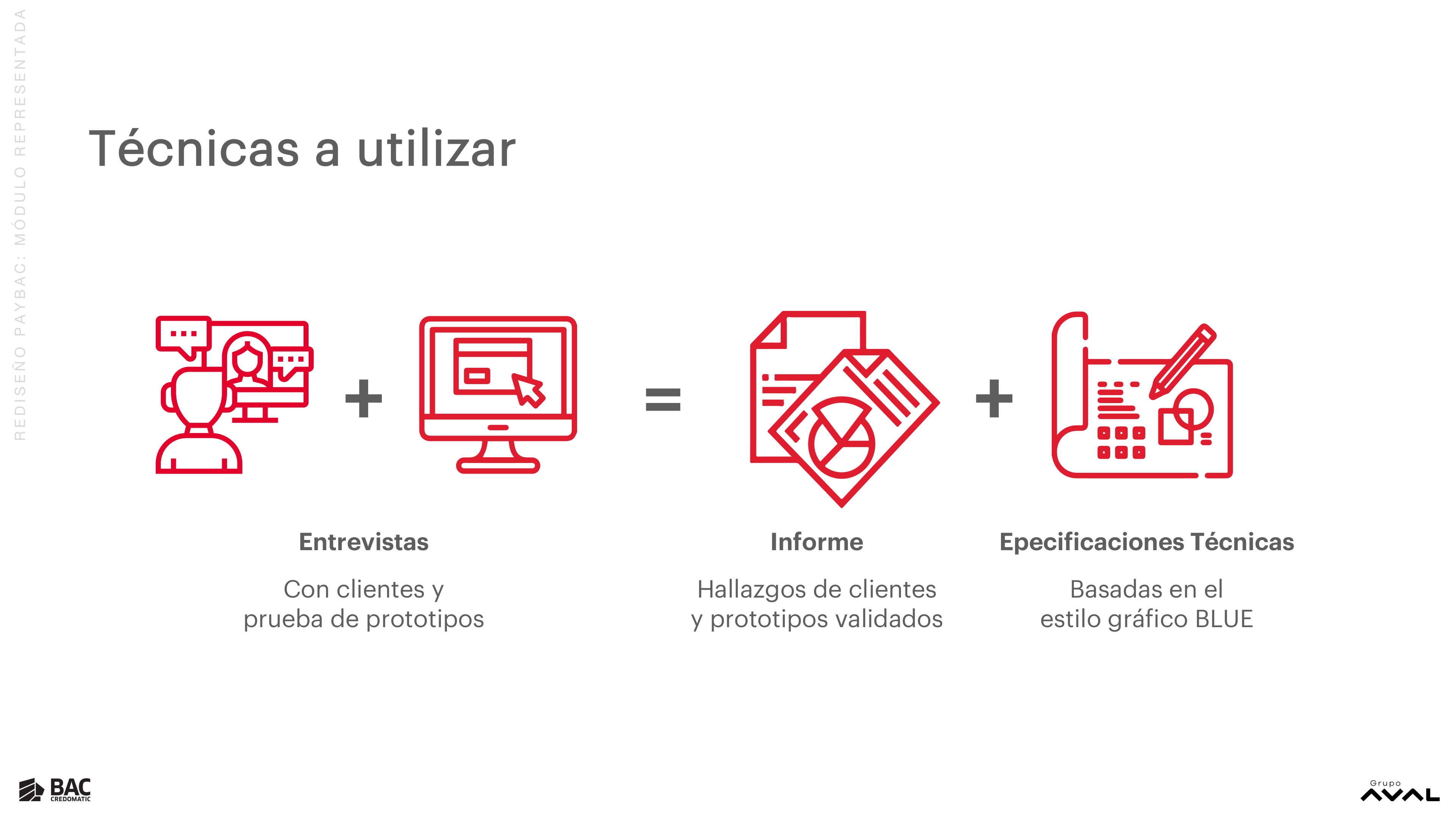
Interviews + Prototypes + Technical Specifications, Every Sprint
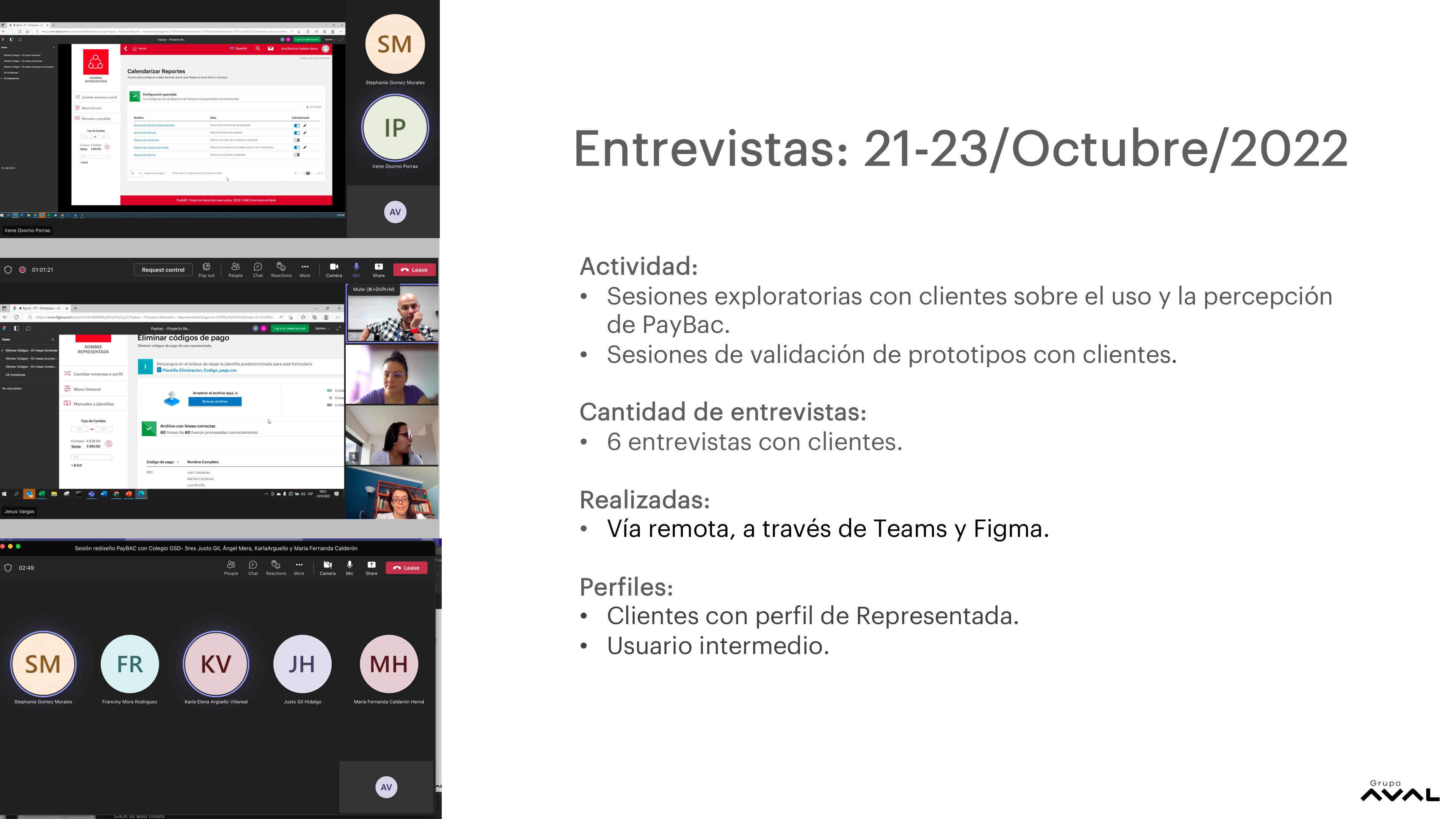
Every sprint followed the same evidence-driven loop: exploratory client interviews to understand current behavior and pain points → prototype design and iteration → VB (business/development review) sessions → prototype validation with real clients → synthesis and analysis → technical specification delivery to development.
Client Interviews
- Exploratory sessions
- Prototype testing
- Remote via Teams + Figma
- Representada user profile
Prototype Design
- Journey mapping
- Hi-fi prototyping (Figma)
- VB Dev/Business reviews
- UX Checkpoint sessions
Findings Report
- Interview synthesis
- Validated findings
- Design decisions documented
- Iteration tracking
Technical Specs
- BAC BLUE DS aligned
- Component annotations
- Interaction states
- Dev handoff delivery
Sprint Timeline
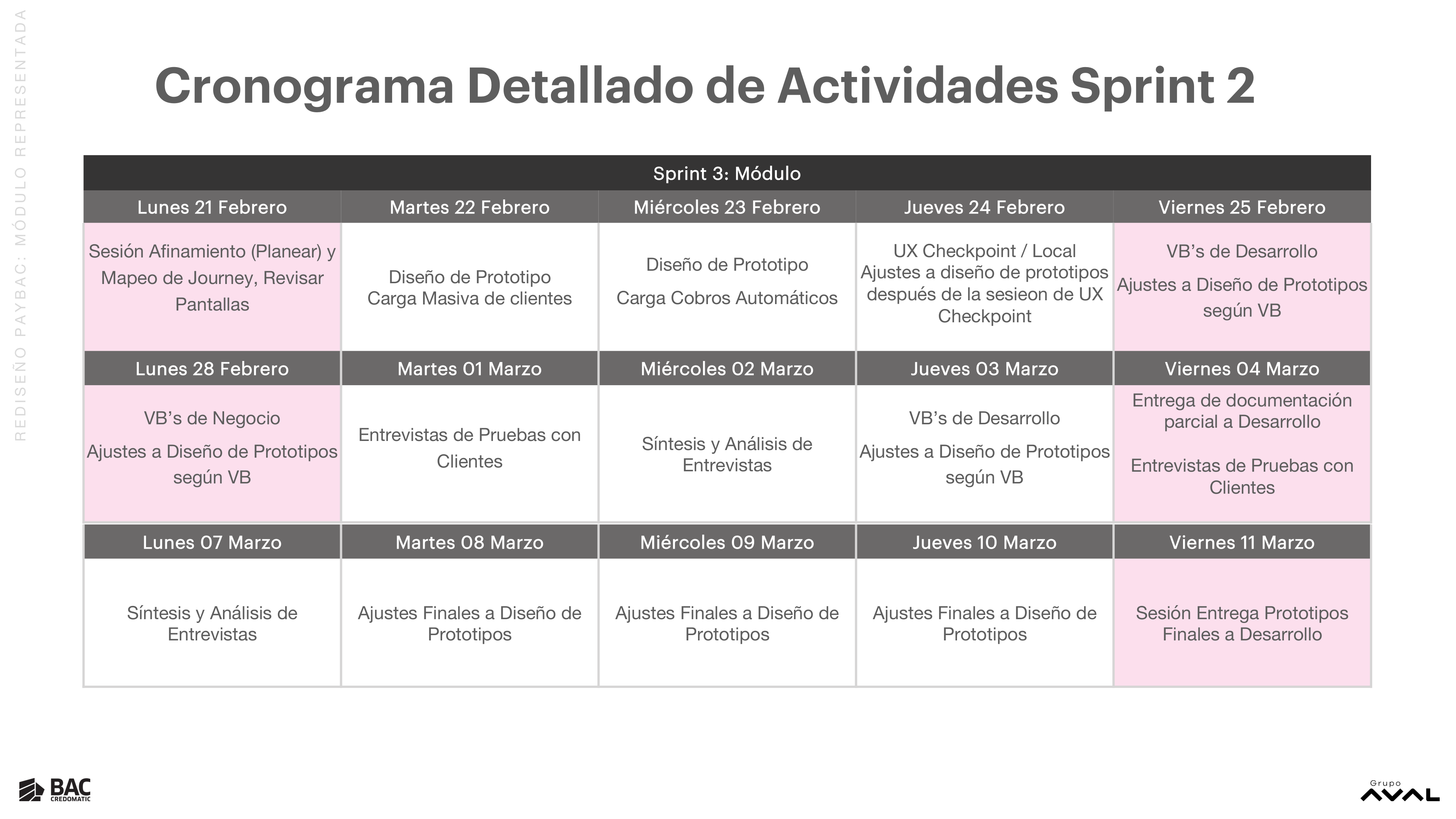
8 Sprints, Each with Research, Design & Delivery
From January to October 2022, every sprint followed the same cadence: planning and journey mapping on Monday, prototyping mid-week, VB reviews and adjustments, client interviews on Fridays, and final documentation delivery at the end of each cycle.
Each sprint owned a specific product module — ensuring depth of coverage and preventing scope creep across the platform.
Foundation & Discovery
Stakeholder interviews across 6 documentation areas: product scope, user profiles, technical architecture, stakeholder map, and full interaction flow mapping for the Representada module.
General Configuration (Configuración General) + Automated Collections (Cobros Automáticos)
Designed the main menu structure, General Configuration tab, and the full Automated Collections prototype including scheduling, file upload, and confirmation flows. First round of client prototype validation via Teams.
General Config Completion + Bulk Collection Upload (Carga Masiva de Cobros)
Completed remaining General Configuration screens: Affiliate Notifications (with Add Notification popup), Approval Management, and Delete Payment Codes. Prototype iteration cycles with dev and business VB reviews.
Clients Module (Módulo Clientes)
Full Clients module redesign: View Clients, Create Client (5-tab flow: General Data, Additional Data, Company Data, Account Data, Documents), View Files (Upload + Query), Bulk Client Upload. Multiple VB and UX Checkpoint sessions with client testing.
Billing Module (Módulo Facturación)
Complete billing module: Invoice Manager, View Invoices (with payment status tracking), Create Individual Invoice (popup flow), Bulk Invoice Upload, and the Approval Workflow (Trámites) for batch billing operations.
Hi-Fi Prototypes Documentation + Landing Page
Delivered complete hi-fi prototype documentation for the Representada profile. Simultaneously iterated the PayBAC public landing page through 5 versions — refining hero messaging, product benefits layout, client logo carousel, and visual design.
Configuration & Reporting Module (Módulo Configuración y Reportería) — Part 1
Reporting module: Invoice Report (Paid, Floating, Voided tabs), Automated Collections Report (with Rejected tab), Commission Report, Invoice Payment Report, Approval Workflow Report, and Schedule Reports popup flow.
User Administration Module (Módulo Administración de Usuarios) + Final Delivery
User Administration module: User Catalog (with 4-tab Add User flow), permission management, Group Catalog, Authorized IPs, Access Schedules, and security workflows. Final cross-module QA, iteration adjustments, and complete technical specification delivery.
Design Work
From Landing Page to Transactional Flows
The redesign covered the full product surface — from the public marketing page that corporate clients encounter first, to the dense transactional screens where financial operations happen daily. All work used BAC's BLUE Design System and was validated with real Representada users each sprint.
Landing Page Evolution — v1 to v5
The public landing page went through 5 major iterations across the project. Each version refined the hero message (from feature-focused to value-focused), the product differentiation between Gestor de Cobro and Gestor de Pago, and the visual hierarchy of client logos and CTAs.
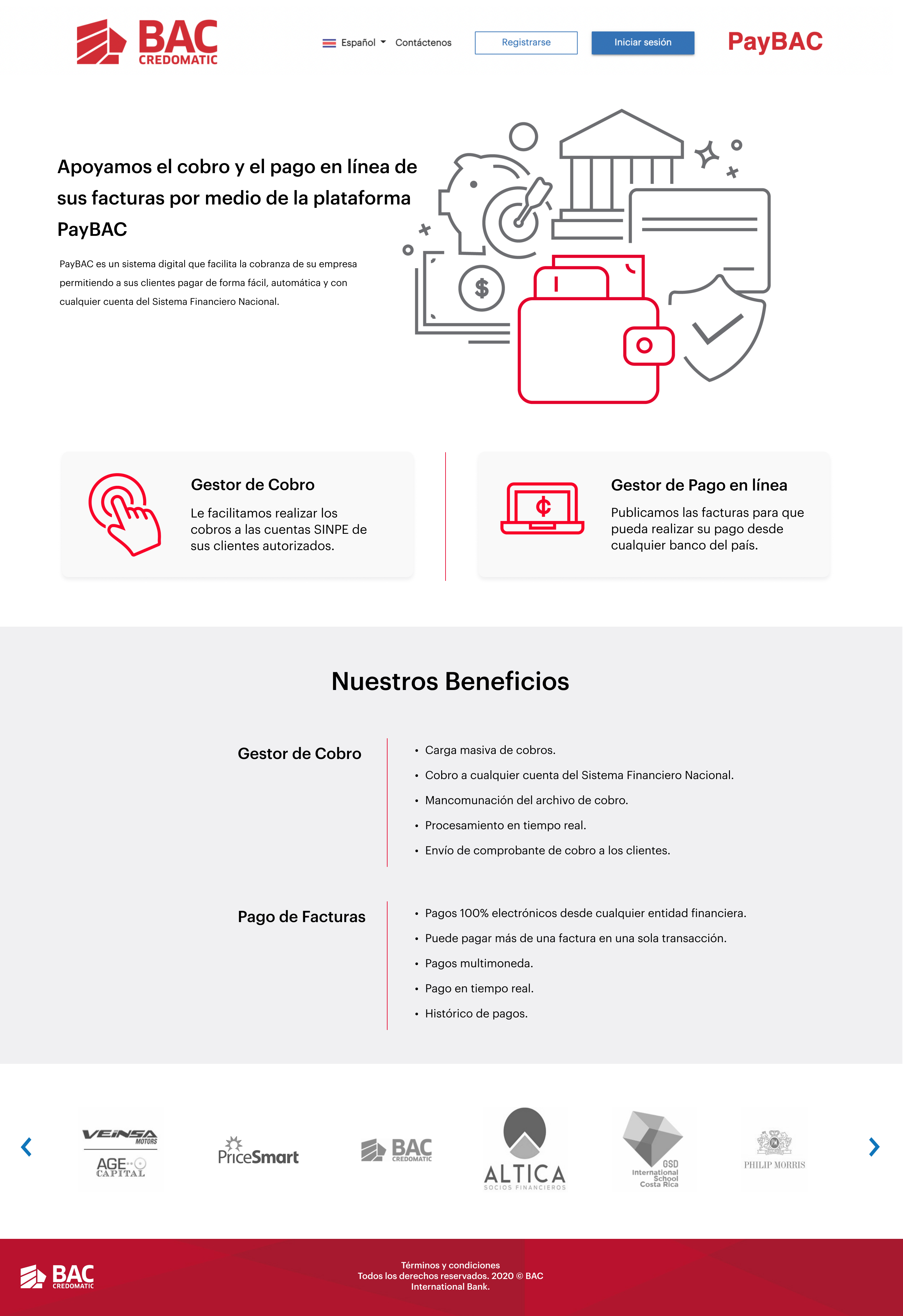
Initial layout — 2-column hero with inline benefits, two product cards side by side.
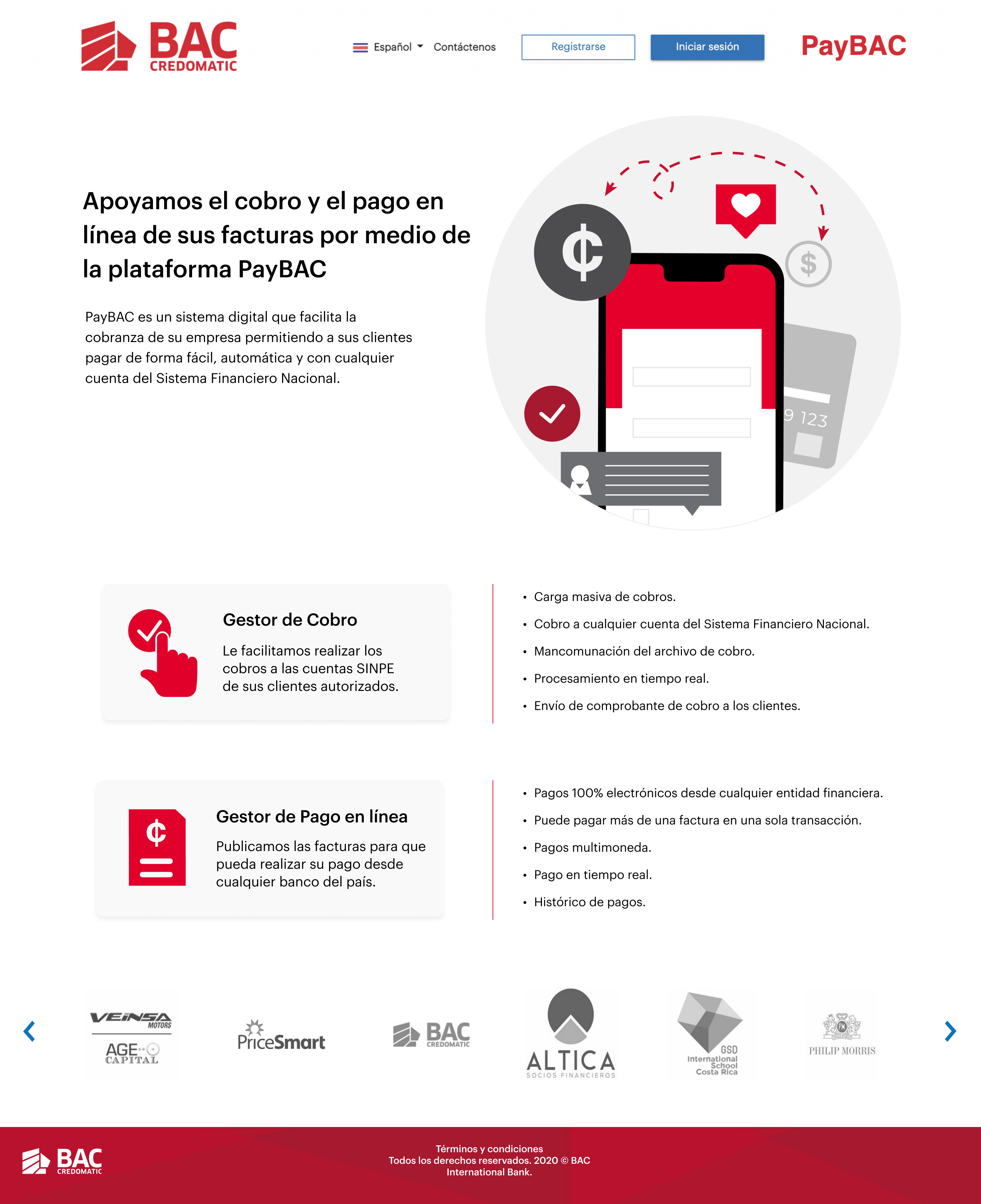
Evolved hero — product icon updated, client carousel repositioned above products section.
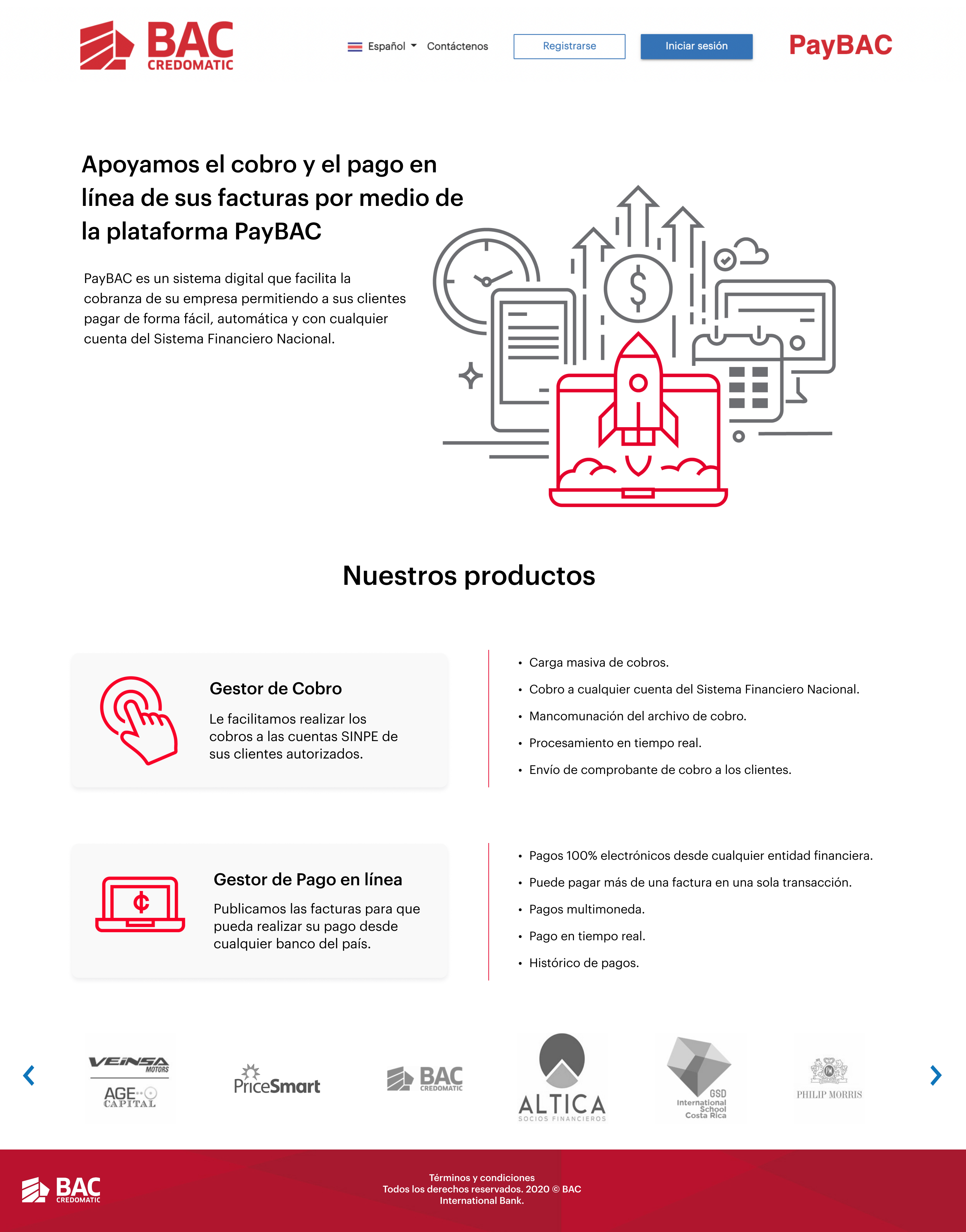
Final approved version — updated hero illustration, refined product card layout with expanded benefit lists.
Flow — Bulk Invoice Upload (Carga Masiva de Facturas)
The bulk invoice upload flow handles one of the platform's highest-stakes interactions: a treasury manager uploading hundreds of invoices in a single CSV. The flow validates each line in real time, surfaces errors inline, and requires explicit approval before sending to the processing queue — preventing batch failures from reaching production.
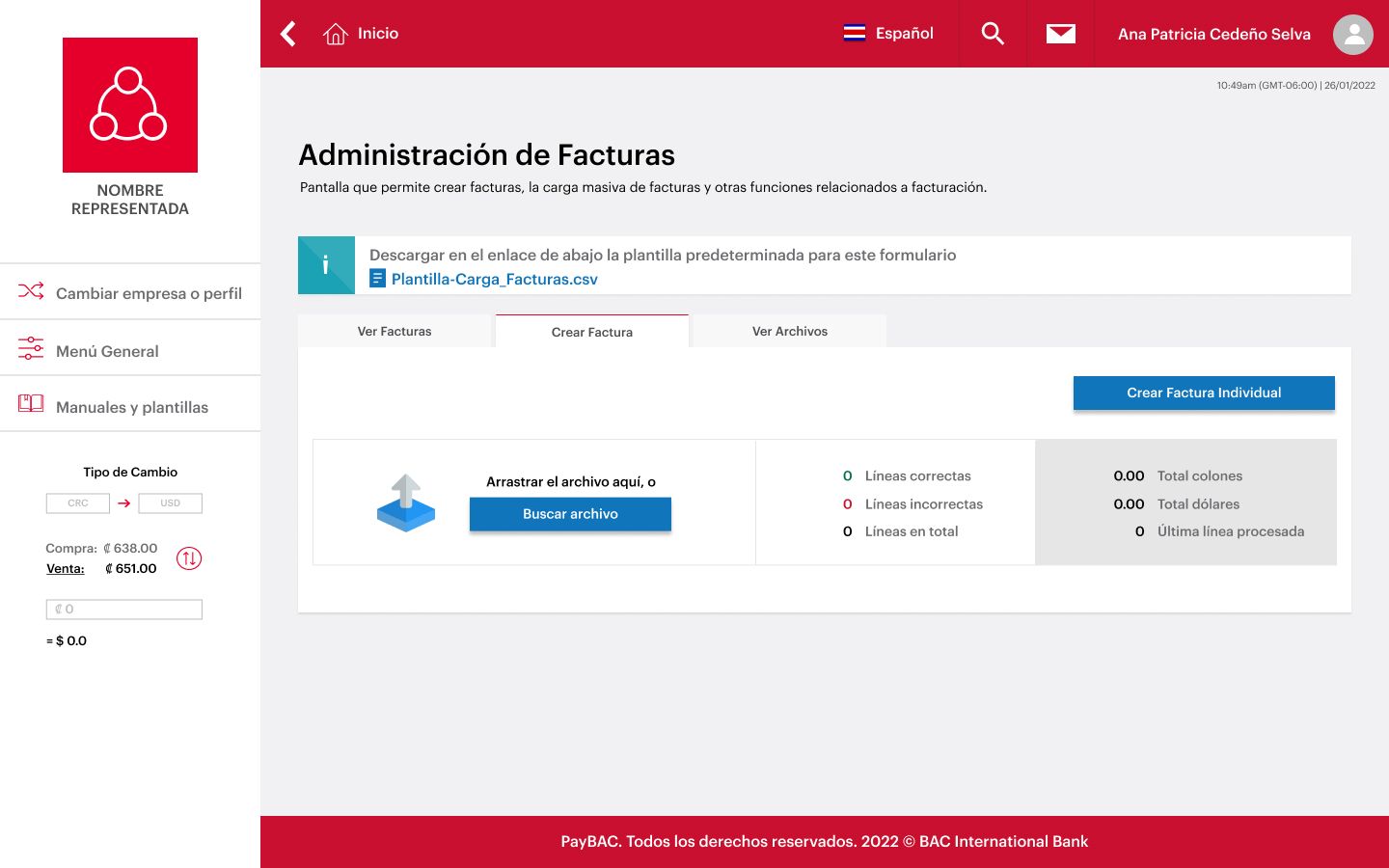
Step 01 (Paso 01) — Upload entry point
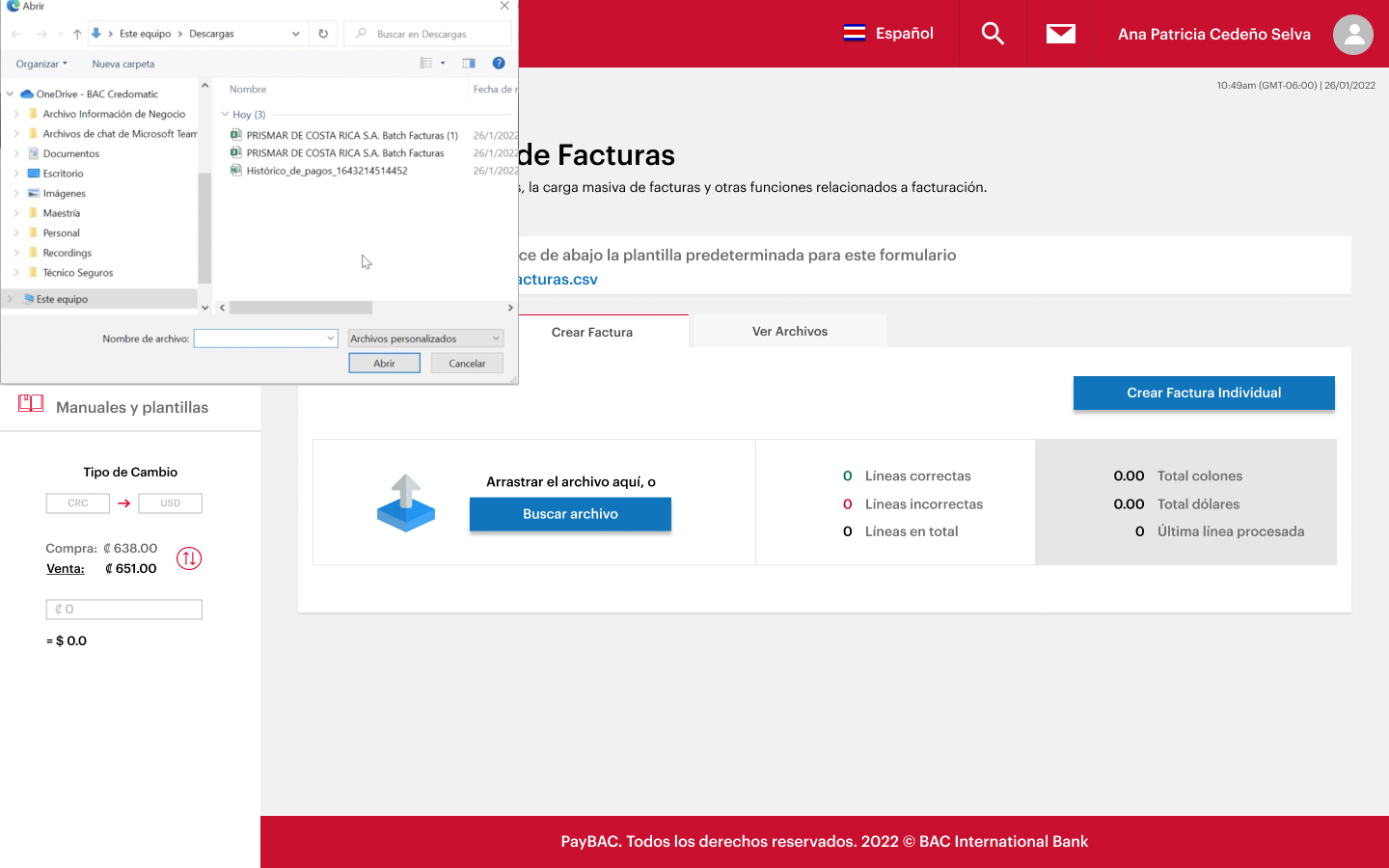
Step 02 (Paso 02) — File picker dialog
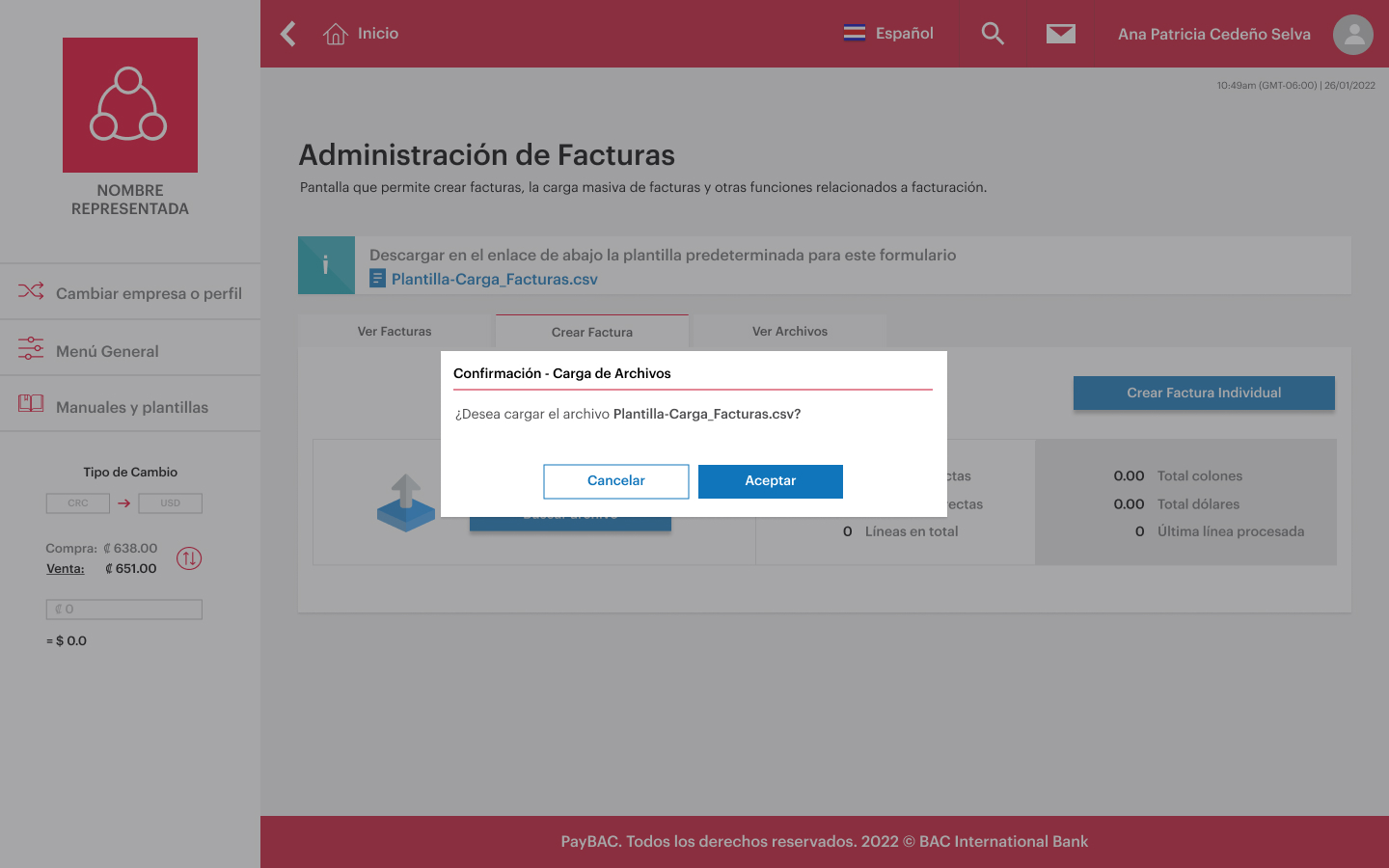
Step 03 (Paso 03) — Upload confirmation modal
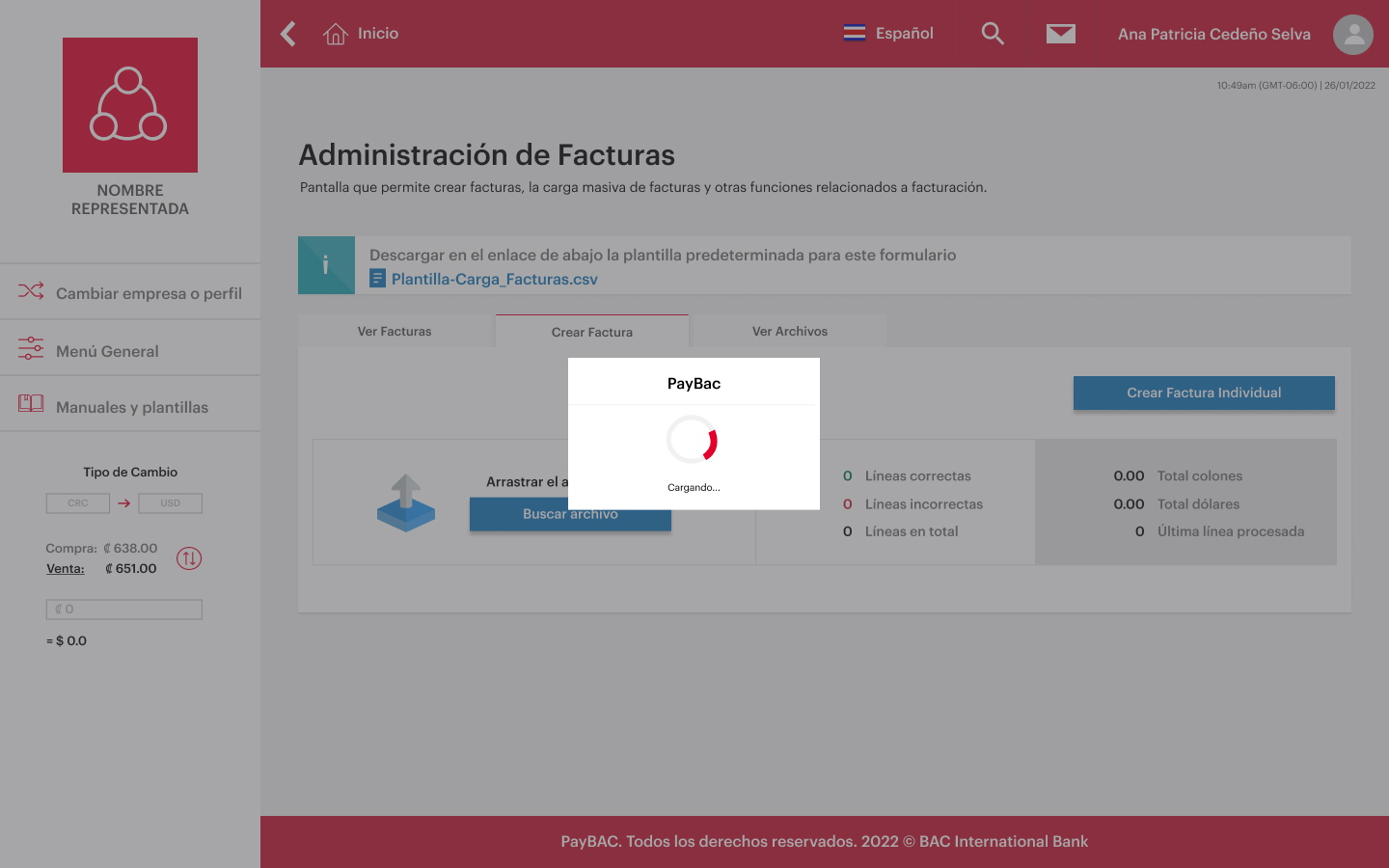
Step 04 (Paso 04) — Processing state
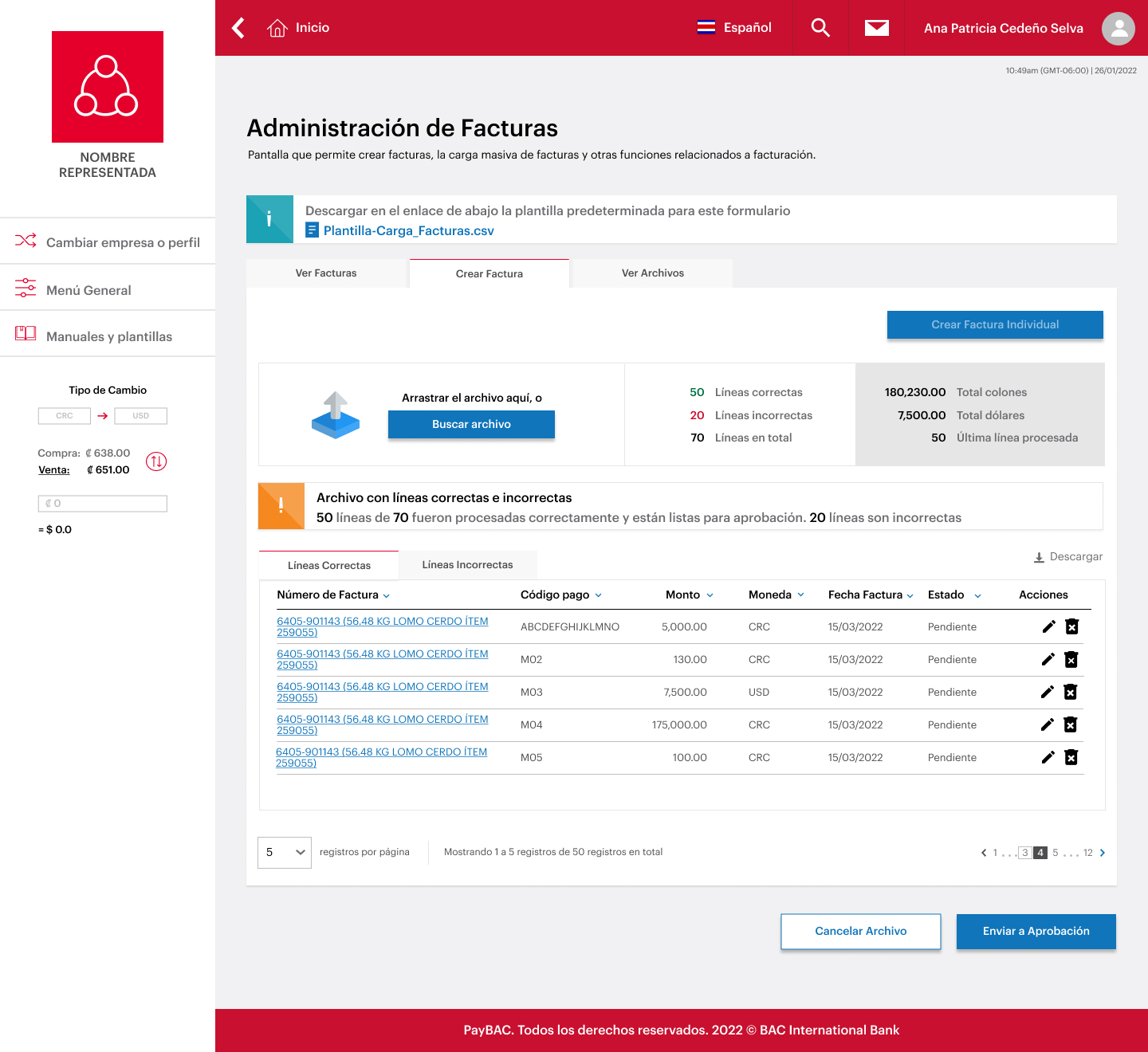
Result (Resultado) — Valid lines (Líneas Correctas)
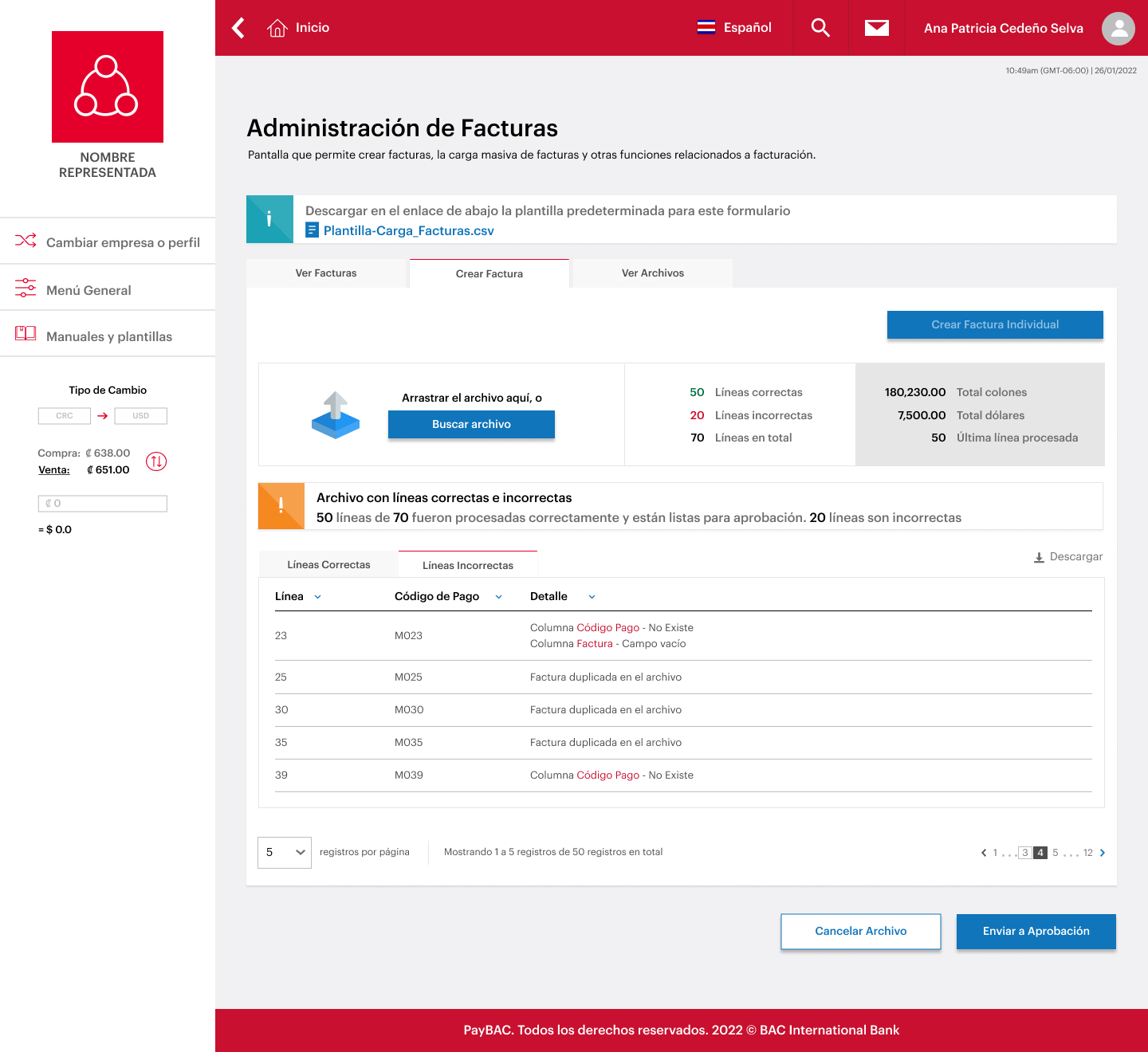
Result (Resultado) — Lines with errors (Líneas Incorrectas)
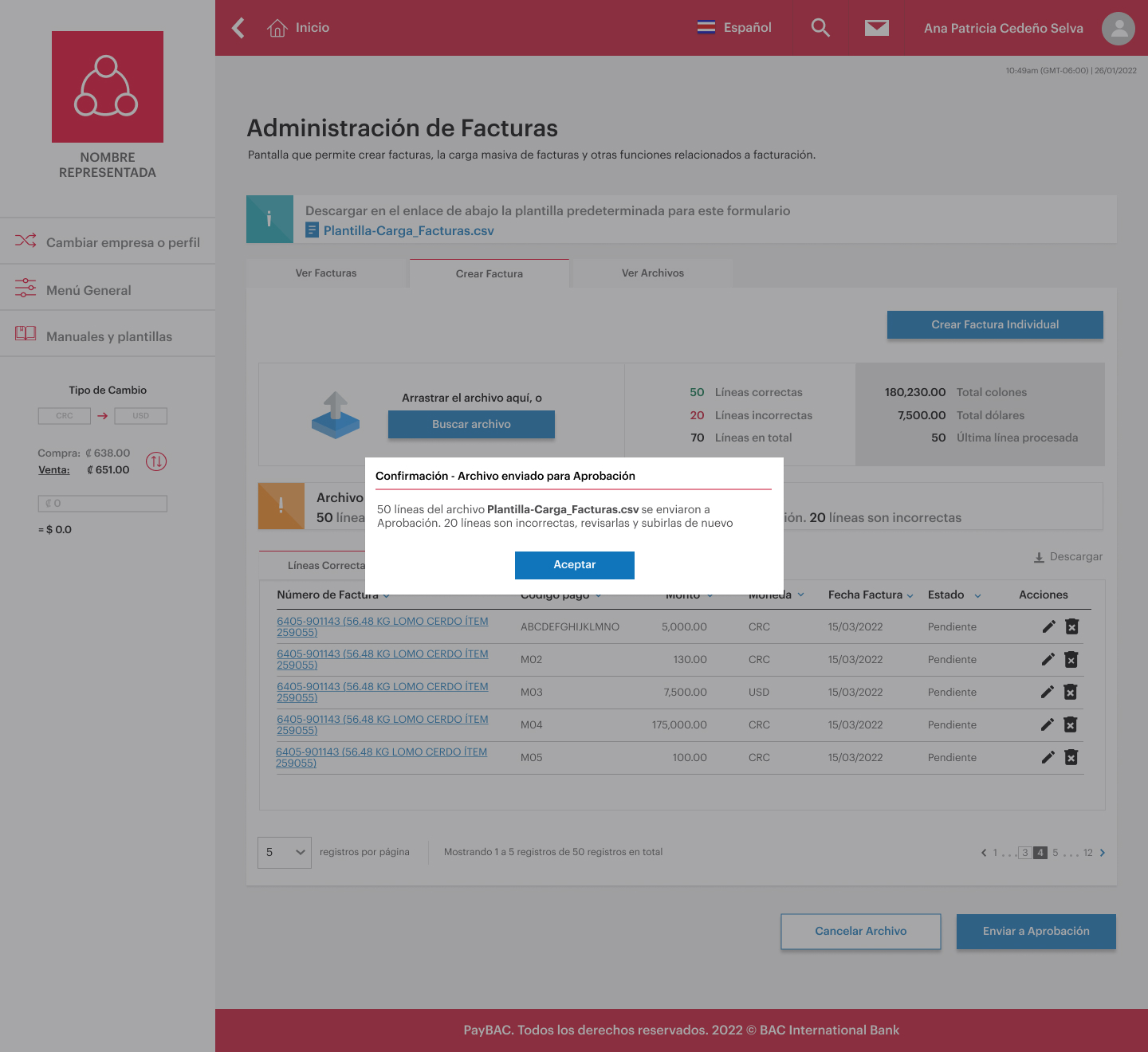
Approval (Aprobación) — Send to approval queue
End-to-End Payment Flow
Automated Collections (Cobros Automáticos) — Scheduling a Collection Batch
The Automated Collections scheduling flow is the core transactional scenario that demonstrates end-to-end ownership: a treasury manager schedules a collection batch for multiple clients, picks the processing date, reviews the preview, and confirms — all within a guided 5-step flow with real-time SINPE integration.
This flow was prototyped in Sprint 2, validated with real Representada users (beginner profile), iterated through two VB cycles, and delivered as technical specification to the development team with full component annotations.
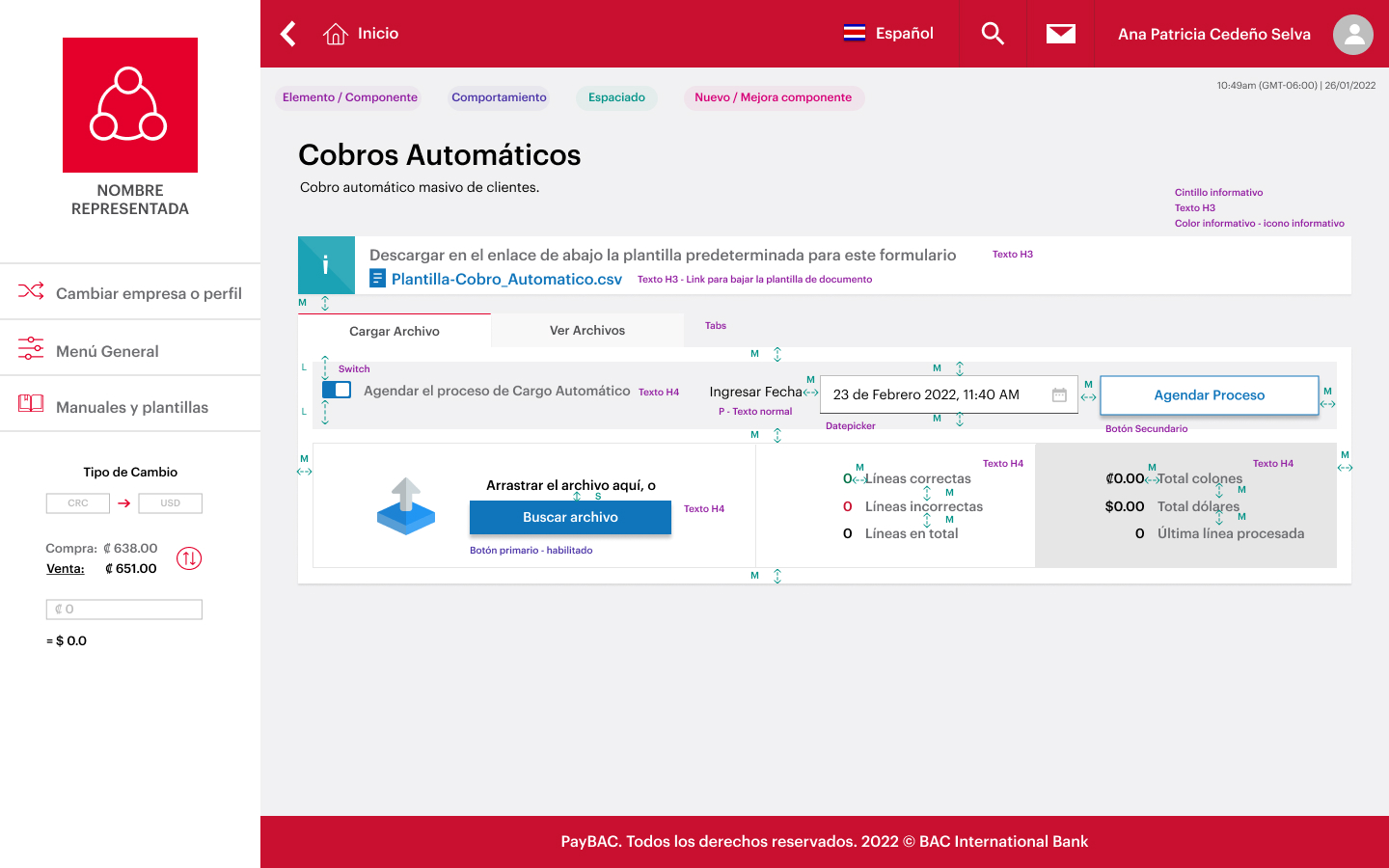
Step 01 (Paso 01) — Schedule toggle + date input
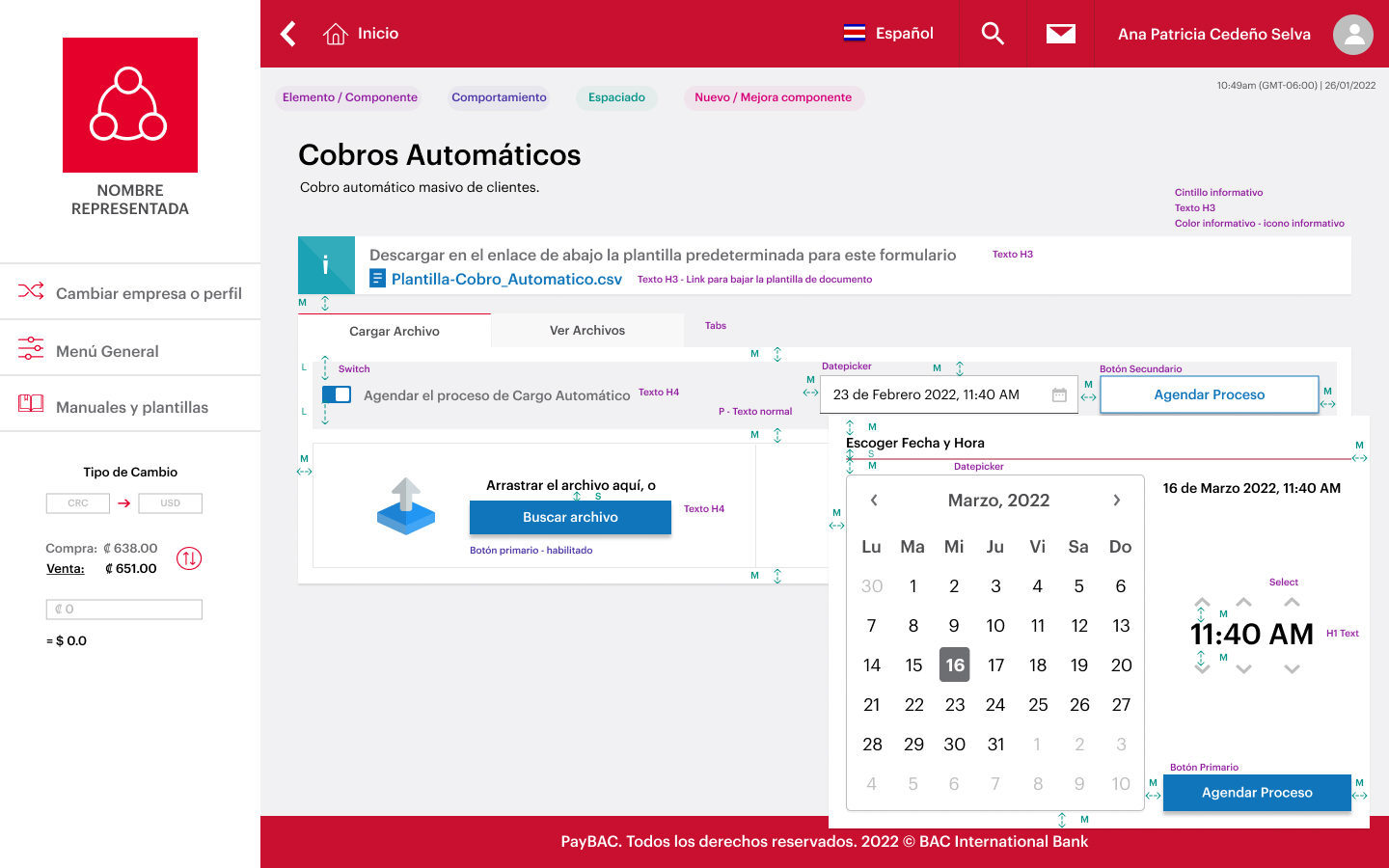
Step 02 (Paso 02) — Date picker with time selector
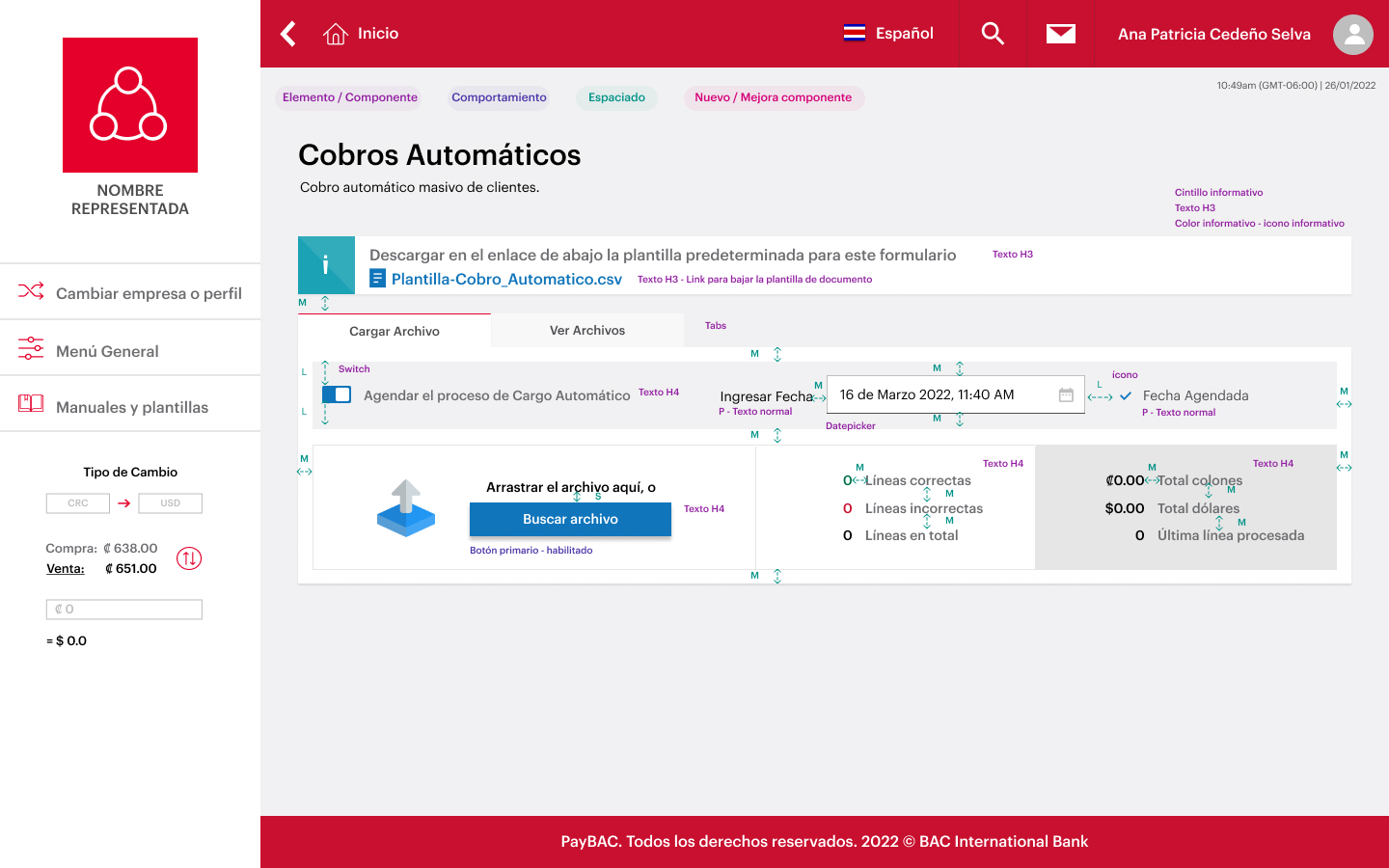
Step 03 (Paso 03) — Date confirmed, ready to upload file
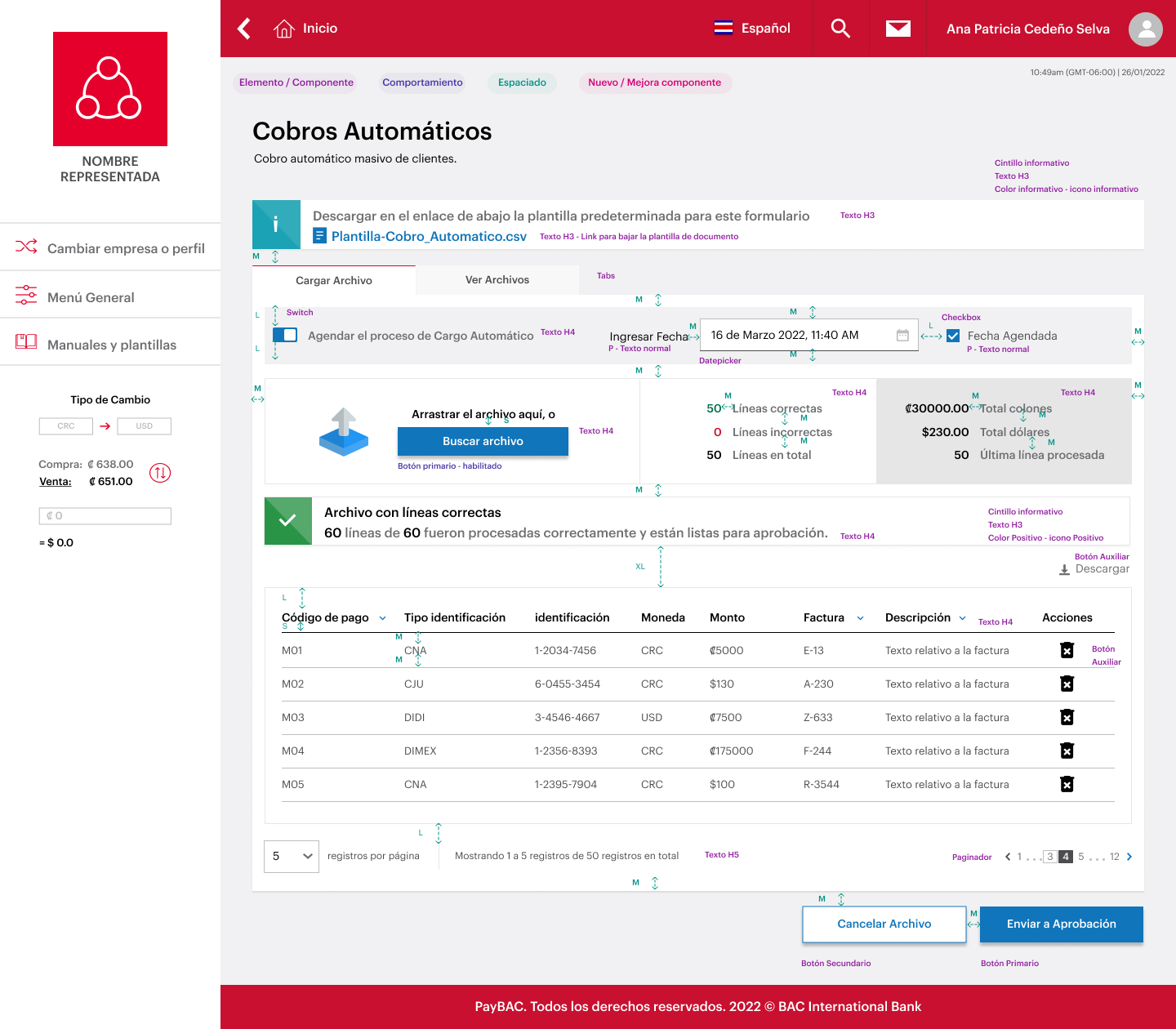
Result (Resultado) — All lines correct, preview table
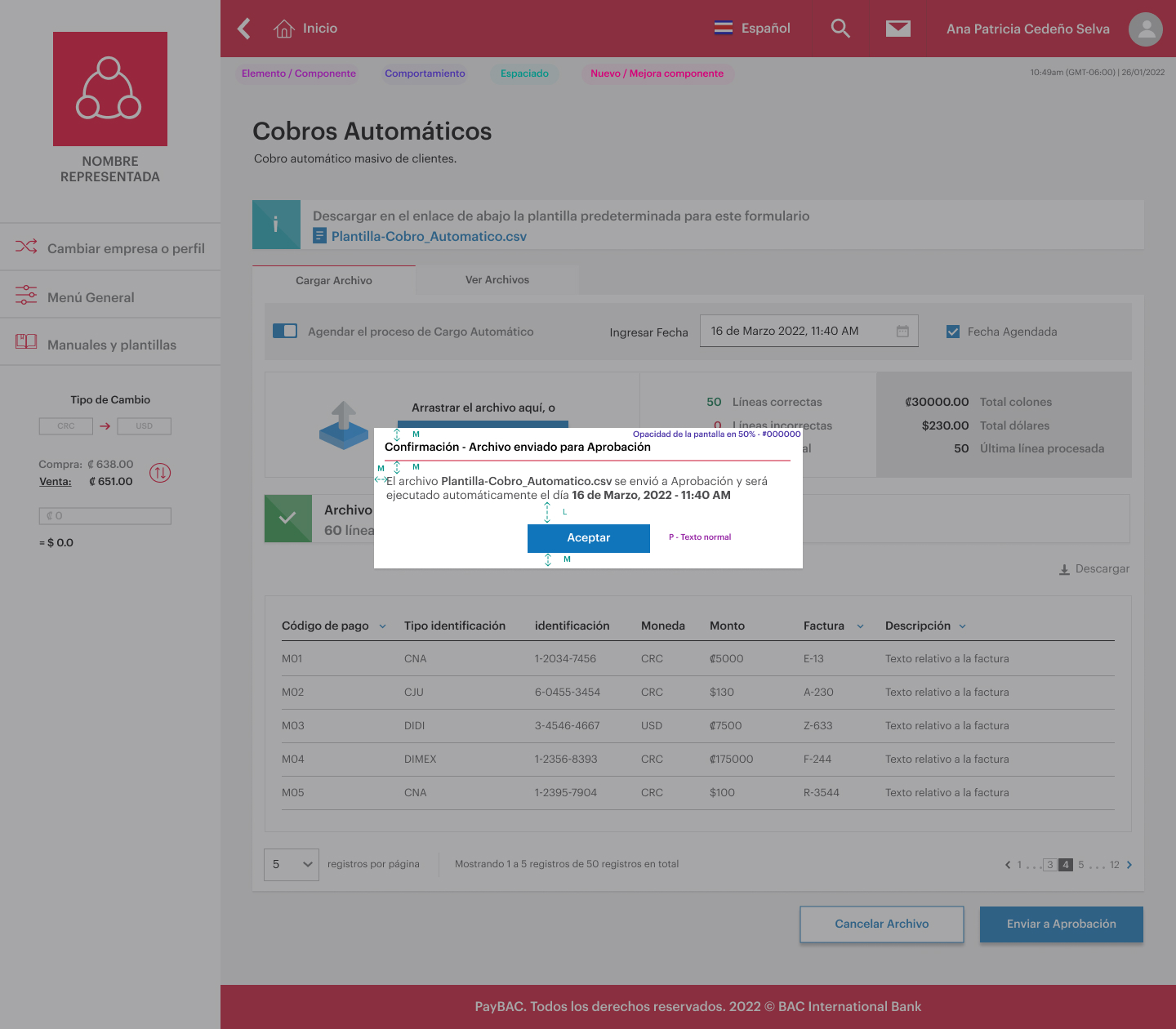
Confirmation (Confirmación) — Scheduled batch sent to approval queue
Key Decisions in This Flow
| Decision | What I Chose | Why | Tradeoff |
|---|---|---|---|
| Step progression model | Linear 5-step wizard with progress indicator | Treasury users are beginners on this flow — a wizard reduces cognitive load and prevents errors in time-sensitive collections | Less flexibility for power users who know the defaults |
| Date/time picker | Calendar + time input with SINPE business-day validation | Client research revealed users frequently picked weekends or holidays, causing failed transactions and support calls | Added backend dependency for holiday calendar sync |
| Preview before confirm | Full results table before final submission | Financial operations are irreversible — users need one last verification step to avoid accidental bulk charges | Adds an extra step that slows frequent users |
| Confirmation modal | Summary modal with batch total and client count | Interview finding: users feared submitting wrong amounts — explicit summary restores confidence at the critical moment | Additional tap for every submission, even correct ones |
Trust & Security Signals
Preview Before Submit
Full results table shown before any transaction dispatches — users see amounts and client names first
Two-Step Approval
No batch executes without a second-approver sign-off — the Trámites system gates all financial transactions
SINPE Window Validation
Date picker blocks weekends, holidays, and out-of-window hours — preventing silent failures at the source
Role-Based Access
User Administration controls who can create, approve, or view — action-level permission granularity
Edge Cases & Error Handling
Designing for Failure Is What Defines the Flow
In a financial platform, error states are not edge cases — they are the main event. Treasury managers facing a failed batch, a rejected invoice, or a locked date window have zero tolerance for vague feedback. Every error state followed three rules: show exactly what went wrong, explain why, and tell the user what to do next.
CSV Validation Failures (Líneas Incorrectas)
When the bulk upload finds invalid lines, the system doesn't block the entire batch — it separates valid and invalid lines into two tabs. Users can submit the valid set immediately and download an error report to fix and re-upload only the failed lines.
Blocked Date Selection (SINPE Constraints)
Users repeatedly scheduled collections on weekends and public holidays — which caused silent failures hours later. The calendar was redesigned to disable invalid dates visually and surface an inline explanation: "SINPE does not process on weekends or public holidays."
Batch Rejected by Approver
When a second-approver rejects a submitted batch, the submitter receives an in-platform notification and email with the rejection reason, batch ID, and a direct link back to the Trámites queue. The rejected batch is flagged in transaction history with a "Rechazado" status and reason text.
User Access & Permission Conflicts
When a user attempts an action outside their permission level — like approving a batch without the approver role — the platform shows an inline access-denied message that names the required role. Admins can self-manage permissions in the User Administration module without contacting BAC support.
Payment Execution Failure — SINPE Transaction Rejection at Processing Time
After a batch has been approved and sent to SINPE, individual transactions can still fail at the bank side — insufficient funds, closed accounts, invalid SINPE routing numbers, or service interruptions. These are different from submission errors: the batch was valid, approved, and dispatched — but failed during execution. The Reporting module surfaces these in the Automated Collections Report under a dedicated Rechazados tab, with per-transaction failure codes, client identifiers, and amounts. Finance teams can download the report and re-submit only the failed subset without rebuilding the full batch.
Account Management — Self-Service Flows
In B2B financial platforms, account management means maintaining the integrity of commercial relationships without depending on a support desk. PayBAC was designed so Representada admins could handle the full lifecycle of their account configuration independently — a key friction-reduction requirement surfaced in discovery.
Afiliado Access Lifecycle
Admins invite new Afiliados, revoke access, and deactivate paying clients directly from the Clients module — no contact with BAC required. Status changes (Active → Inactive) take immediate effect on the client's ability to route payments through the platform.
User & Permission Self-Management
Internal Representada users (Master and Operative roles) are managed through the User Administration module — add users, assign module permissions, set access schedules, restrict by IP address, and deactivate leavers. Role changes propagate immediately without requiring BAC helpdesk intervention.
Payment Code Management
Representadas configure and maintain their payment codes (códigos de pago) — the identifiers clients use to route deposits to the correct account. Outdated or compromised codes can be deleted from General Configuration, directly closing the deposit identification gap that drove the platform's creation.
Reflections
What This Project Demonstrates for Checkout & Payment Contexts
PayBAC is the most direct match in my portfolio to checkout, payment, and account management ownership in a regulated, transactional context. The entire product lifecycle from discovery to dev delivery was owned by me — and every sprint touched a different layer of the payment stack.
Toughest Design Decision
Approval Workflow vs. Speed: The Trámites System
The Problem
Treasury managers needed to submit batches immediately — delays meant missed payment windows. But BAC's compliance model required a second approver before any SINPE transaction could execute.
The Decision
Non-blocking submit: the batch enters "Pending Approval" immediately, the submitter sees a success confirmation, and the approver is notified in parallel. No user is blocked waiting — but nothing executes without sign-off.
The Tradeoff
Users initially confused "Pending Approval" with "Pending Processing" — thinking the batch was already running. Resolved through status label iteration, tooltip copy, and a dedicated Trámites queue with explicit state labels.
Impact & Outcomes
Qualitative impact — friction reduction & CRO: The platform replaced a workflow where treasury managers sent collection files via email and received confirmations through WhatsApp. PayBAC centralized this into a single auditable system — eliminating lost authorizations, duplicate transactions, and untracked payment state changes. The partial-success CSV model directly reduces drop-off: previously, a single bad row blocked an entire batch, forcing full resubmission. The guided wizard with preview-before-confirm and non-blocking approval targets the primary CRO friction point in B2B payment collection — the gap between "file ready" and "batch approved and executed." The user-validated date picker eliminated a recurring error class (weekend/holiday scheduling) that was generating batch failures and avoidable support tickets.