Xylem Solver
Unifying 4 E-Commerce Sites into One Platform
Leading the UX strategy for a 3-year enterprise redesign — from fragmented legacy systems to a unified, research-driven platform targeting $4B+ revenue. Complete design system, 90+ applications support, and end-to-end UX framework delivery.
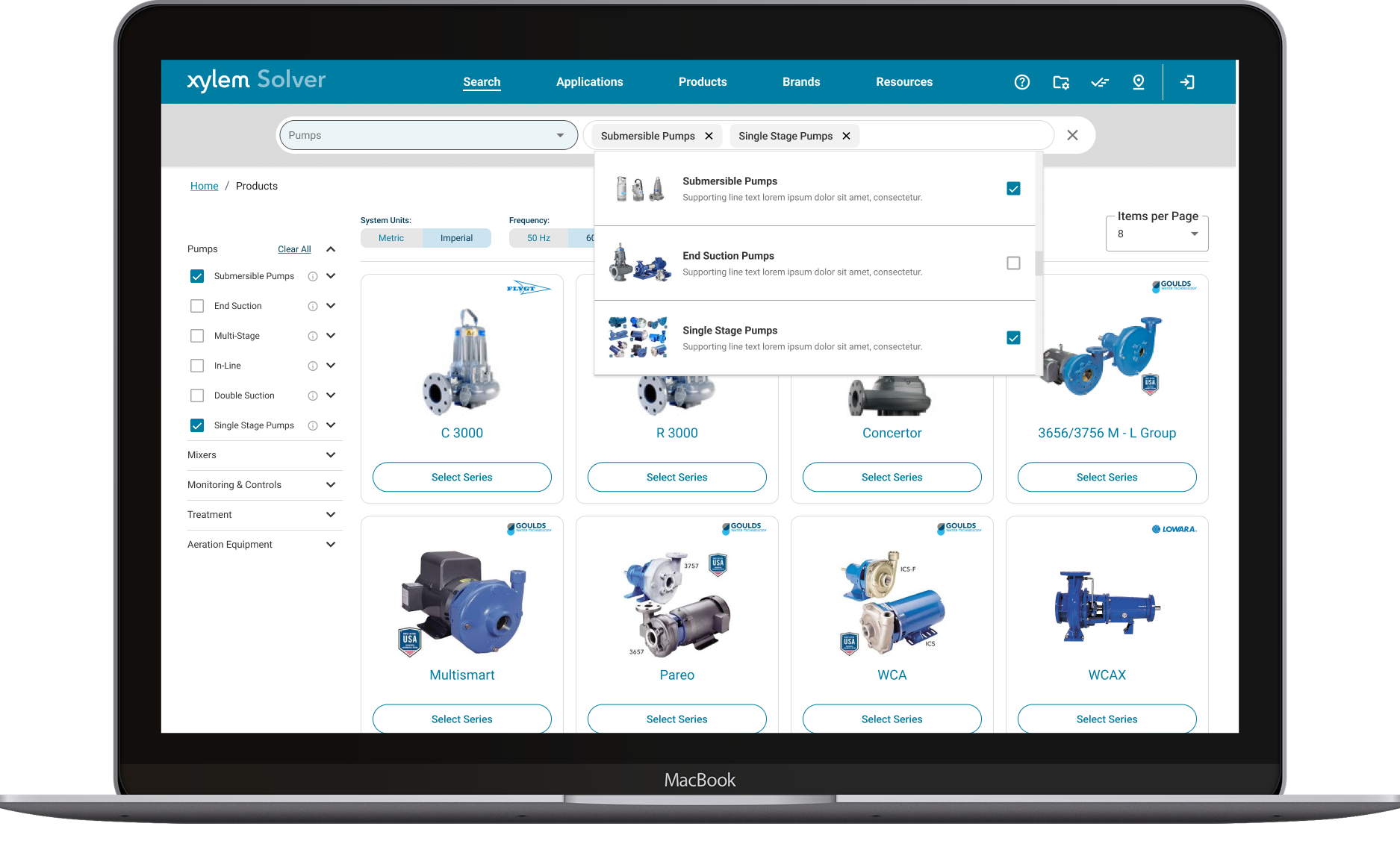
Context & Challenge
Four Sites, Zero Consistency, Millions in Lost Efficiency
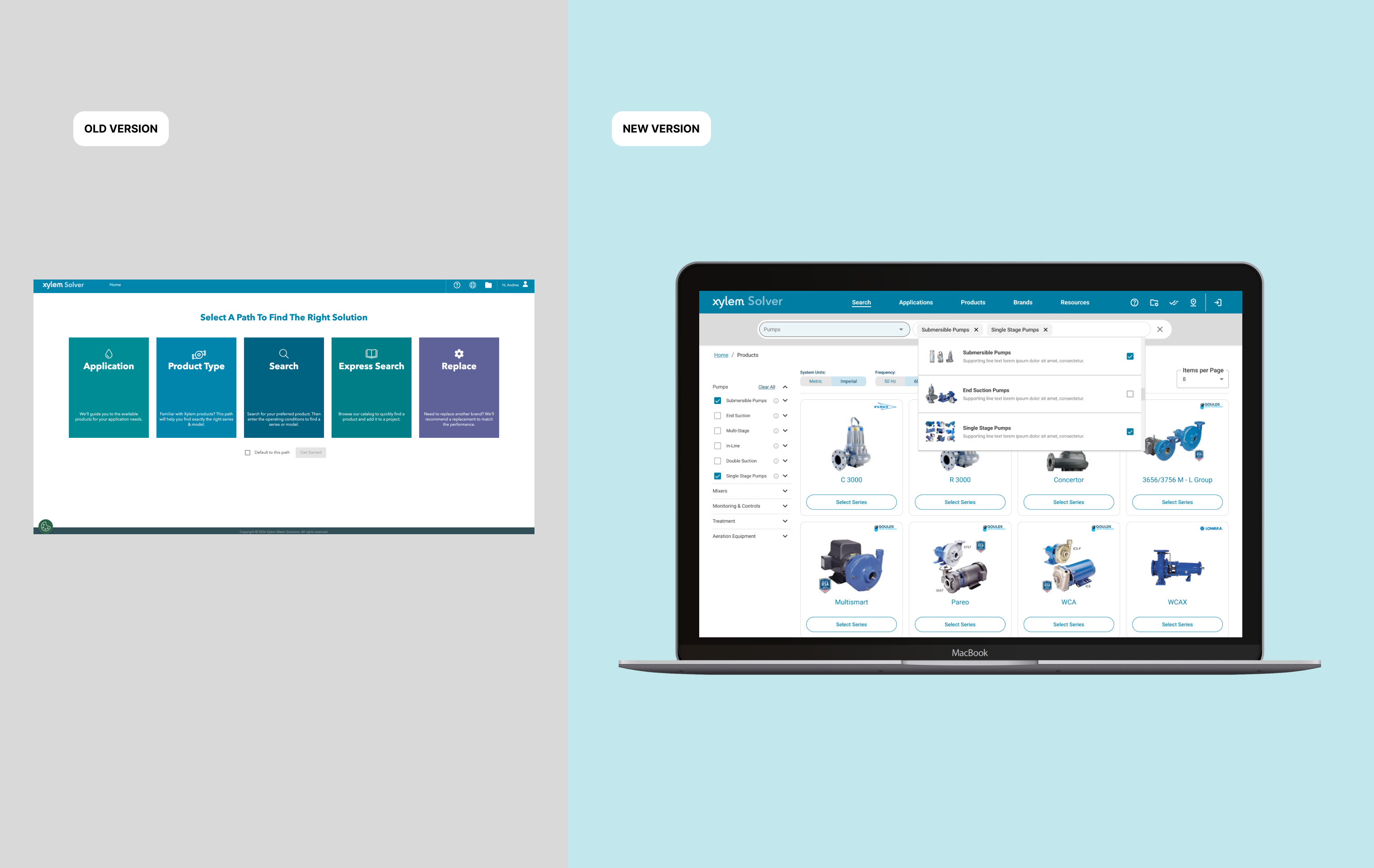
Xylem's digital ecosystem had grown organically over years — four separate e-commerce sites serving different brands (Bell & Gossett, Flygt, Goulds, Lowara), each with its own navigation patterns, component libraries, and user flows. The UX team supported 90+ applications, but Solver was the strategic priority: a unified platform that would consolidate these fragmented experiences into one cohesive system.
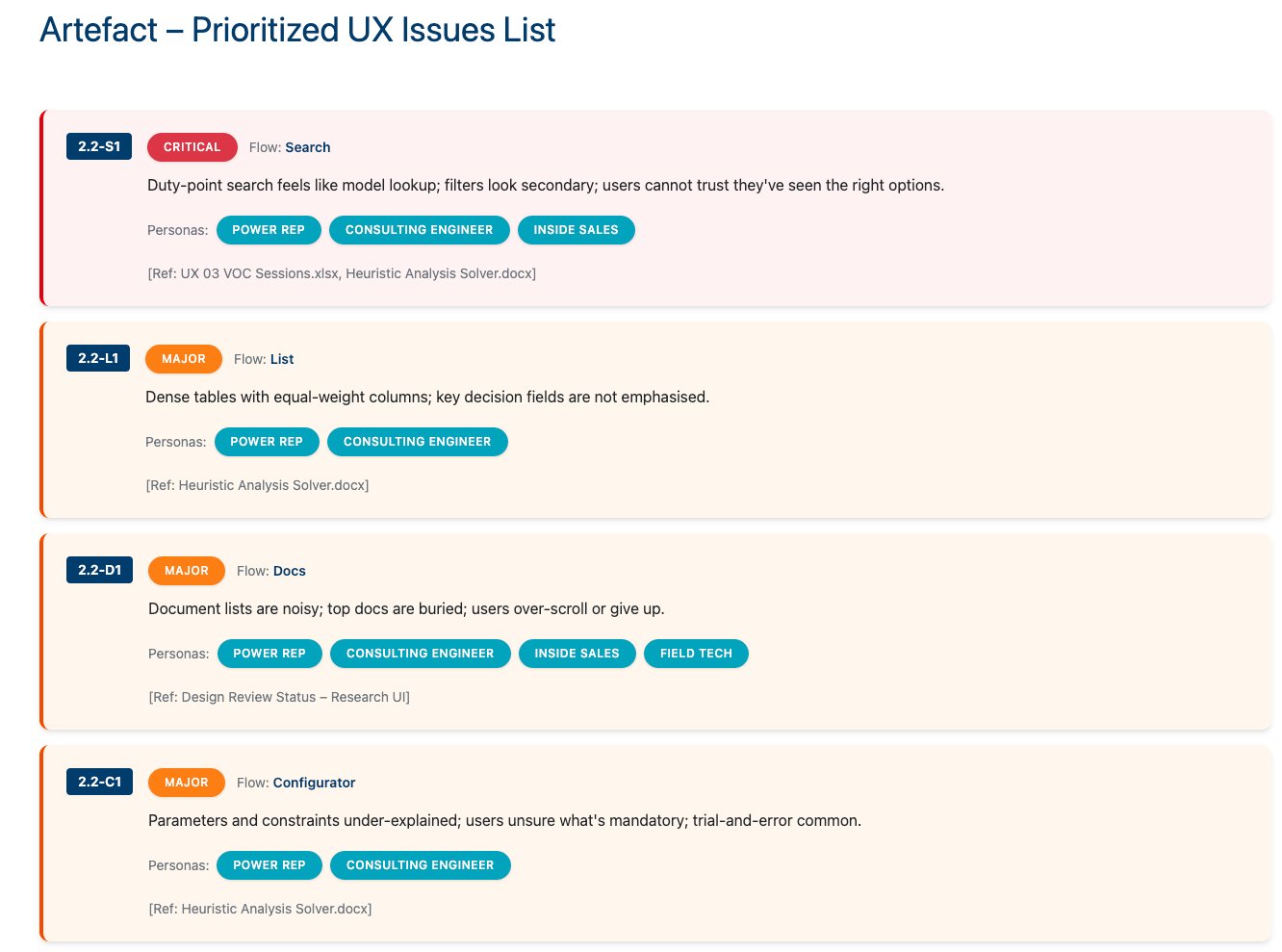
The existing Solver platform mirrored internal product structures rather than user mental models. Engineers, distributors, and technicians struggled with cognitive overload — too many clicks, redundant filters, hidden documents, and no guided workflows. Accenture's UX audit confirmed what VOC sessions revealed: users adapted despite the system, not because of it.
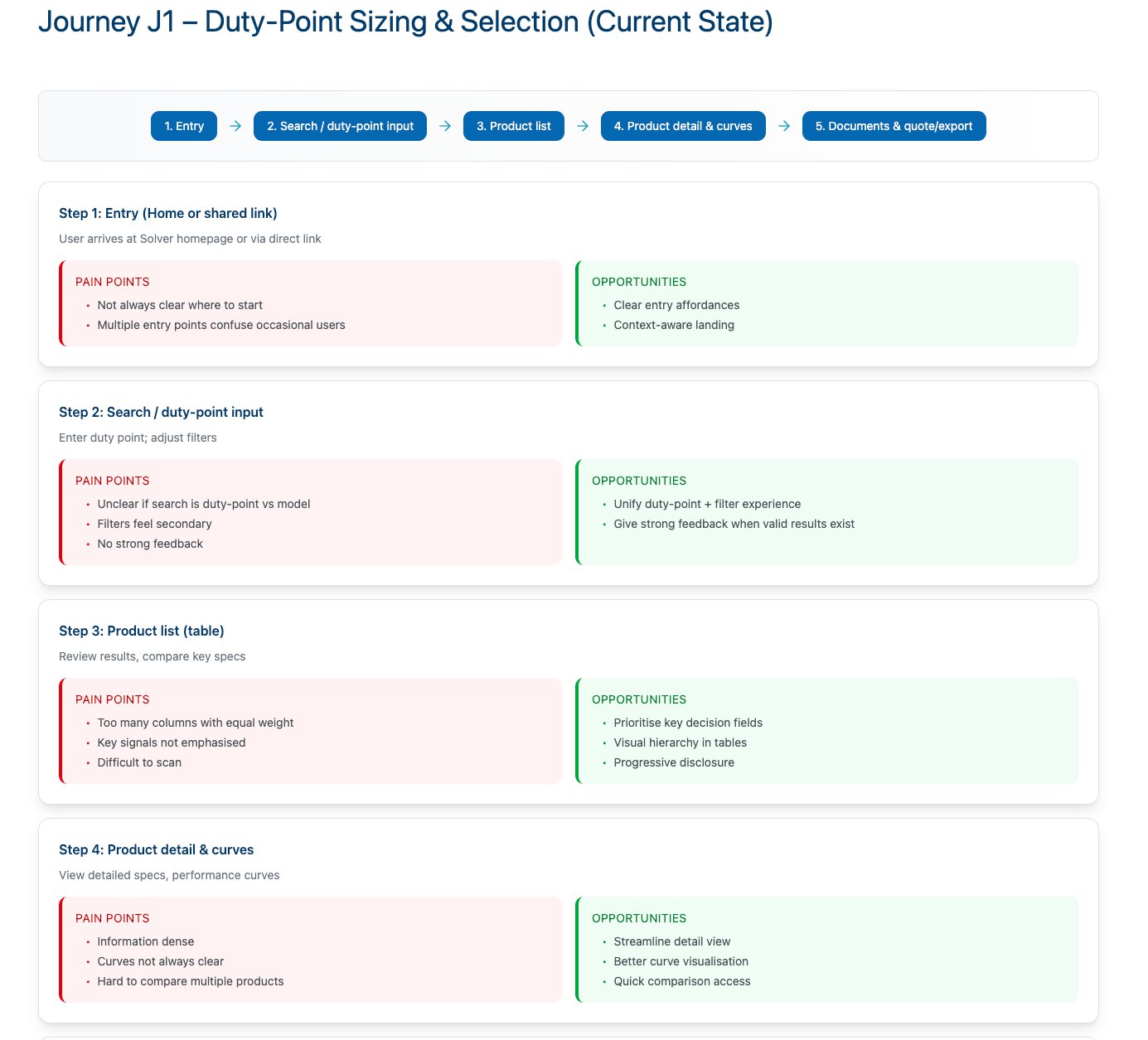
Users navigated through deep hierarchies just to reach product results — multiple entry points with no clear orientation or breadcrumbs.
Users contacted Application Engineers for help because the interface provided no guidance, feedback, or self-service troubleshooting.
Frontend codebase had massive redundancy — similar components built differently across brands, driving maintenance costs and inconsistency.
Only a third of target users actively used Solver — the rest relied on offline spreadsheets, phone calls, or competitor tools.
adjustMy Scope & Ownership
I was the sole Lead Product Designer on Solver — no UX process existed before my engagement. I owned the end-to-end UX strategy from discovery research through production handoff: the full information architecture, all 5 core user flows (Search, Compare, Configure, Quote, Projects), the Design System Foundation for 90+ applications, all error states and edge cases, account management flows, and sprint-by-sprint developer collaboration with Accenture. I also introduced the 6-phase UX framework that became the standard process for Xylem's digital team.
Owned end-to-end
IA, all user flows, component design, error states, account & permission model, dev handoff specs, and Confluence documentation
Decided independently
Design system architecture, navigation model, search strategy, Tacton integration approach, RFP/quote generation model, and governance structure
Aligned with stakeholders
Sprint scope and technical feasibility (Accenture), business priorities and KPIs (Product Management), Angular/AG Grid constraints (Dev leads)
Key Decisions
Strategic Choices That Shaped the Platform
| Decision | What I Chose | Why | Tradeoff |
|---|---|---|---|
| Design system foundation | Material Design 3 with Xylem Blue brand tokens, not a custom system from scratch | MD3 provided enterprise-grade, accessibility-compliant components out of the box — enabling design system governance across 90+ applications without building foundational patterns twice | Teams unfamiliar with MD3's token architecture required training; adoption took multiple onboarding sessions before self-service was possible |
| Navigation architecture | Flattened IA from 5+ levels to 3 levels maximum | User Friction Reduction was the top priority — 6-7 clicks per task was the primary abandonment driver. Removing depth directly reduced drop-off in the search-to-selection flow | Required restructuring all existing content hierarchies, URL patterns, and redirects — significant development effort with SEO implications |
| Search model | Predictive Global Omnibar as the primary entry point across the entire platform | Conversion Rate Optimization (CRO): VOC showed 35% of users abandoned when search failed. A unified entry point eliminates dead-end navigation paths and consolidates the highest-traffic interaction | Complex backend integration across multiple product databases; relevance ranking required significant investment from Accenture's development team |
| Configurator integration | Tacton embedded inline within the product detail flow, not launched as a separate context | Launching the configurator externally broke the user's selection lifecycle — context-switching caused session abandonment. Inline embedding keeps the full Configure → Quote journey within one continuous session | Deep Tacton API integration added frontend complexity; required close Accenture collaboration and thorough error state documentation for constraint violations |
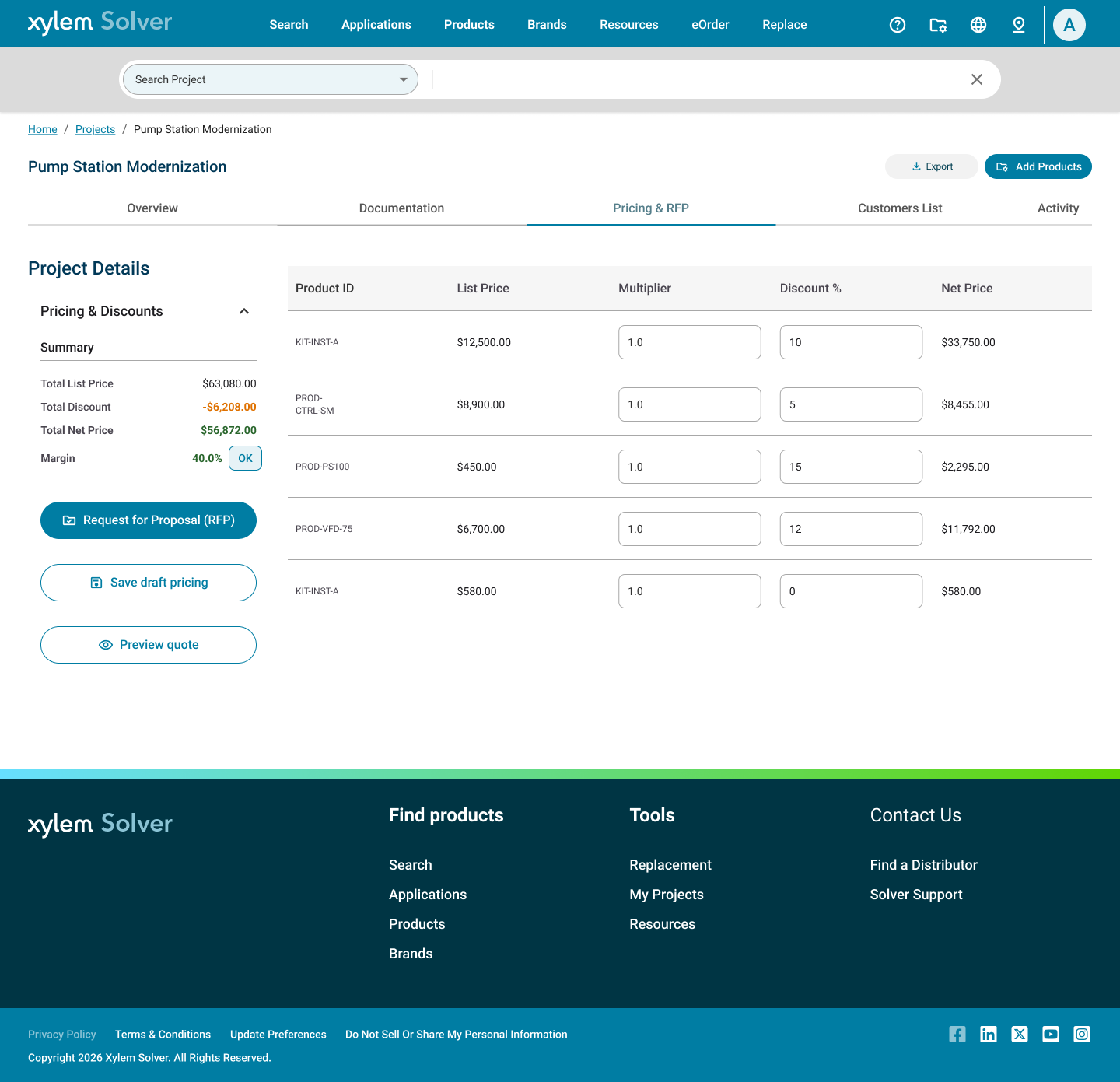
| Quote & payment integration model | In-app RFP/RFQ generation with pricing editor and PDF export — not a cart checkout or redirect to an external ERP | B2B industrial procurement runs on Request for Proposal (RFP) and Request for Quote (RFQ) cycles, not shopping carts. Keeping pricing negotiation, discount management, and quote generation inside Solver eliminates the highest-friction CRO drop-off: the gap between product selection and commercial commitment. Keeping the user in one session directly improves conversion from "product found" to "quote submitted" | No real-time ERP pricing sync in MVP — list prices with manual discount overrides by sales reps. Full SAP/ERP integration deferred to Phase 2. Pricing accuracy depends on distributor manual input rather than automated data feeds until that integration ships |
UX Framework
6-Phase Methodology: From Discovery to Deployment
The Xylem UX team established a unified process to ensure every digital initiative follows measurable, user-centric practices. For Solver, this framework was applied systematically across every phase — combining human-centered design with engineering feasibility and design-system governance.
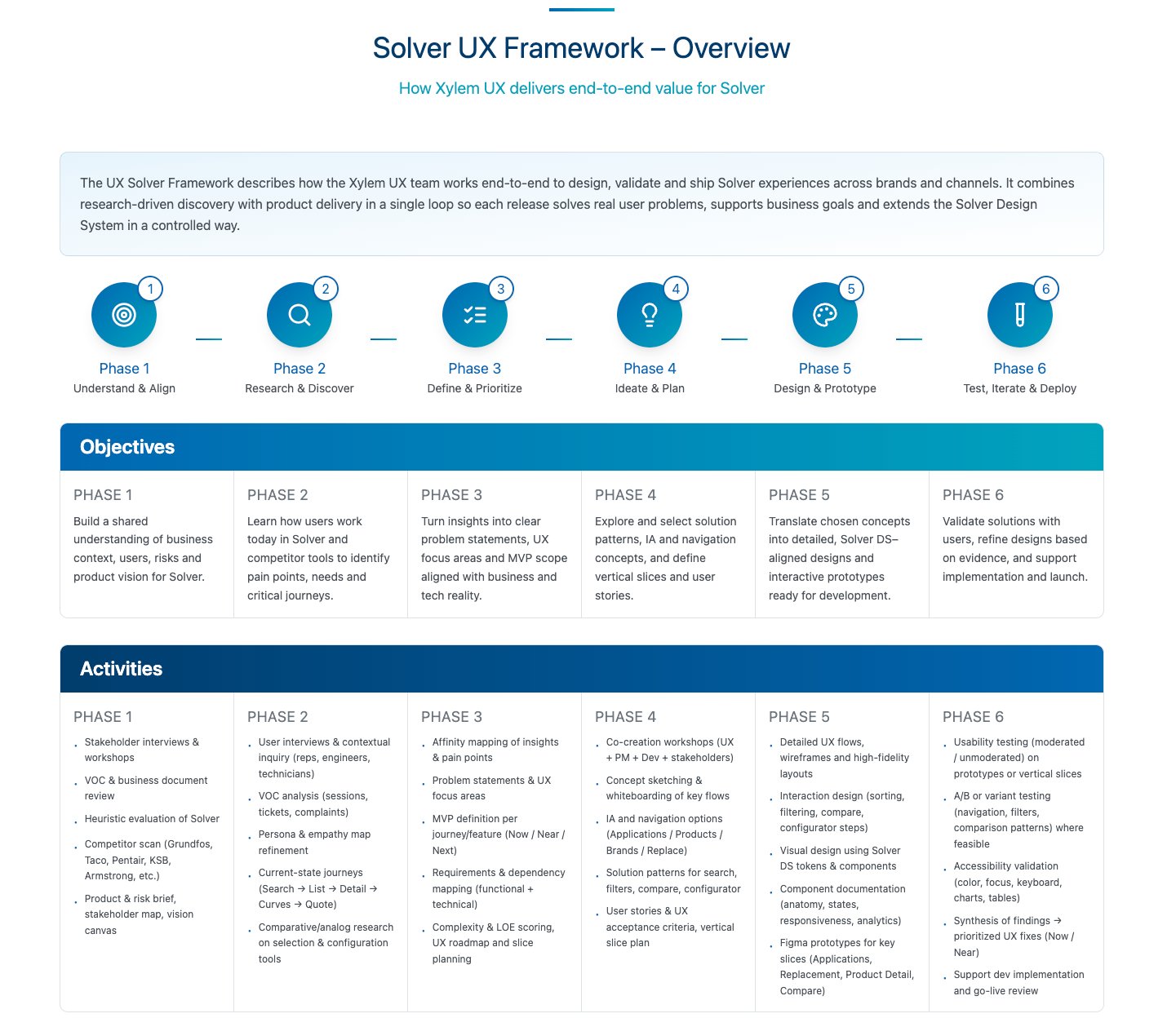
auto_awesome AI-assisted: The prompt for this framework visualization was structured with Claude to map UX phases, research methods, and design system governance into a coherent artifact. The visual was generated using Figma AI.
Understand & Align
Build shared understanding of business context, users, risks and product vision. Stakeholder interviews, VOC review, heuristic evaluation, competitor scan.
Research & Discover
Learn how users work today to identify pain points, needs and critical journeys. User interviews, contextual inquiry, persona refinement, journey mapping.
Define & Prioritize
Turn insights into clear problem statements, UX focus areas and MVP scope. Affinity mapping, requirements mapping, complexity scoring, roadmap planning.
Ideate & Plan
Explore solution patterns, IA and navigation concepts, define vertical slices. Co-creation workshops, concept sketching, user stories, acceptance criteria.
Design & Prototype
Translate concepts into detailed, Solver DS-aligned designs and interactive prototypes. High-fidelity layouts, interaction design, component documentation.
Test, Iterate & Deploy
Validate solutions with users, refine designs based on evidence. Usability testing, A/B testing, accessibility validation, dev implementation support.
Research & Discovery
Understanding Users at Enterprise Scale
Research wasn't theoretical — it was systematic data collection across multiple sources: 19 VOC sessions, Accenture's UX audit, heuristic analysis, and competitive benchmarking against 6 industry leaders.
The goal was to validate assumptions, quantify pain points, and create a shared evidence base that every design decision could reference.
Research Snapshot
VOC Sessions (Voice of Customer)
19 sessions with B&G / Flygt users + 4 Accenture interviews
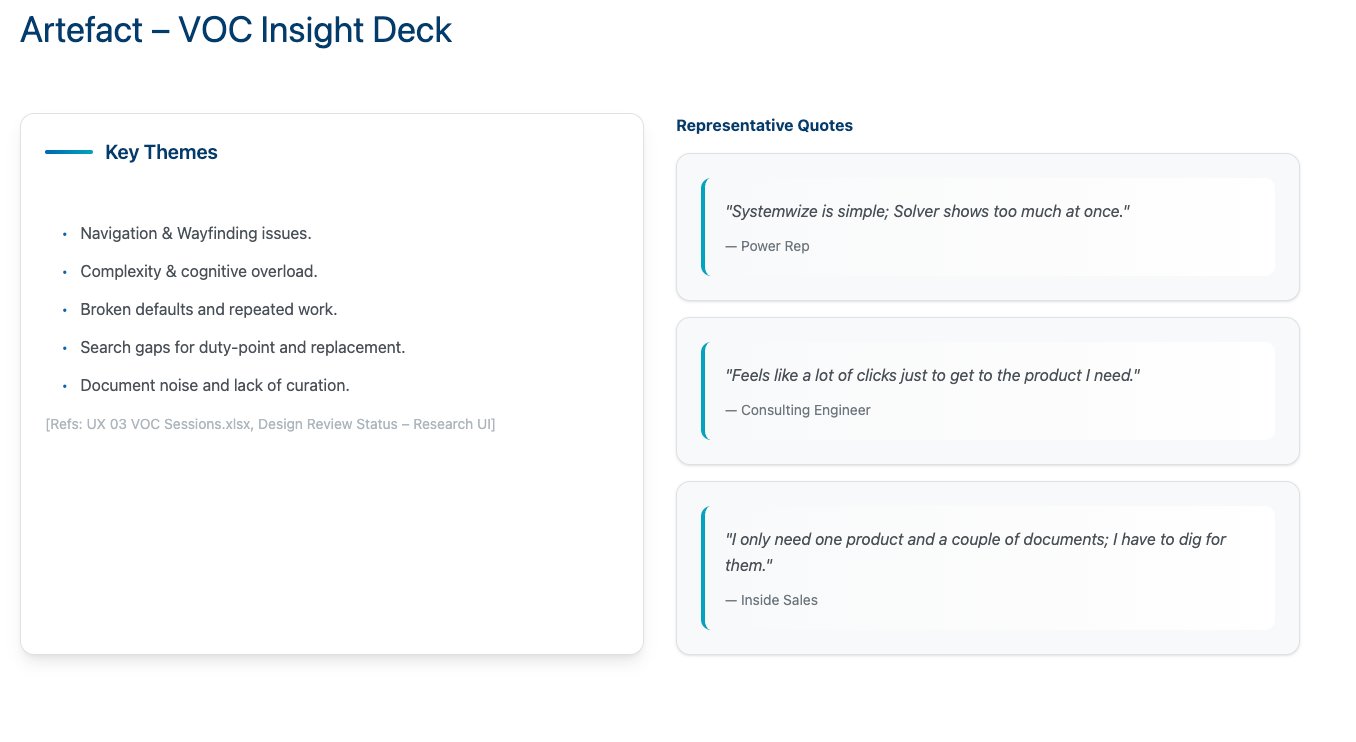
Key themes: Navigation & wayfinding issues, complexity & cognitive overload, broken defaults and repeated work, search gaps for duty-point and replacement.
Heuristic Evaluation
Full Solver platform audit against usability principles
Identified inconsistent component naming, outdated typography, missing responsive states, and no feedback confirmation patterns.
Contextual Inquiry
3 Distributors, 2 Engineers, 1 Field Technician observed in-context
Desktop users lose progress when re-filtering. Field users can't scroll tables on mobile. Users export screenshots to compare products offline.
Competitive Analysis
Grundfos, Pentair, Armstrong, KSB, Taco, Systemwize
Competitors win on discipline and focus — fewer modes, consistent patterns, clearer guidance. Solver has capabilities but exposes them with friction.
auto_awesome AI-assisted: Claude was used to structure the research plan and synthesize VOC data into prioritized themes. Interview transcripts and documentation were reviewed with Gemini to surface consistent patterns across 19 sessions and identify signal from noise at scale.
User Personas
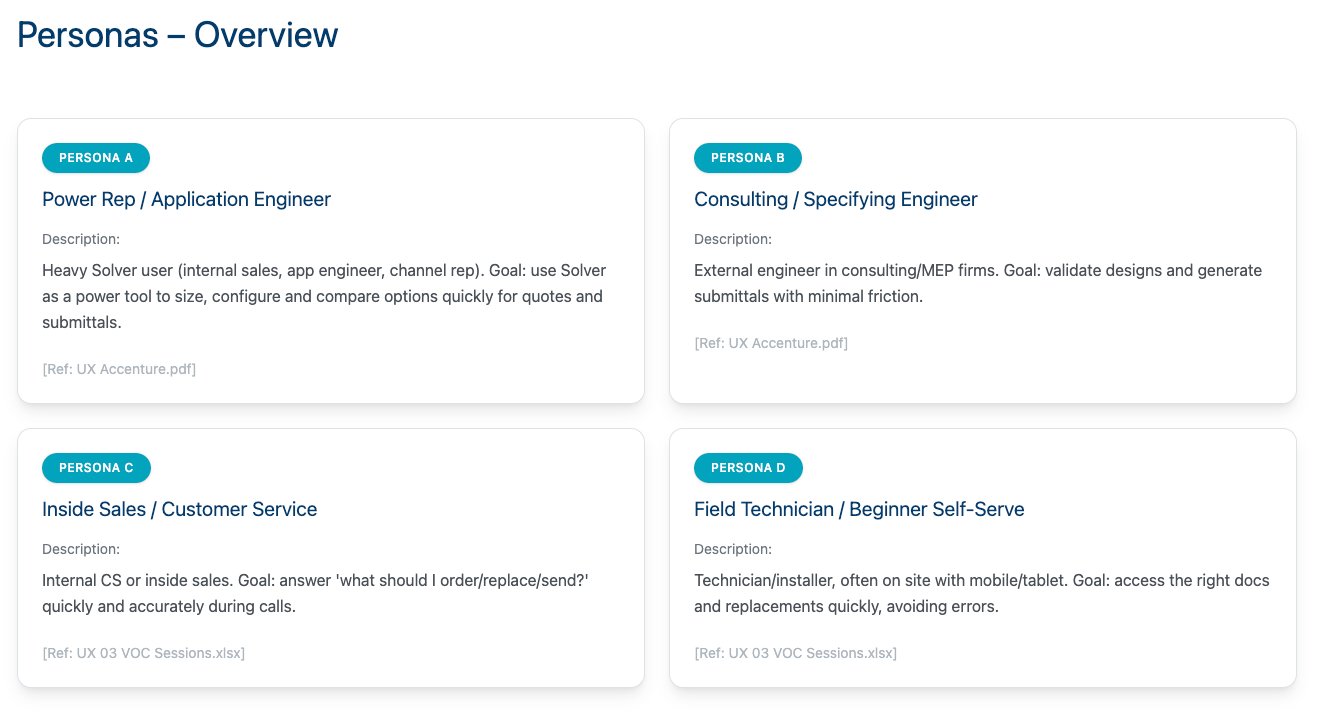
Four distinct personas emerged from research — each with different experience levels, devices, goals, and pain points. Design decisions were validated against all four to ensure no user segment was left behind.
VOC Insight Deck
Competitive Benchmark Matrix
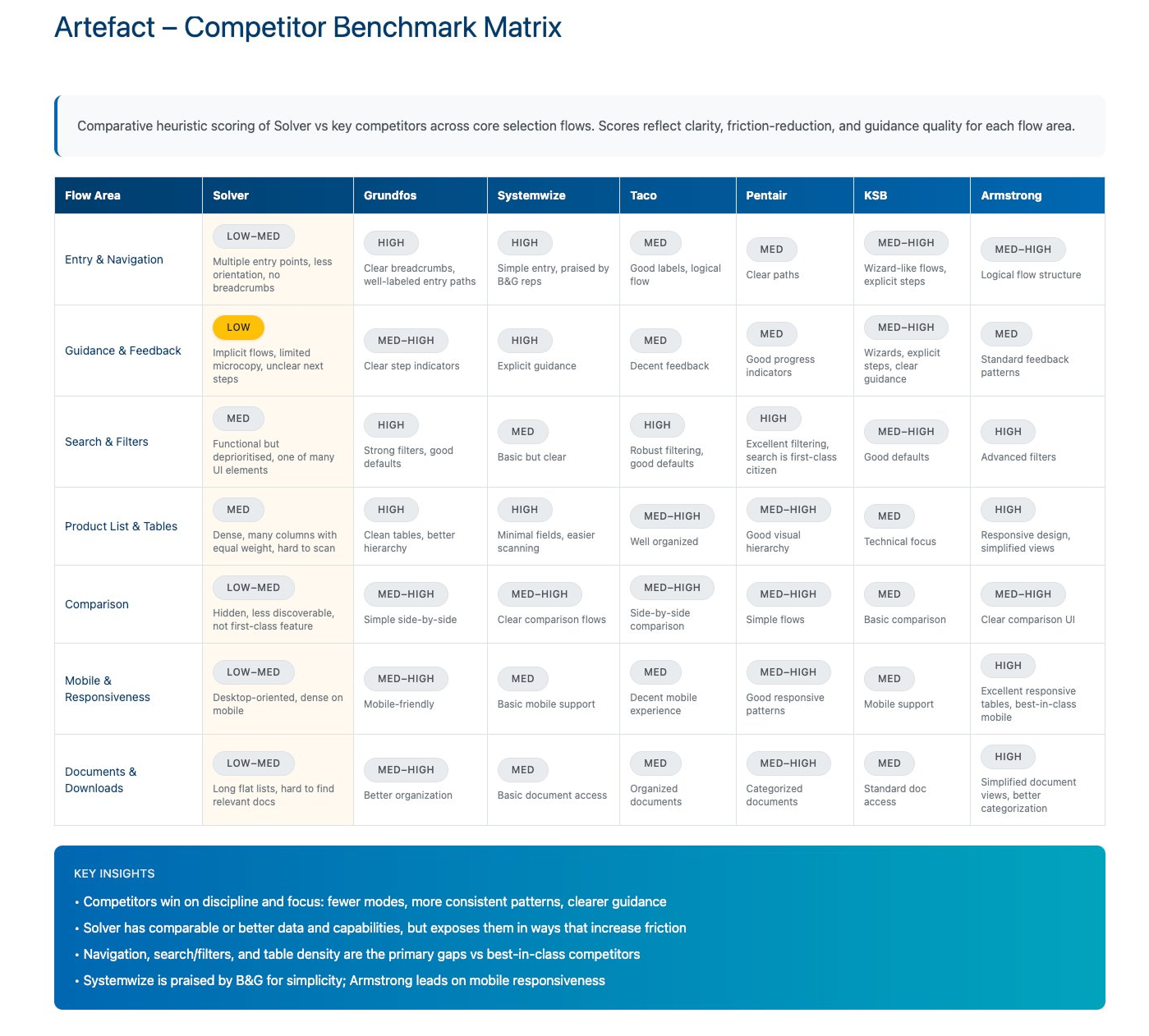
info Key insight: Systemwize praised for simplicity, Armstrong leads on mobile responsiveness. Opportunity: Blend guidance + mobility + structure under Solver Design System.
Current State Journey — Pain Points & Opportunities
Success Metrics
Baseline vs. Target — Measuring the Transformation
Every design decision was validated against measurable KPIs. These baseline-to-target metrics defined what success looked like for the Solver transformation.
Baseline vs Target
groupAdoption Rate
- Baseline: 32%
- Target: ≥55%
- Validation: Analytics
searchSearch Success
- Baseline: 65%
- Target: ≥85%
- Validation: Usability Test
touch_appAvg Clicks/Task
- Baseline: 6-7
- Target: ≤4
- Validation: Task Logs
paletteDS Usage
- Baseline: 40%
- Target: 100%
- Validation: Audit
sentiment_satisfiedSatisfaction
- Baseline: 2.5/5
- Target: ≥4/5
- Validation: VOC
Foundation Layer
Building the Xylem Design System from Scratch
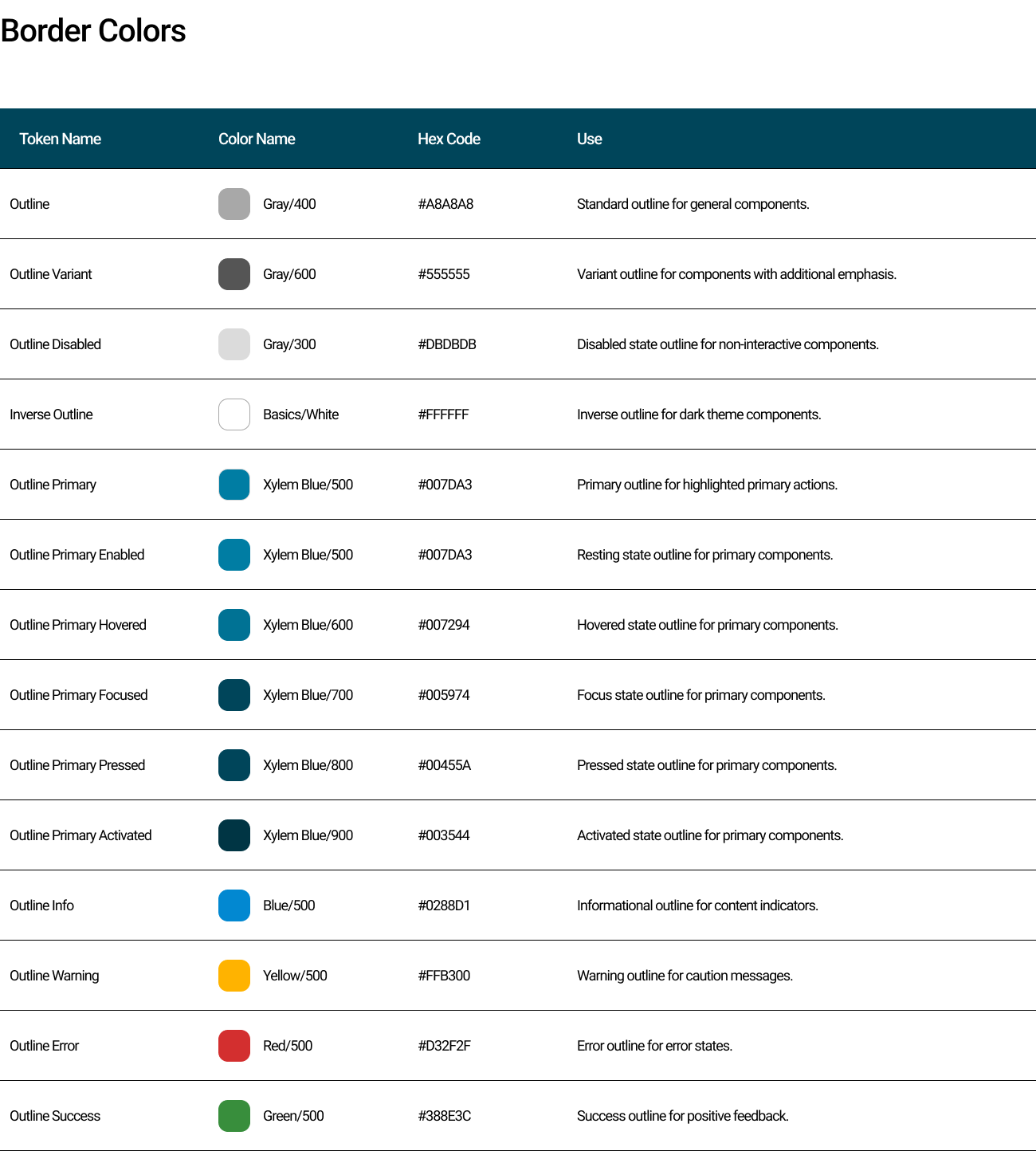
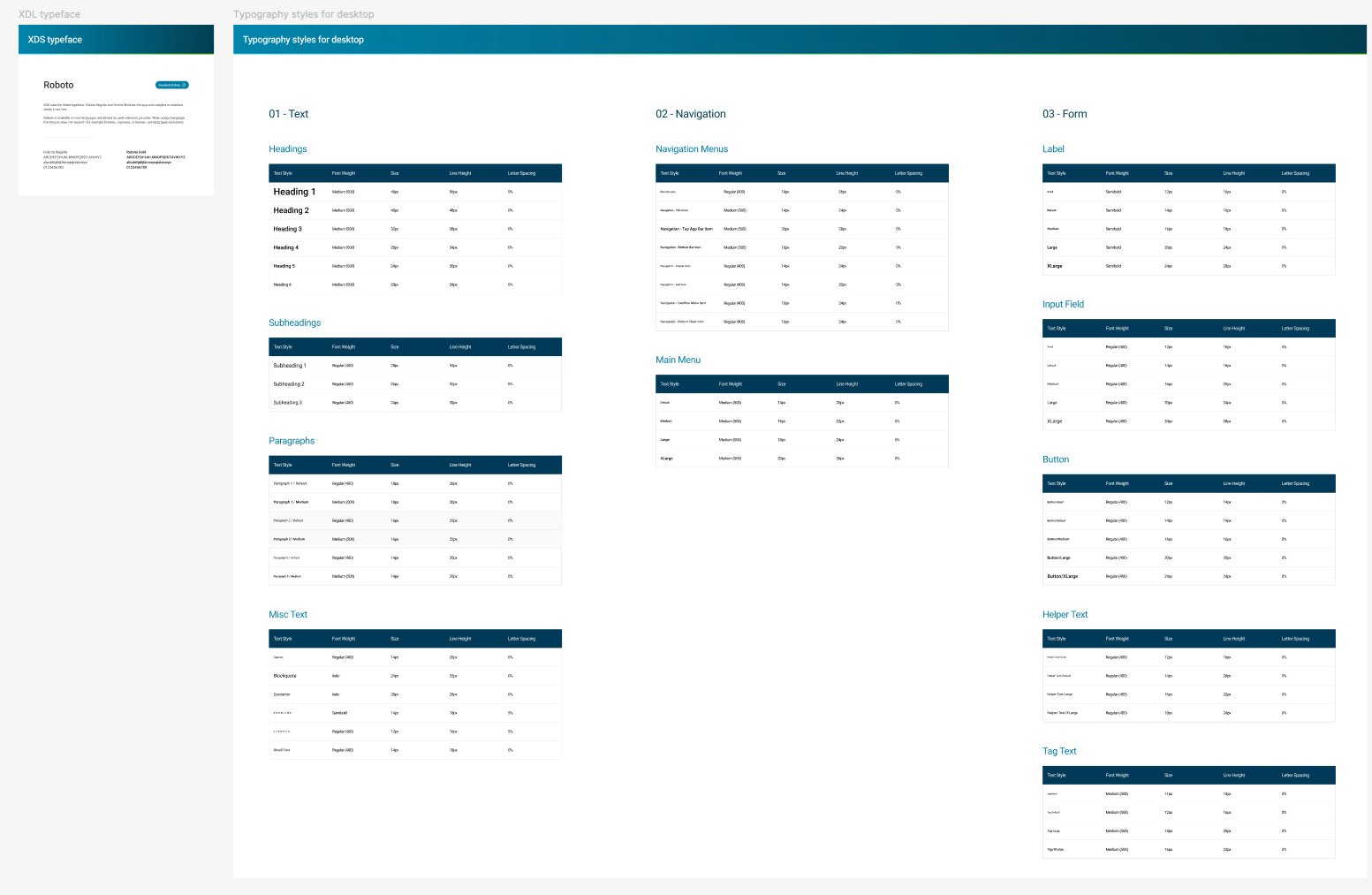
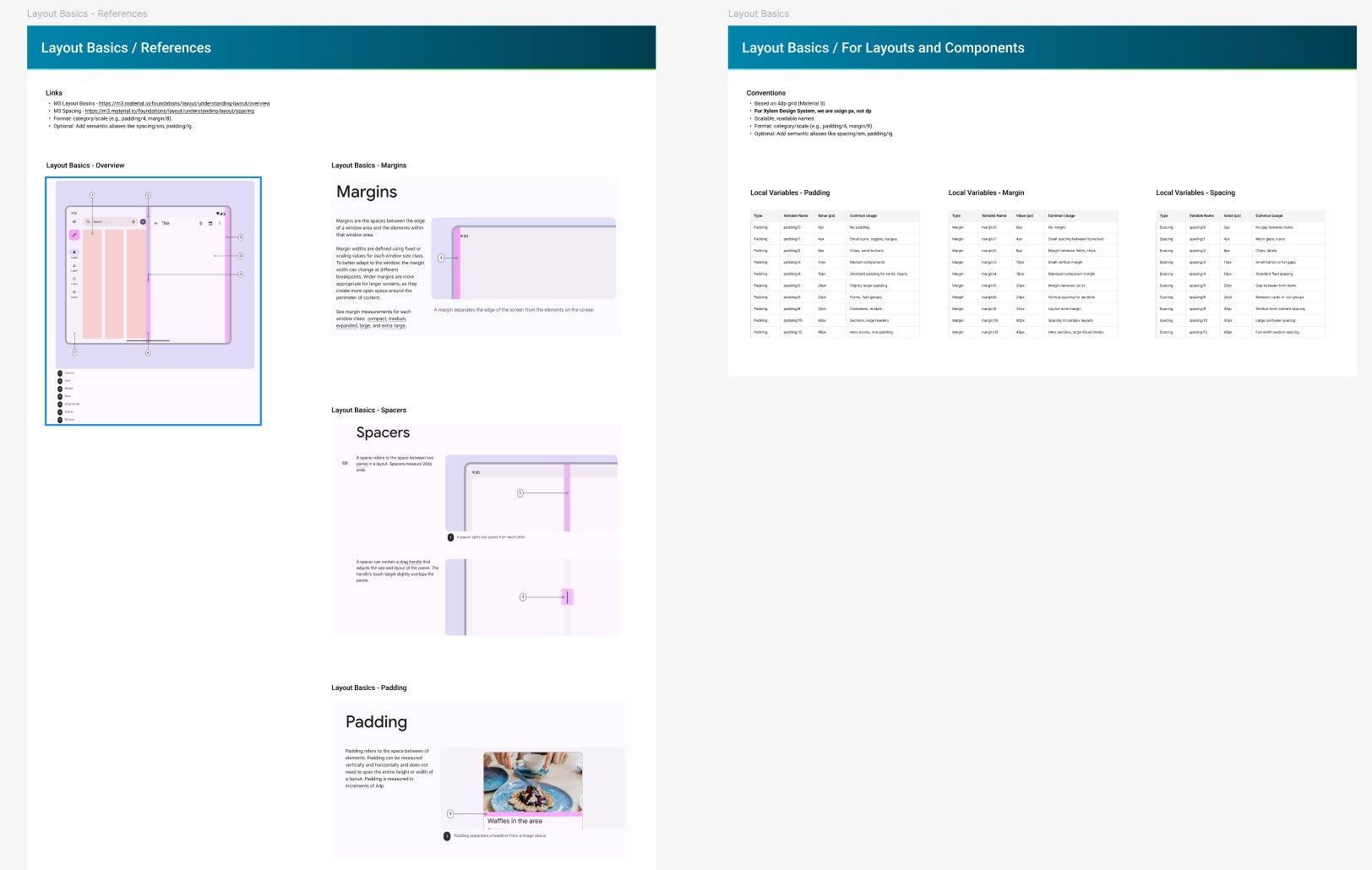
I created the Foundation file for the entire Xylem organization — a token system based on Material Design 3, configured with Xylem Blue (#0066B3) as the primary brand color, Roboto typography, and an 8px spacing base. This foundation serves 100+ applications across the company.
auto_awesome AI-assisted: Claude was used throughout design system work — from structuring token documentation and naming conventions to drafting component specifications and writing usage guidelines for the shared library.
Color Tokens
- Xylem Blue (50–900)
- Gray scale (50–900)
- Semantic: Success, Warning, Error
- Surface & Background
Typography
- Roboto (all weights)
- Headings 1-6
- Navigation & Menu
- Labels, Buttons, Helper
Layout
- 8px base unit
- Margins & Padding
- Spacers system
- Grid: 12/8/4 columns
Production
- Angular 17/18
- CSS Variables
- Component library
- 90+ apps support
Color Token System
Typography Scale
Layout System
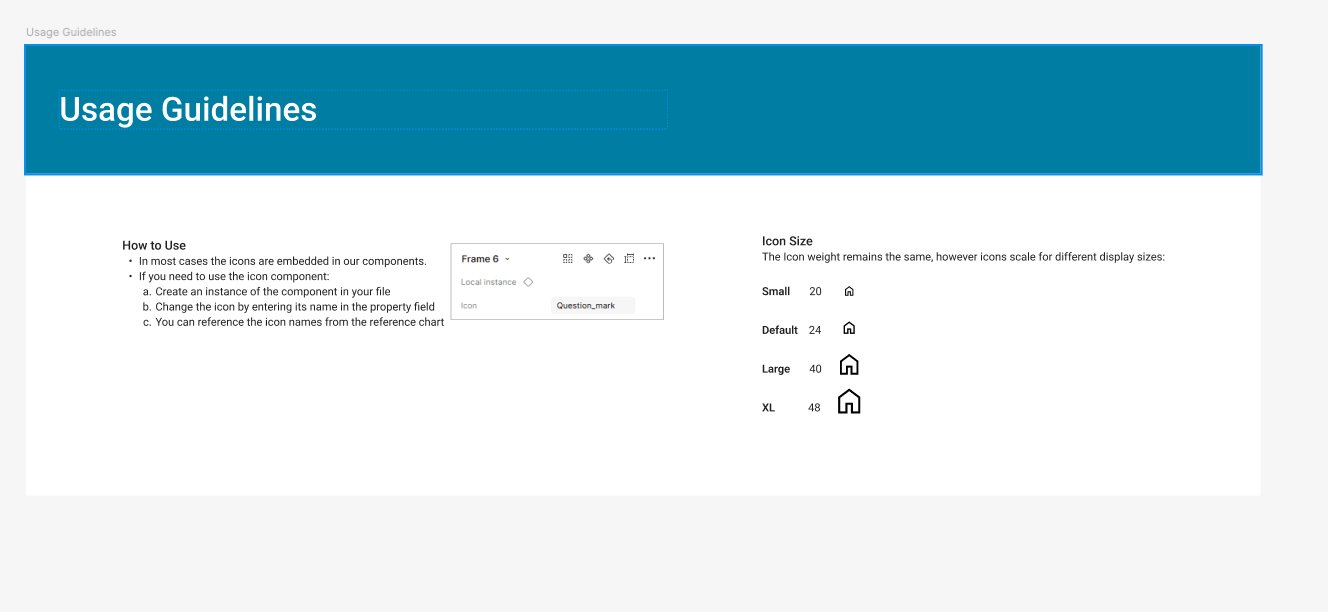
Icon Guidelines
Design System Components
Production-Ready Components for Enterprise Scale
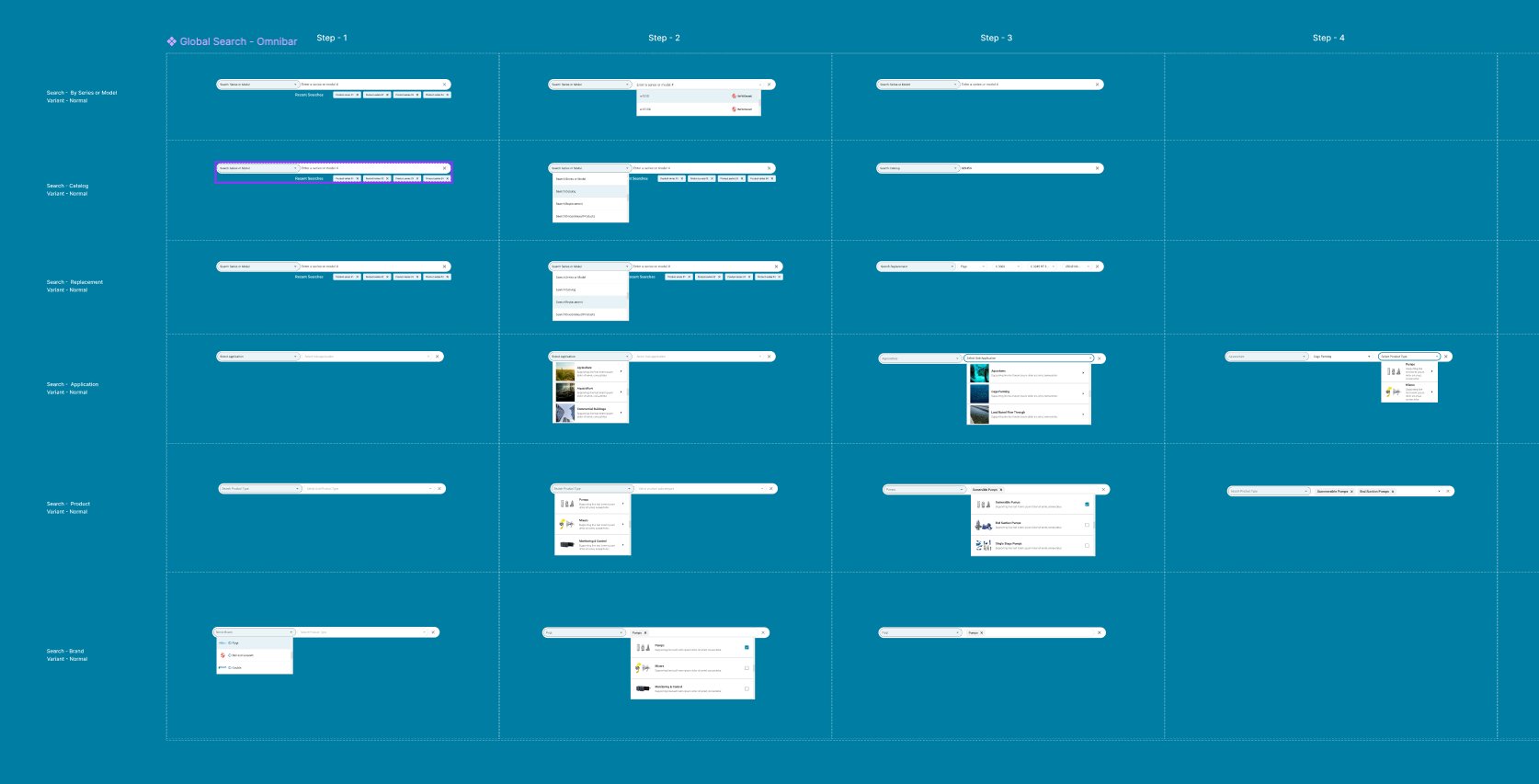
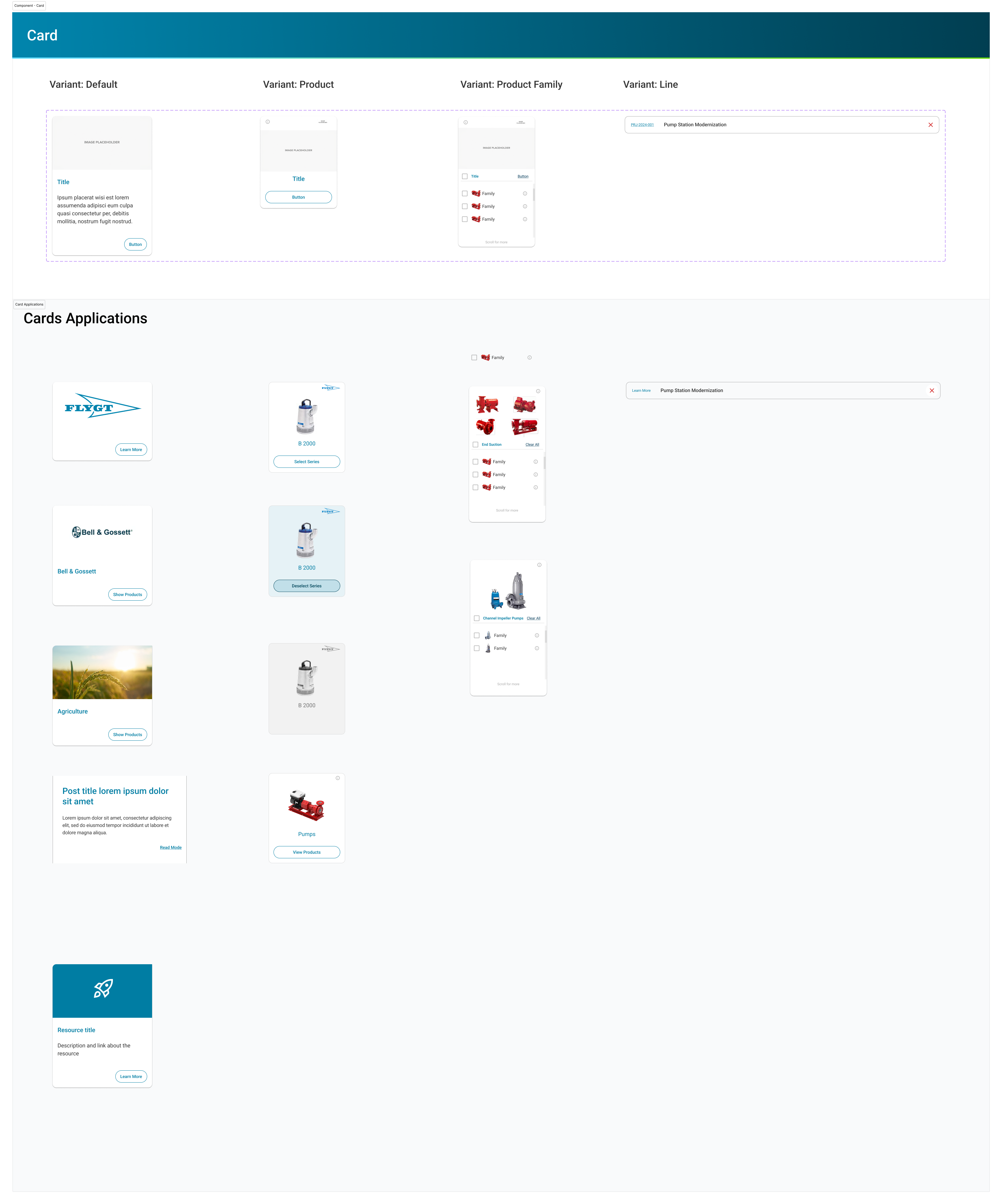
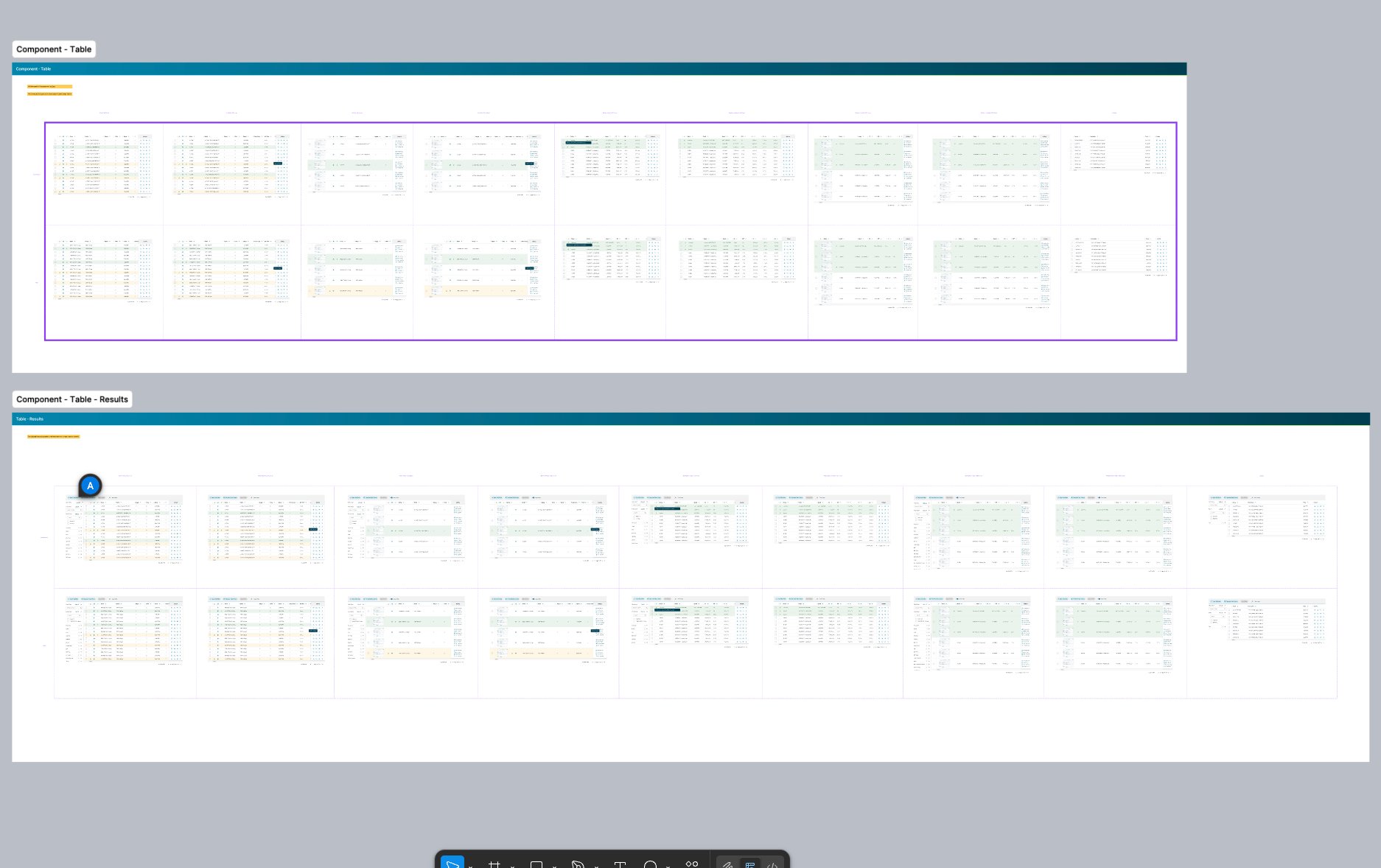
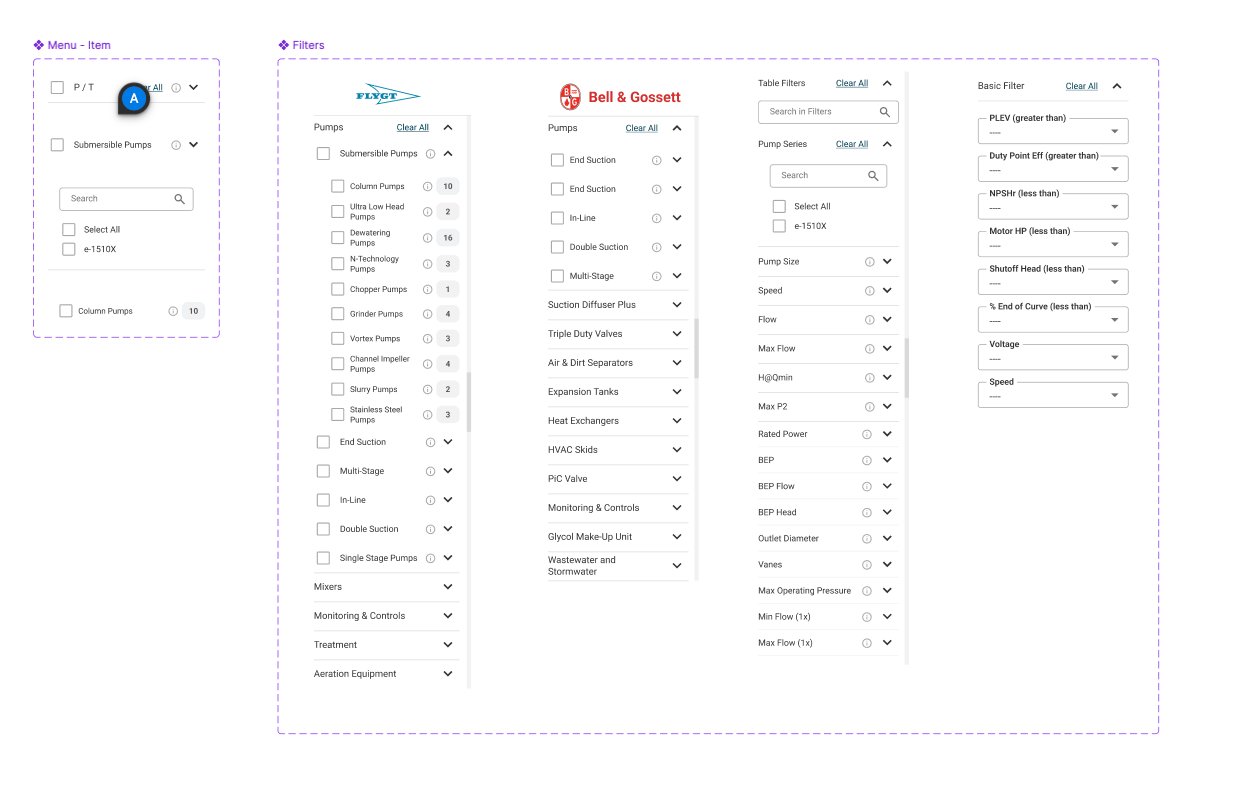
Beyond the foundation, I designed critical components specific to Solver's needs — complex data tables for AG Grid, multi-brand filter systems, global search with predictive results, and responsive navigation patterns that work across desktop and mobile.
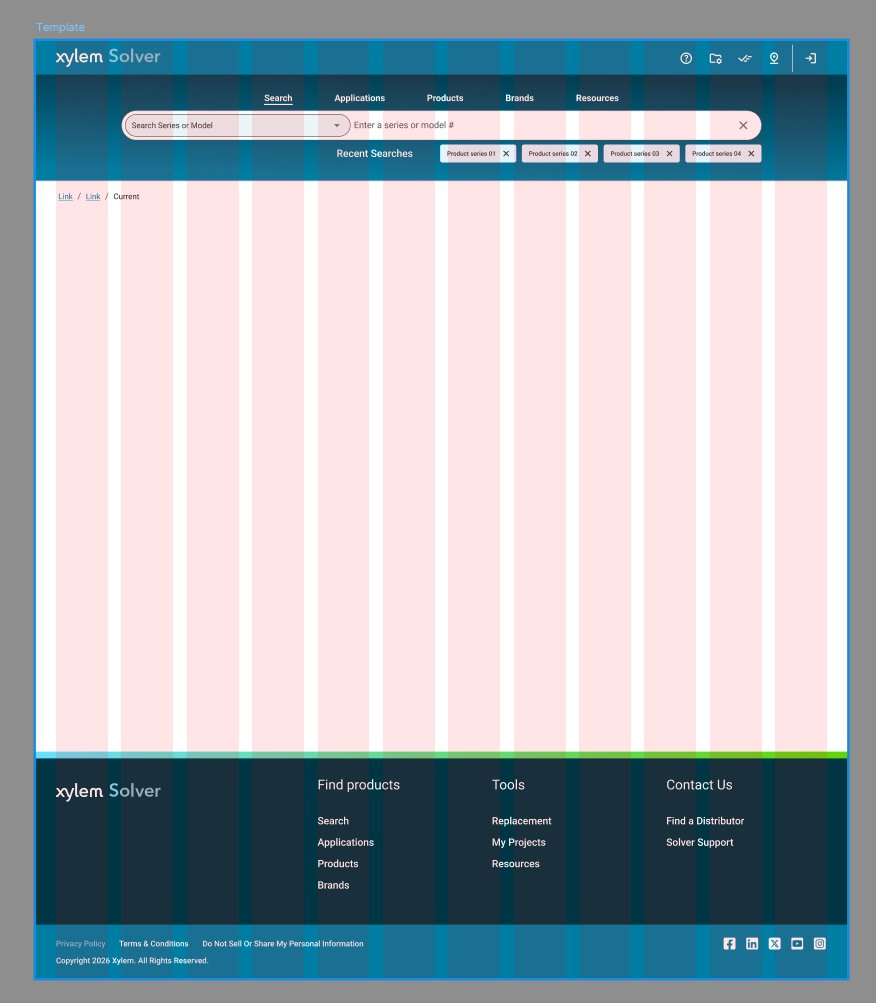
Page Template with Grid System
Global Search — Omnibar Component
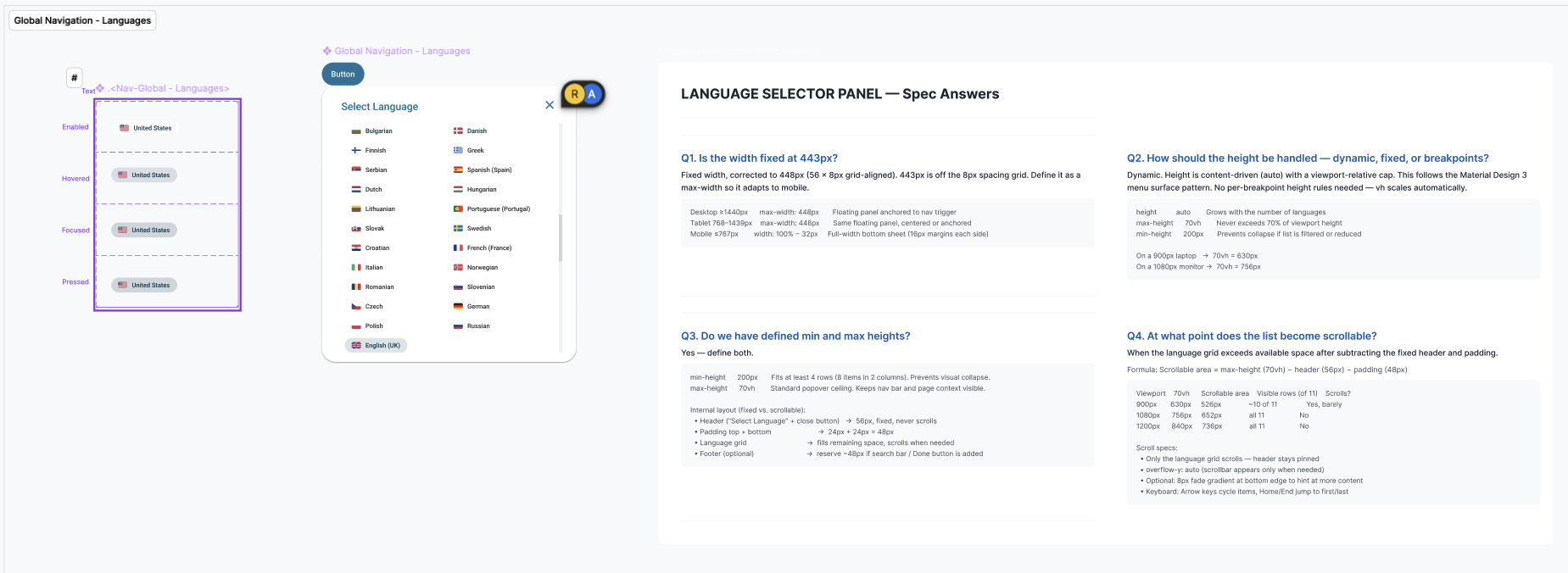
Header & Navigation System
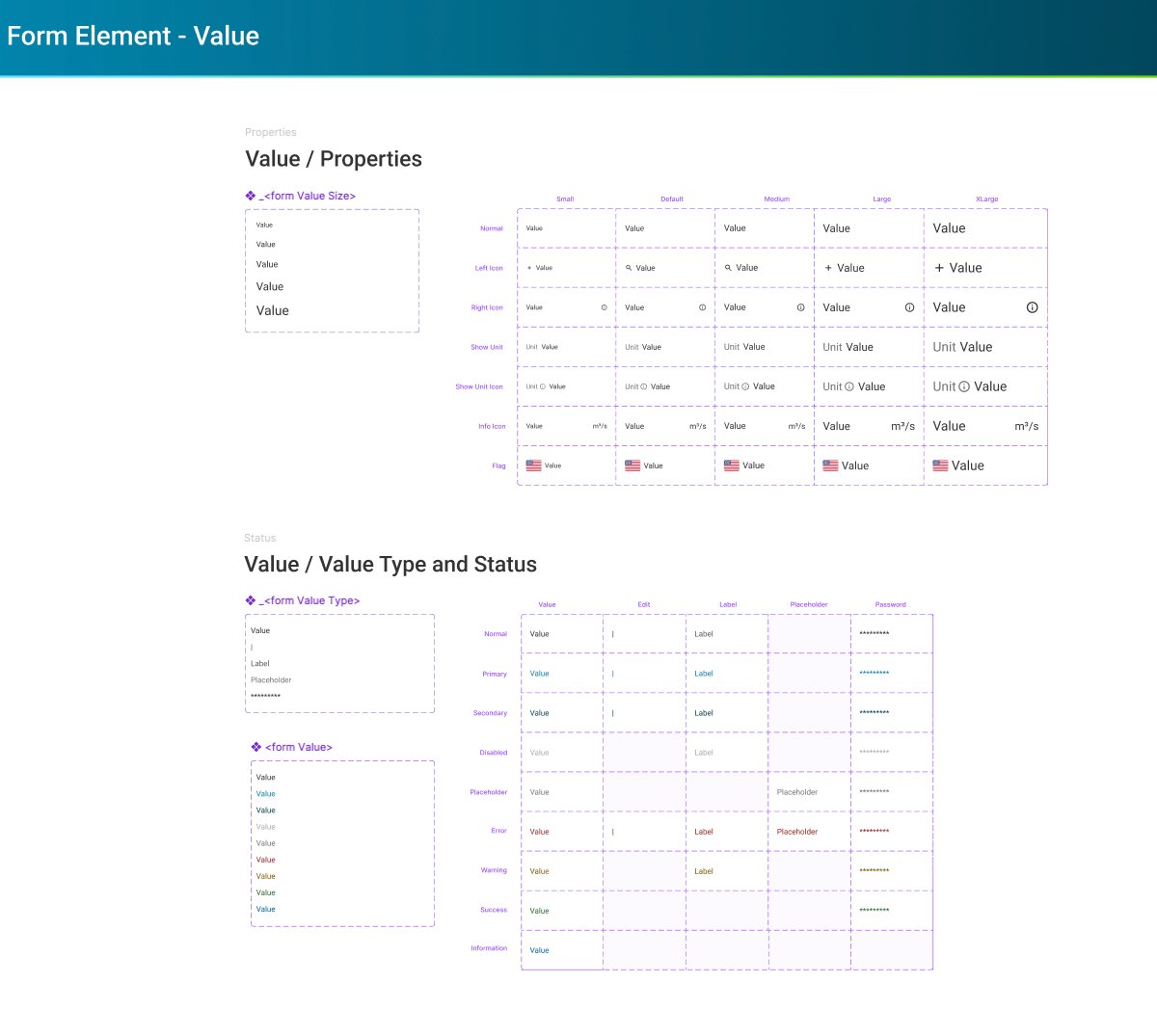
Form Elements
Card System
Data Tables (AG Grid Integration)
Filter System (Multi-Brand Support)
Prototyping & Co-Creation
Agile Delivery with Stakeholder Alignment
Design wasn't done in isolation. Every flow was developed through co-creation workshops with UX, Product Managers, Dev Leads, and Accenture consultants. User stories were written with acceptance criteria, and prototypes were validated before any code was written.
I used Figma Make and Claude Console for rapid prototyping — generating variations faster than traditional wireframing, then refining with stakeholder feedback in real-time sessions.
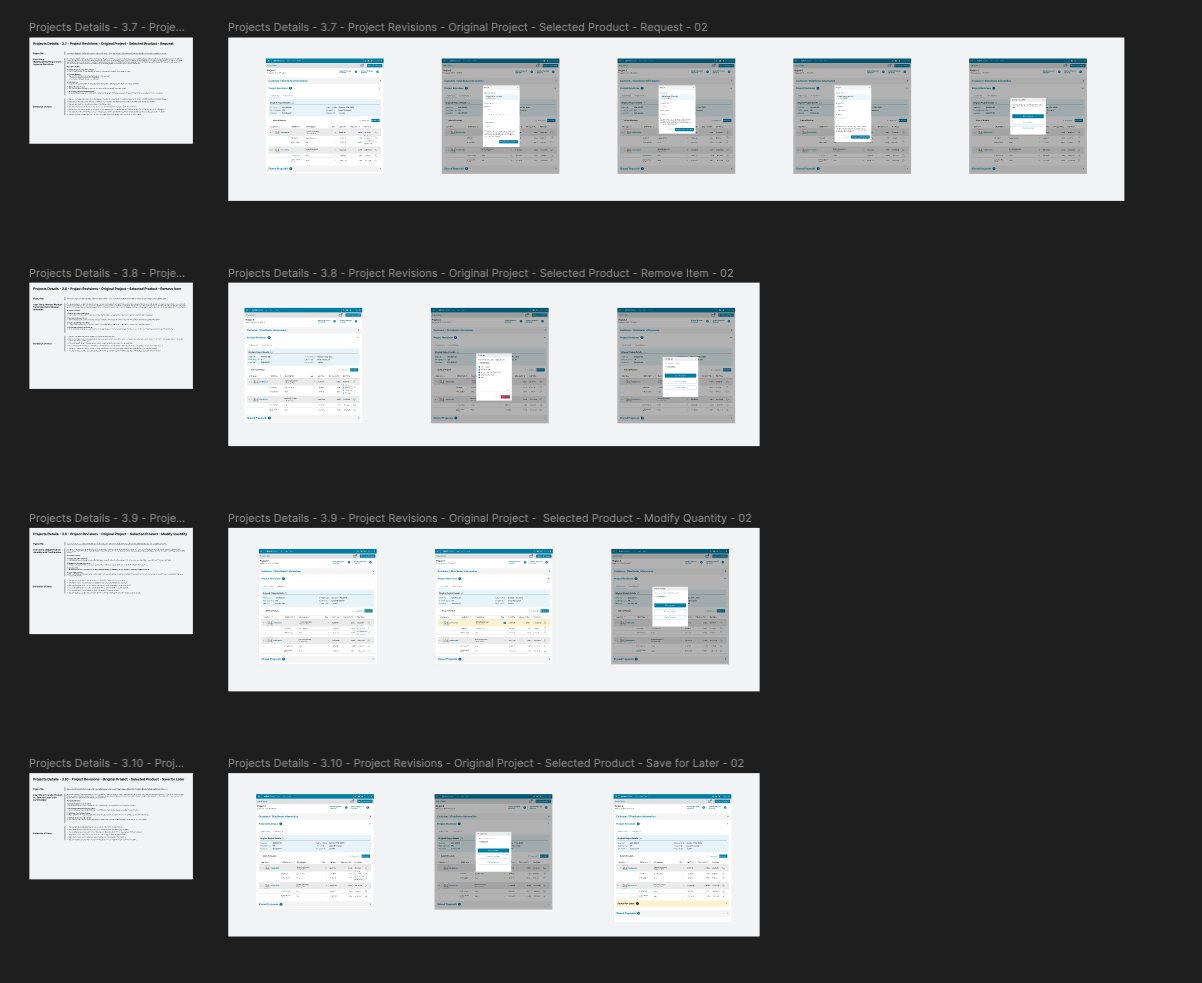
Workshop Annotations & Decision Documentation
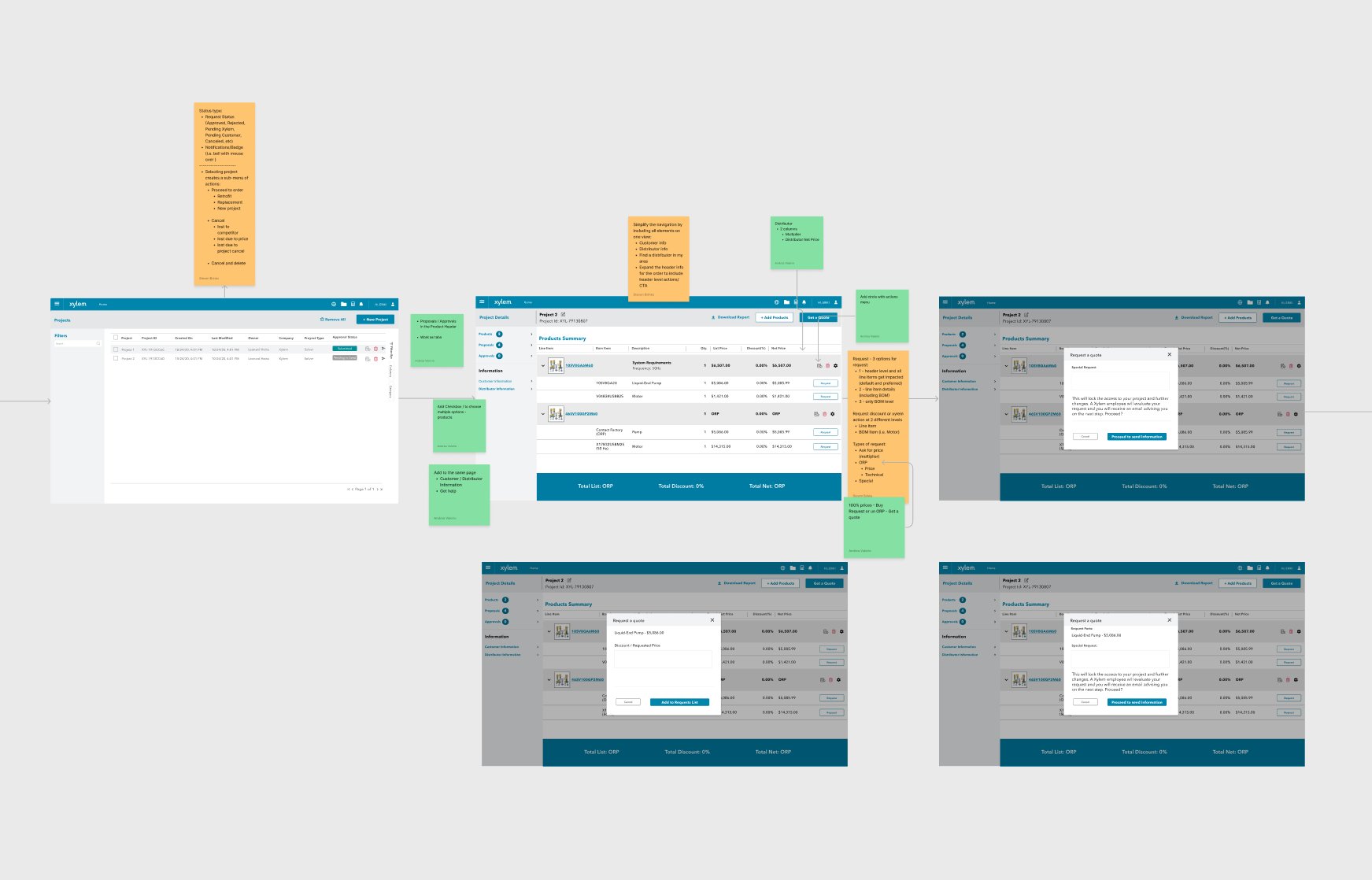
User Stories with Complete State Coverage
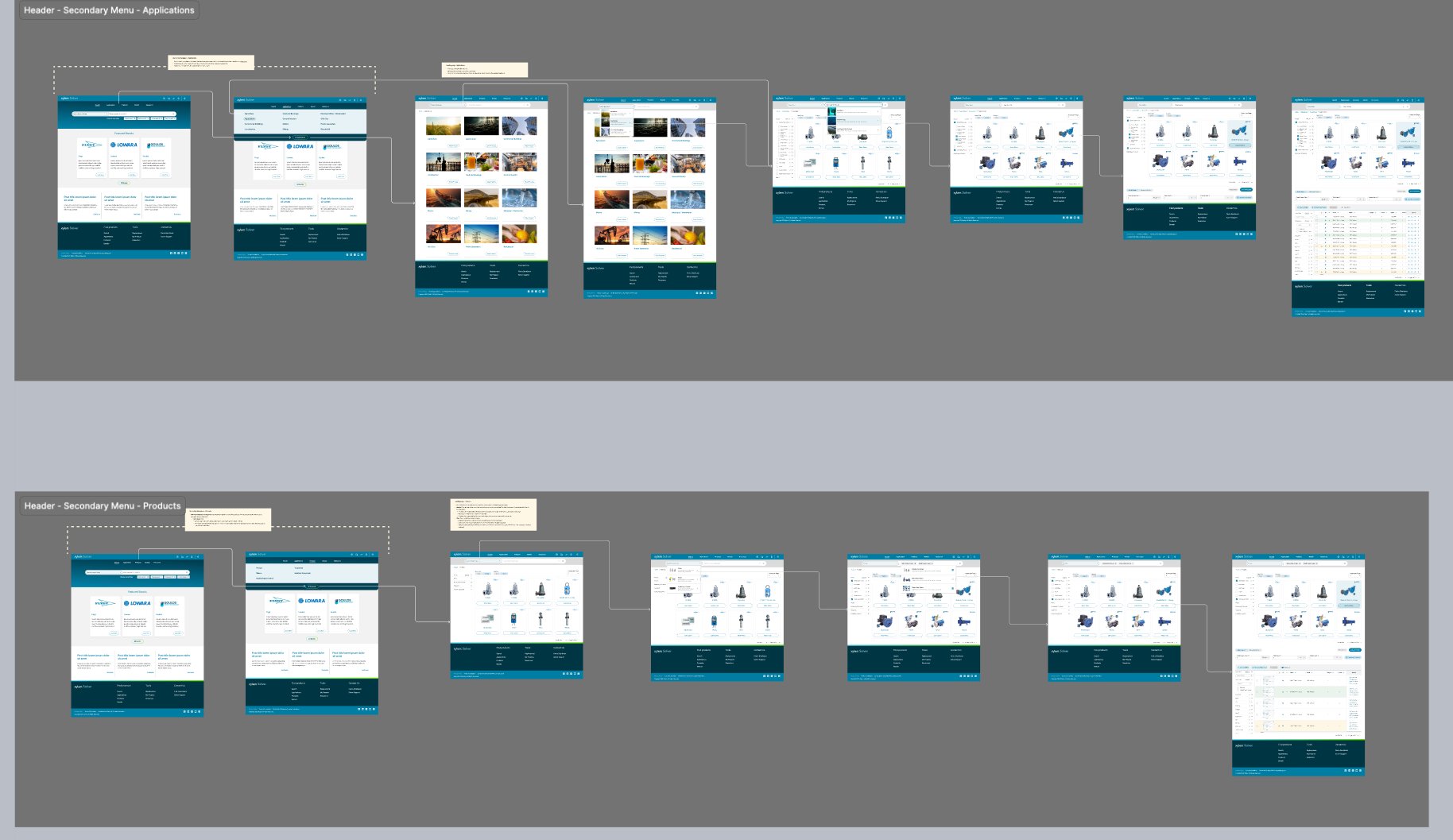
Complete Navigation Flows — Applications & Products
Complete User Flow
From Search Query to Quote — The Full Selection Lifecycle
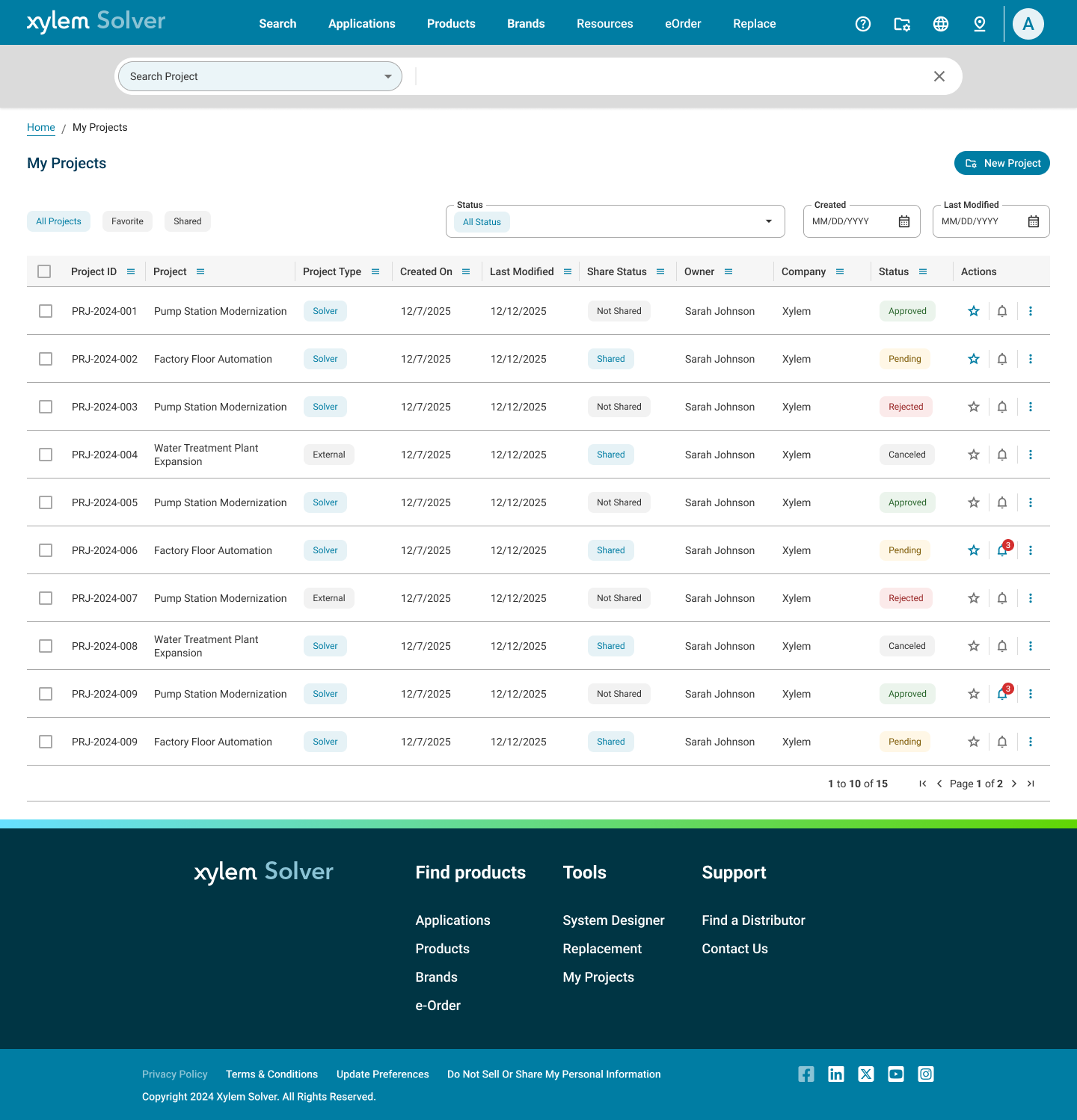
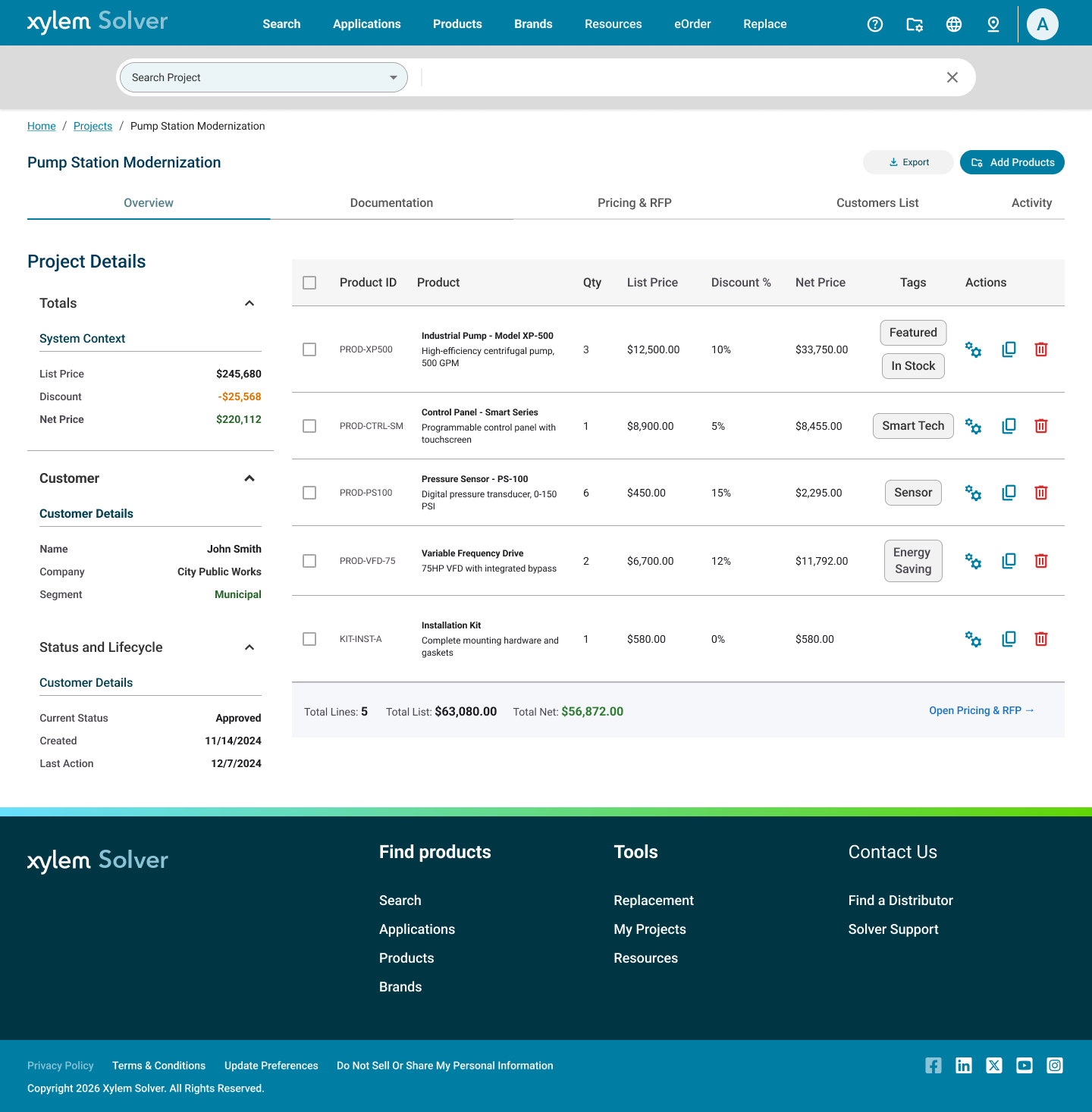
The core user journey in Solver isn't a single action — it's a multi-step selection lifecycle that mirrors a B2B procurement flow: find the right product, configure it to spec, validate the selection, and generate a deliverable. Every step was designed to reduce friction and prevent dead ends.
B2B Procurement Context
Unlike B2C e-commerce, Solver's end goal isn't a cart checkout — it's an RFP (Request for Proposal) or RFQ (Request for Quote) submitted to a distributor or regional sales team. The flow involves multiple roles: an Application Engineer or Consulting Engineer selects and configures, a sales rep reviews pricing and applies discounts, a manager approves the quote before submission. Every friction reduction decision — flattened IA, predictive search, inline configuration, in-app pricing editor — was validated against this multi-stakeholder, multi-session procurement reality.
Screen-by-Screen Walkthrough
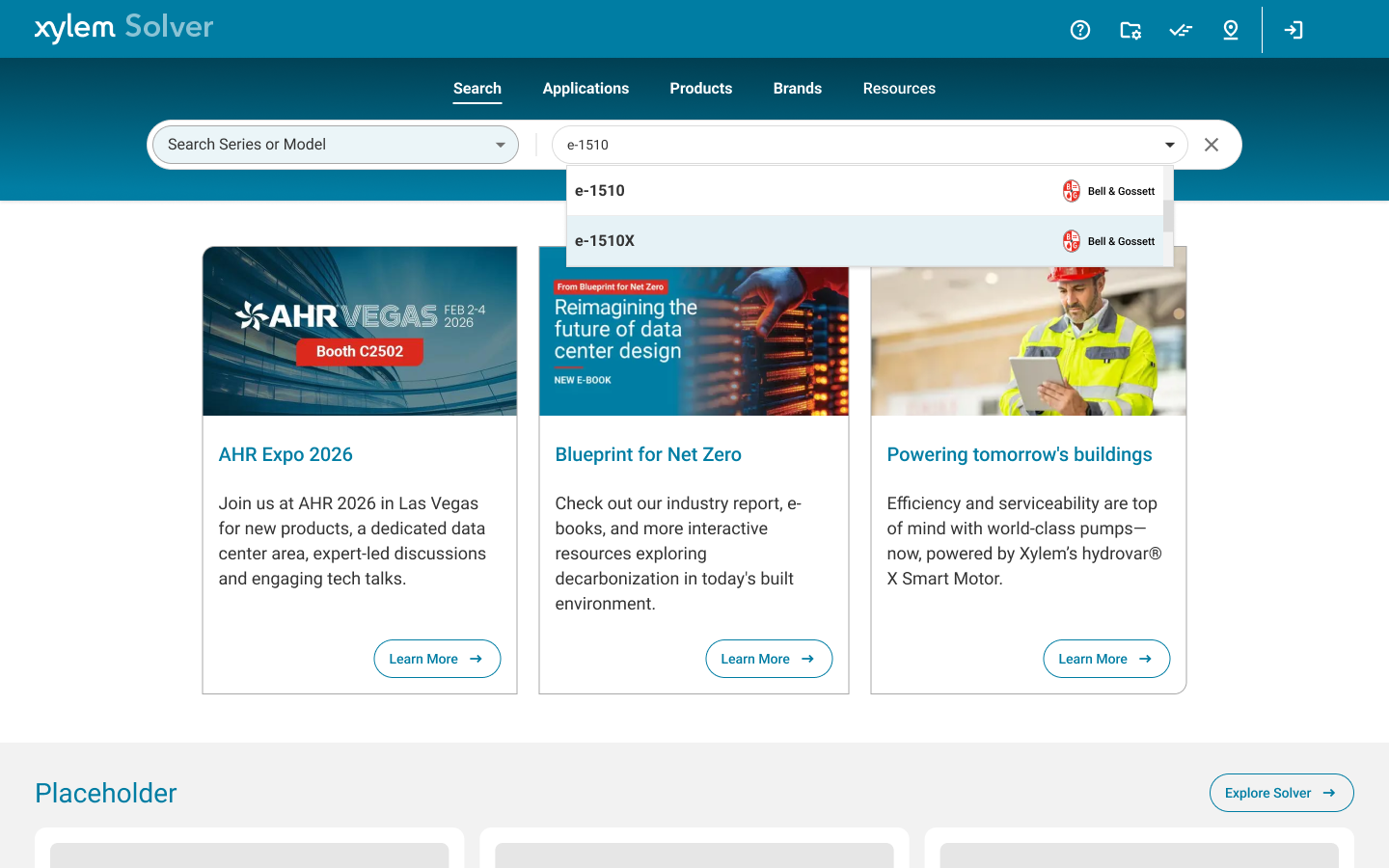
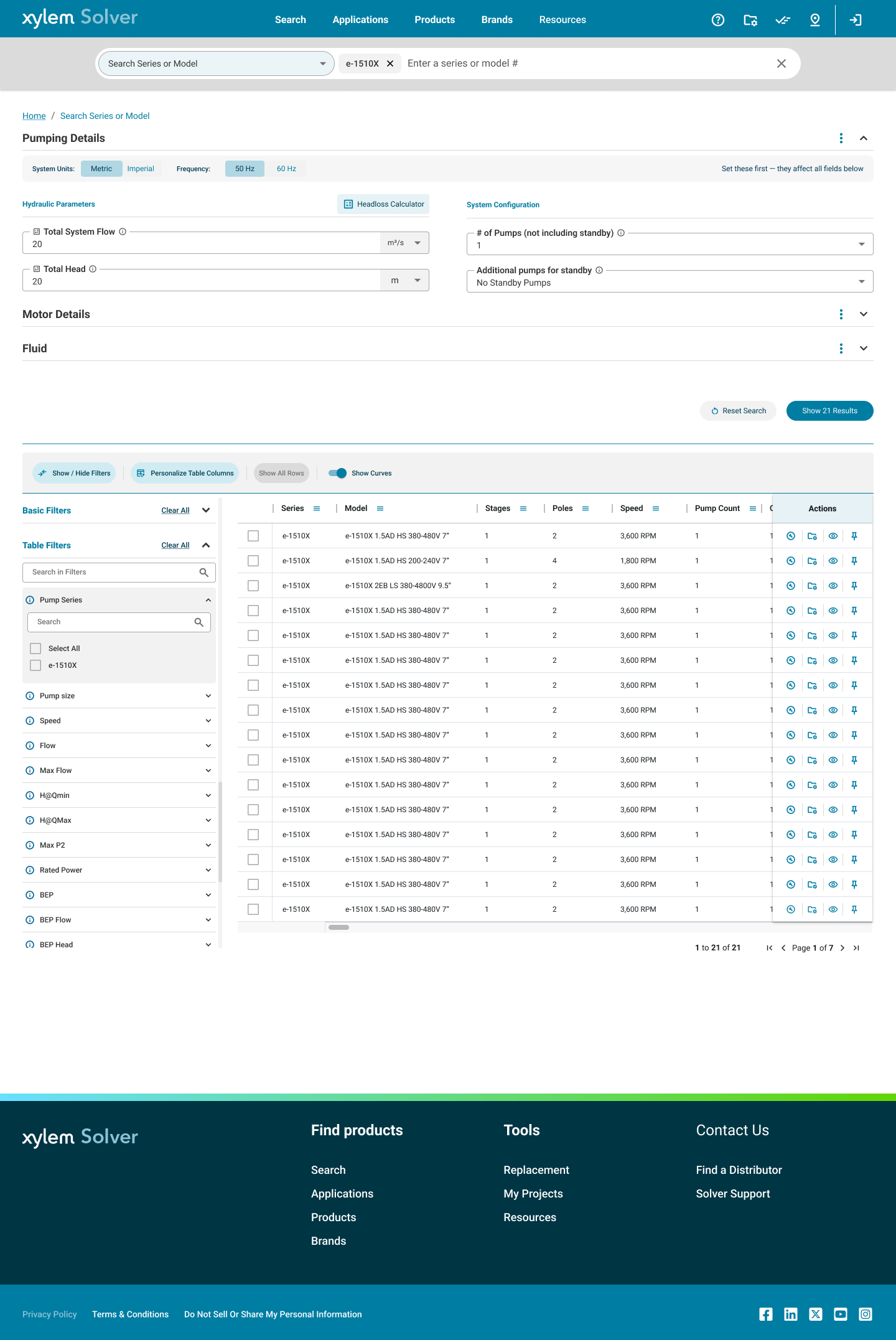
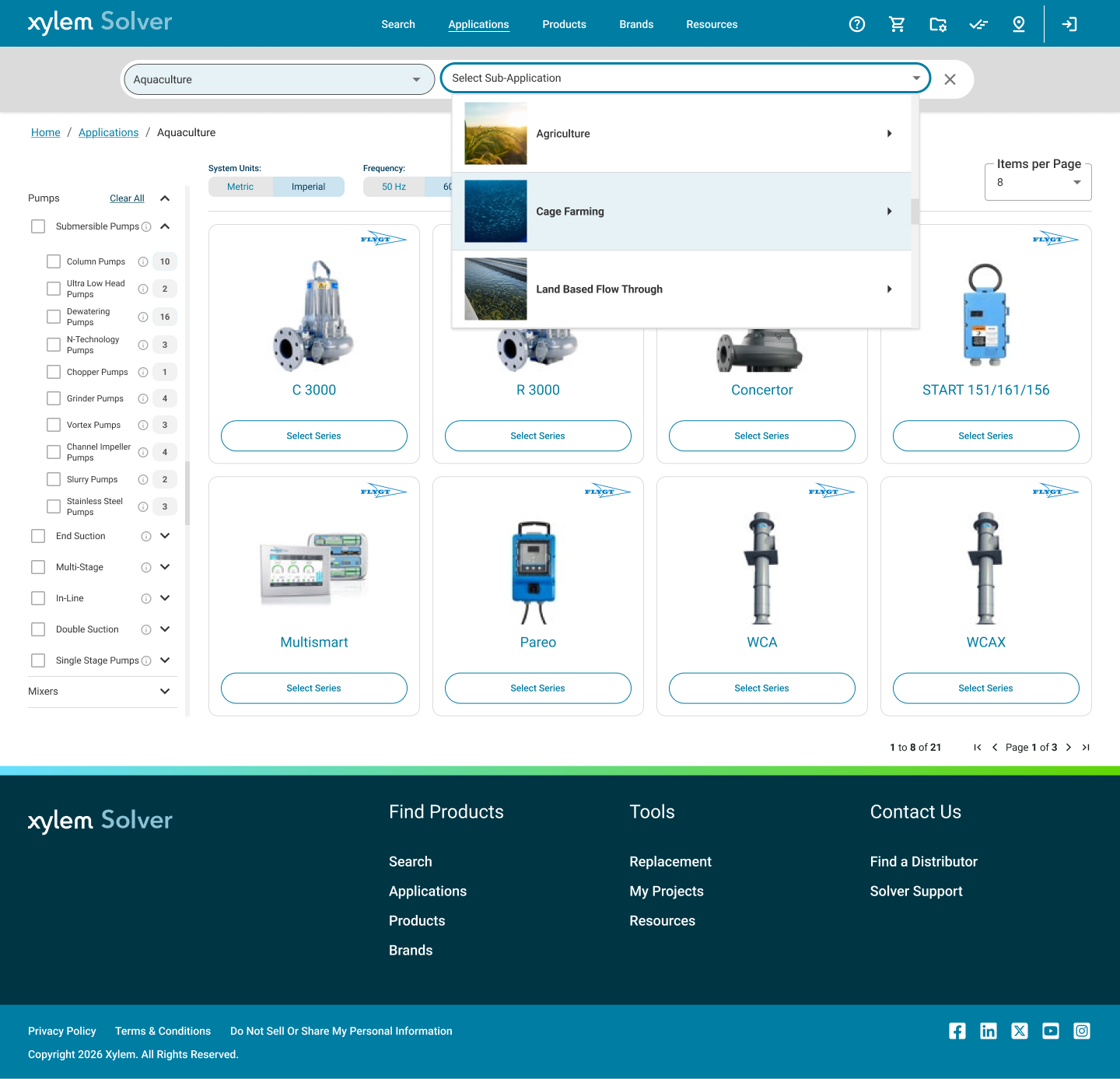
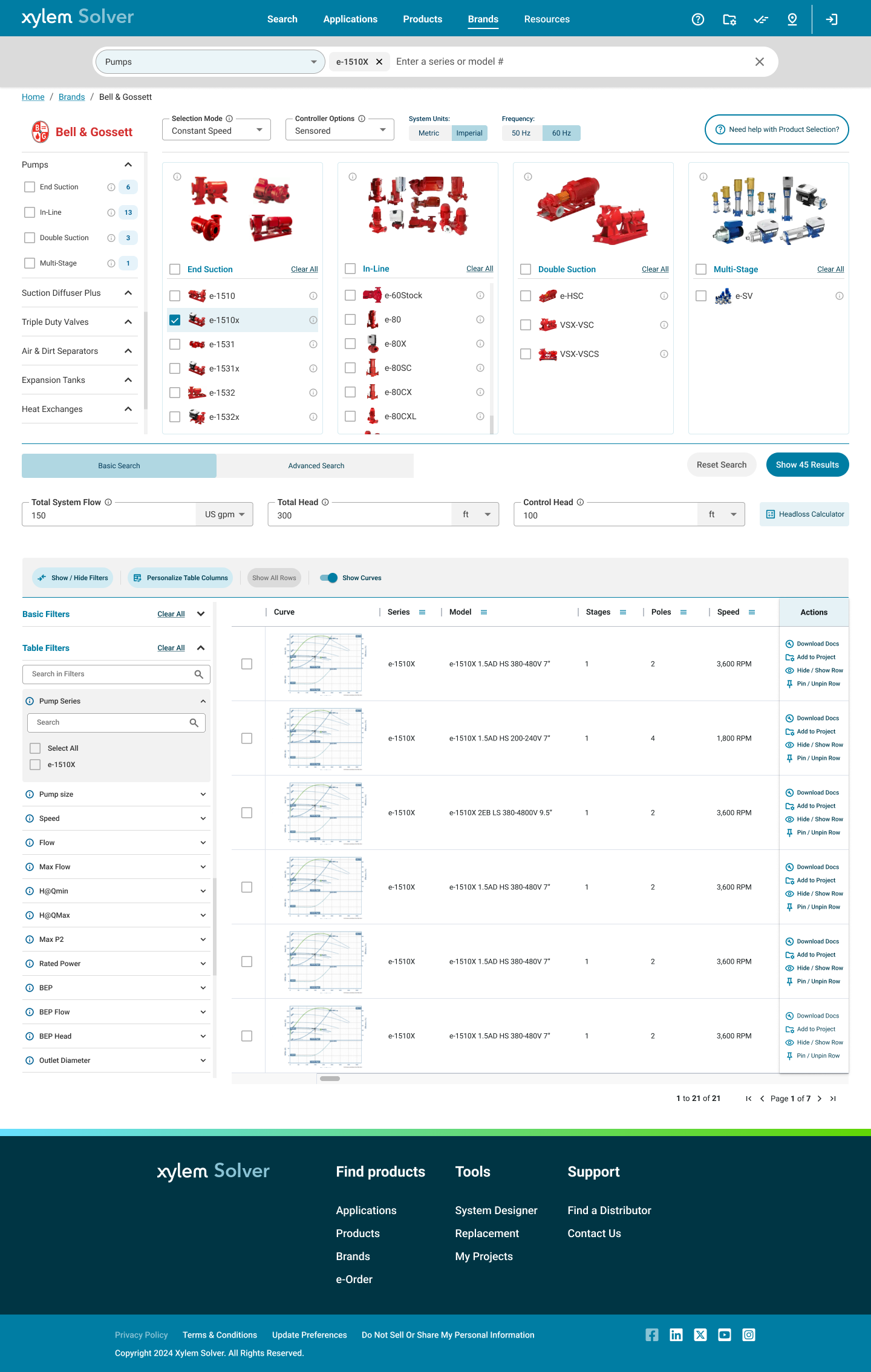
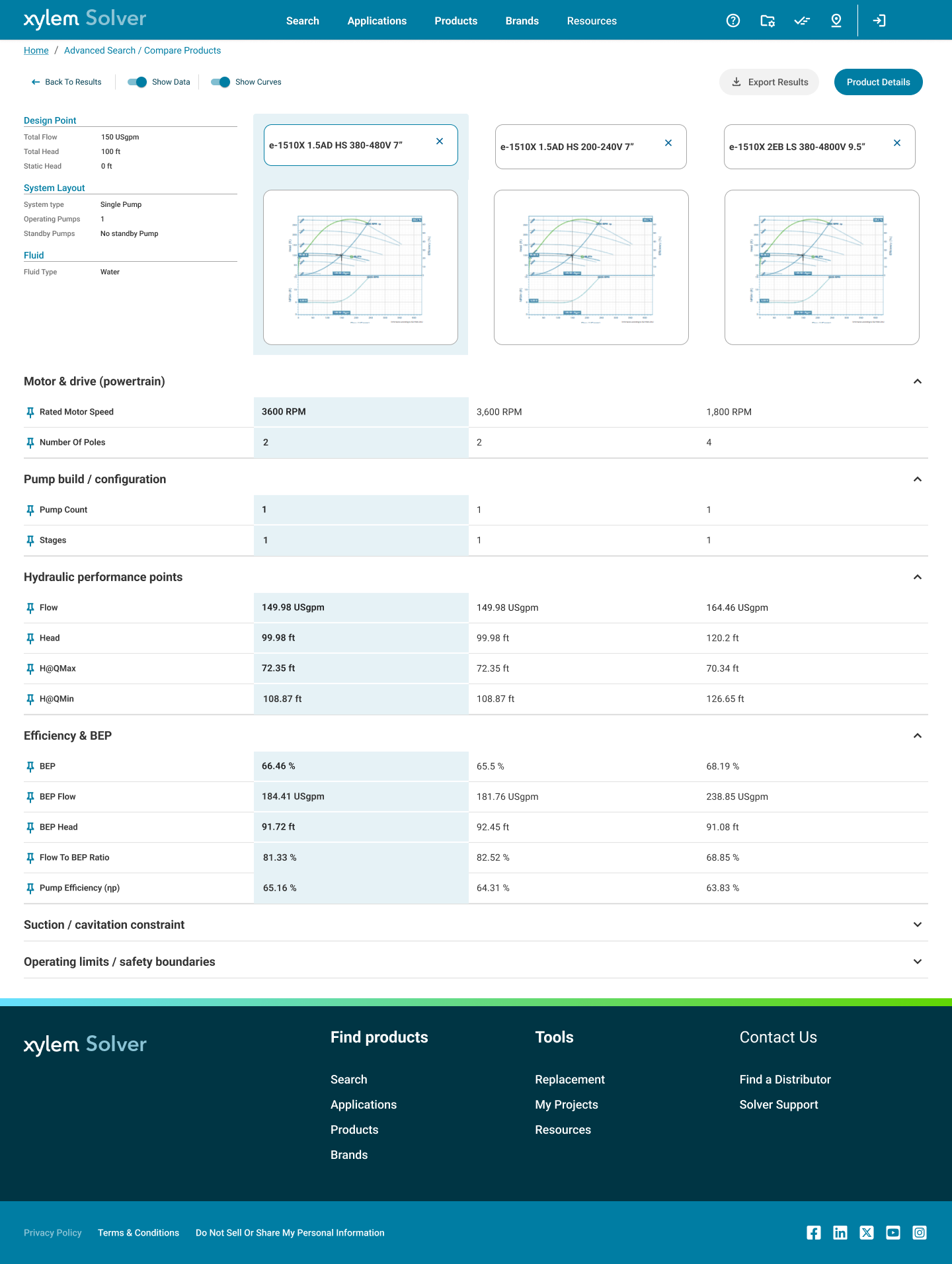
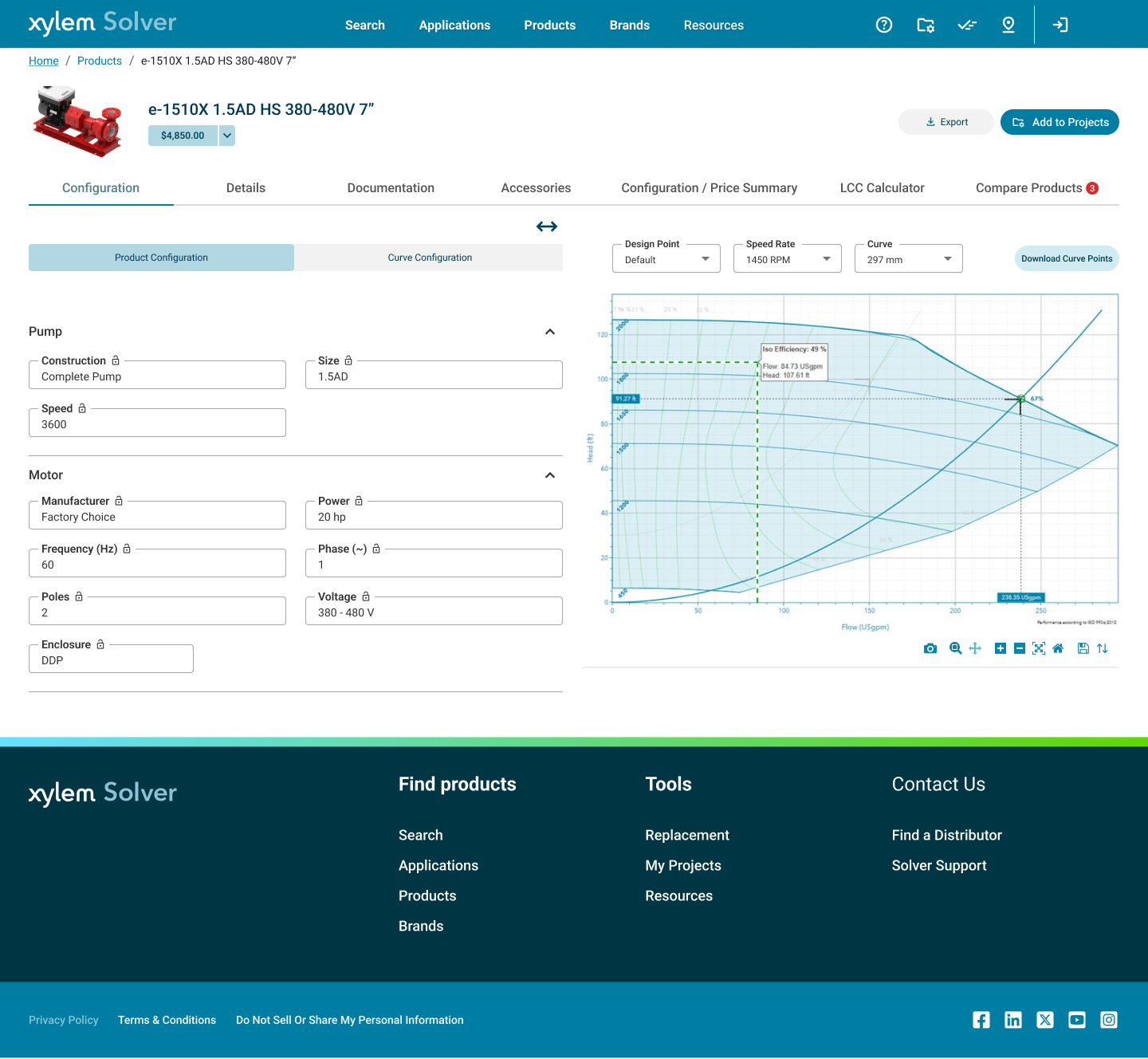
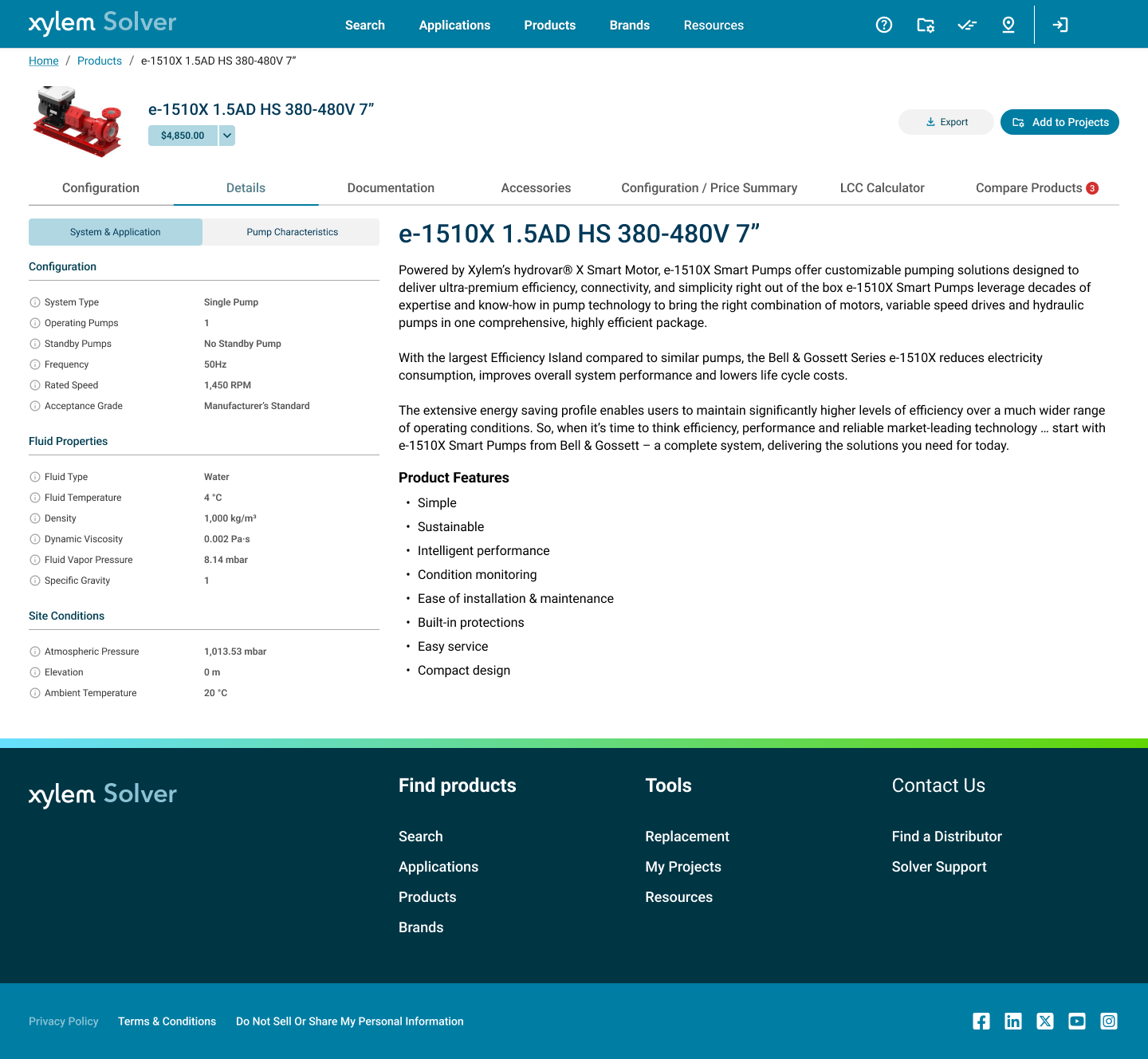
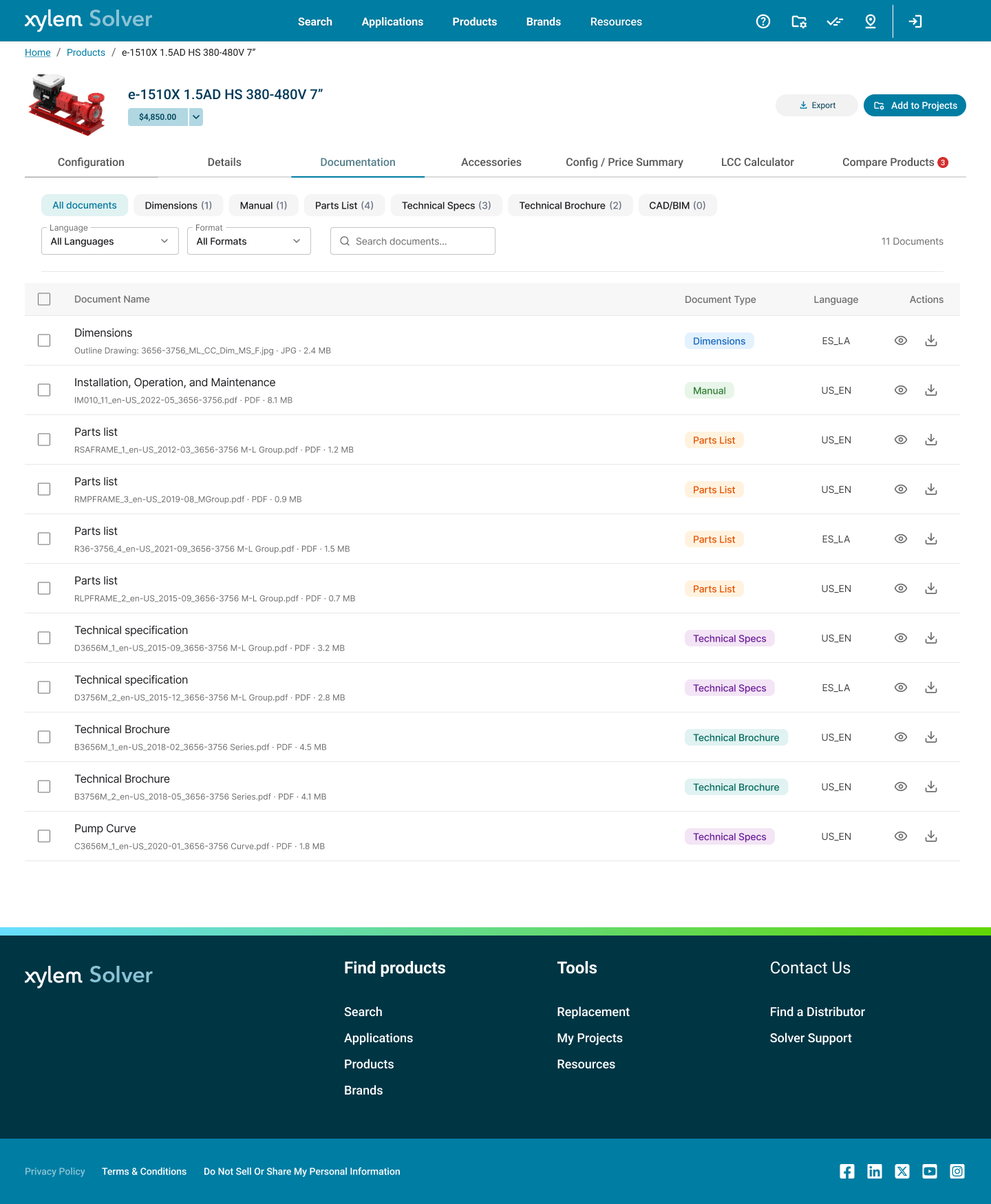
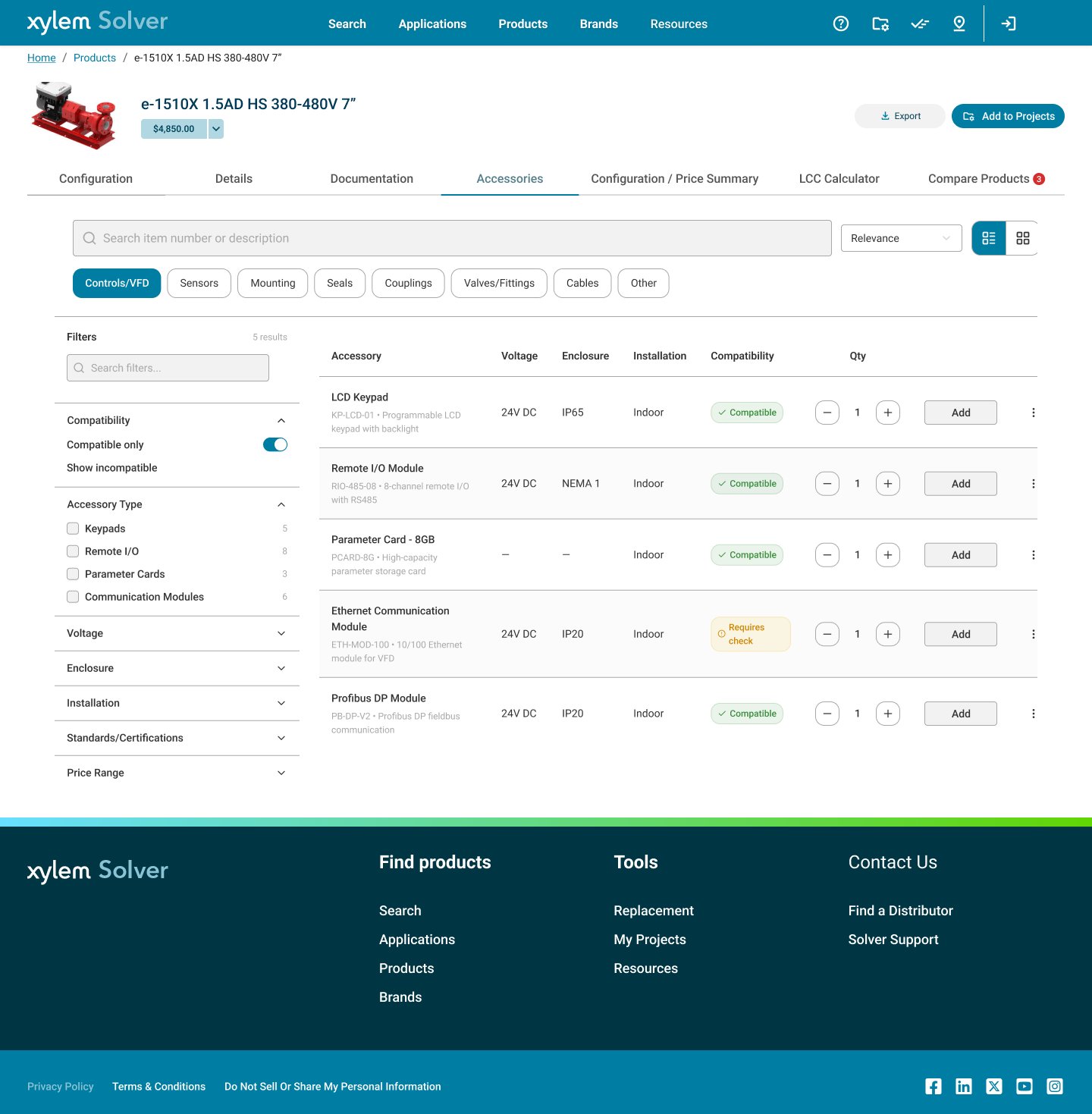
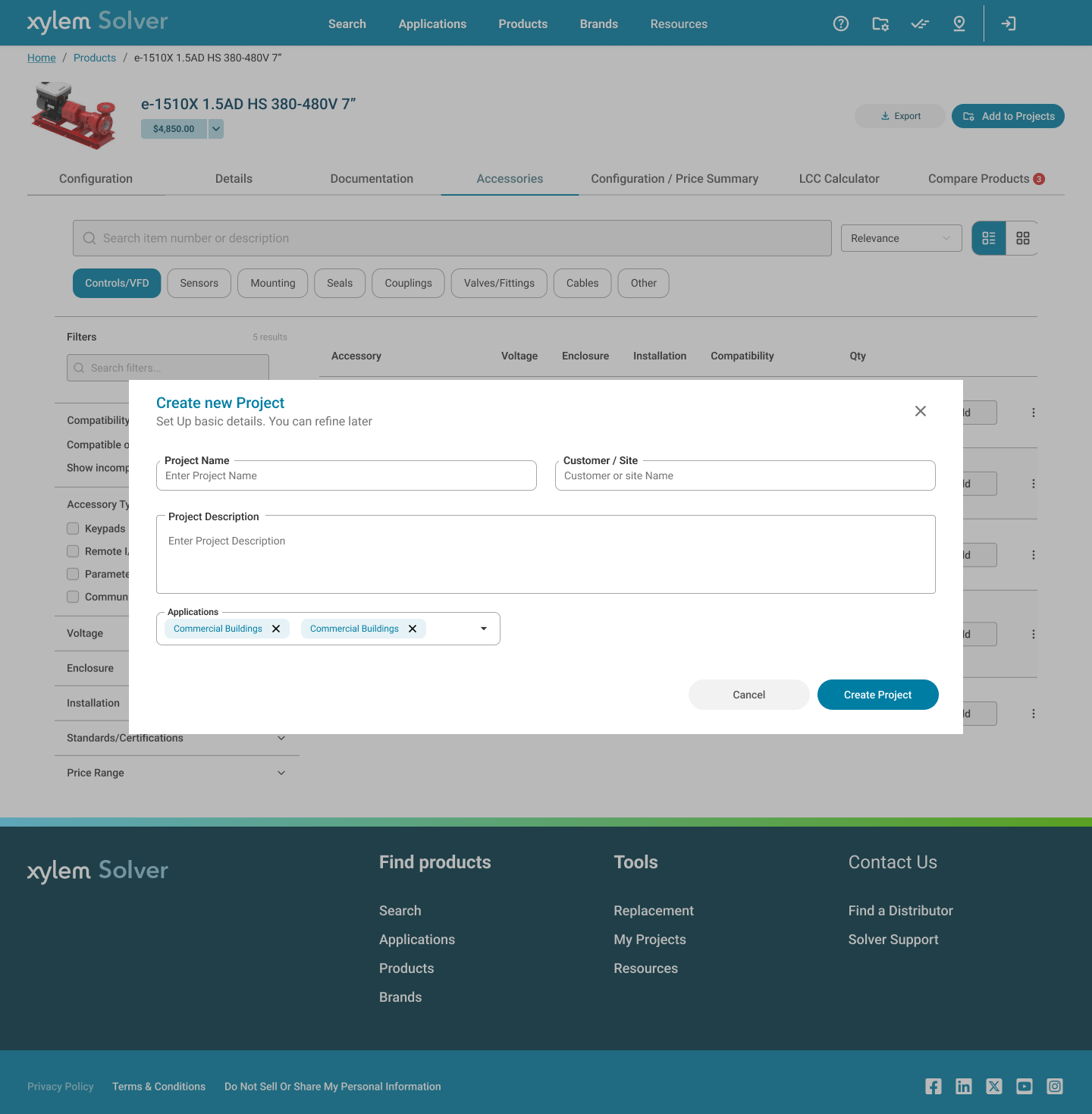
Edge Cases & Error Handling
Designing for Failure at Enterprise Scale
In an enterprise selection tool, error states aren't edge cases — they're workflow blockers. A failed search or configurator conflict can send an engineer back to a phone call with Application Engineering, exactly what Solver was built to eliminate. Every failure mode was documented and designed with three rules: explain what happened, show the closest valid path forward, and never lose user progress.
No Search Results — Empty State
When a query returns no products, the empty state shows query suggestions, related categories, and an "Ask Application Engineering" escalation path. Users are never left on a dead-end page — they always have a next action.
Configurator Constraint Violation
When selected duty-point parameters produce no valid model in Tacton, the configurator shows an inline constraint message identifying the conflicting values and suggests the closest valid alternatives — keeping the user in the configuration flow rather than resetting to search.
Quote Generation Failure
When the quote service is unavailable, the system auto-saves the project state and shows a service status message with a retry option. Users don't lose their configured selections — the quote generates automatically when the service recovers.
Access Control, Brand Subscriptions & Self-Service Account Model
When a user tries to access a brand, feature, or pricing tier outside their account permissions, Solver shows a contextual access message — not a generic 403 — specifying the exact role required and providing a direct self-service path to request it. No IT ticket, no dead end.
User Role Model
Three role tiers govern access: Application Engineer (full configuration + pricing), Distributor (browse + quote, restricted net pricing), and Read-Only (product research, no quote generation). Roles are set at account creation and upgradeable via self-service request — no admin required for standard upgrades.
Brand Subscriptions
Each user account has a subscribed brand set (e.g., Bell & Gossett only, or Flygt + Lowara). Accessing an unsubscribed brand shows an upgrade prompt with a business justification field. Subscription scope controls which product families, pricing tiers, and technical documents are visible — critical for multi-brand distributors managing separate contractual agreements per brand.
Self-Service Profile
Users manage brand subscriptions, unit defaults (metric/imperial), frequency settings, notification preferences, and language from a single profile. Role upgrade requests and access history are visible inline. Designed to reduce the 40% support dependency by giving users direct ownership of their access — the same friction reduction principle applied to the product flows.
Trust & Consistency Signals
Design System Consistency
Same components, tokens, and patterns across all 90+ apps — users feel at home the moment they switch tools
Inline Validation
Configuration forms validate in real-time — engineers know immediately if a parameter is out of range, before submitting
Progress States
Multi-step flows show where the user is and what's saved — no surprise resets or unexplained loading states
Auto-Save Projects
Every project action is persisted — users can close and return without losing configured selections or quote drafts
Outcomes
Deliverables & Impact
Reflections
Toughest Design Decision
Design System Governance: Enabling 90+ Teams Without Becoming a Bottleneck
The Problem
With 90+ applications sharing the Xylem Design System, every DS update had the potential to break UI in apps I hadn't designed. Too much control = bottleneck. Too little = fragmentation and brand drift across the product portfolio.
The Decision
Two-layer governance: a locked Foundation layer (tokens, primitives, core components owned by UX) and an extensible Application layer (teams build on top but can't modify the Foundation). Changes to the Foundation go through a documented review process with a clear breaking-change policy.
The Tradeoff
Some teams found the locked Foundation layer frustrating — they wanted to modify core components for their specific use case. Each exception required a formal proposal, which slowed down feature delivery in the short term but maintained long-term consistency across the platform.
Impact & Outcomes
Qualitative impact: The 40% support dependency on Application Engineers was directly tied to platform friction — users couldn't self-serve. By reducing friction through flattened IA, predictive search, and inline configuration guidance, Solver moves the conversion point from "call for help" to "complete task independently." The DS consistency also reduces the onboarding cost for new Xylem products joining the platform.